


🚴♂️ Ride smarter, track sharper, and never miss a beat with moofit CS8!
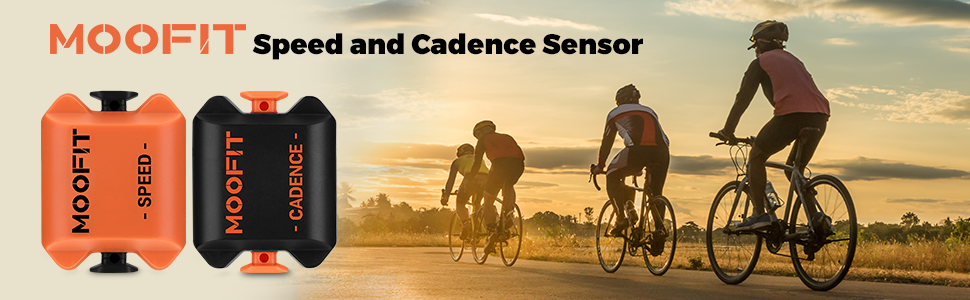
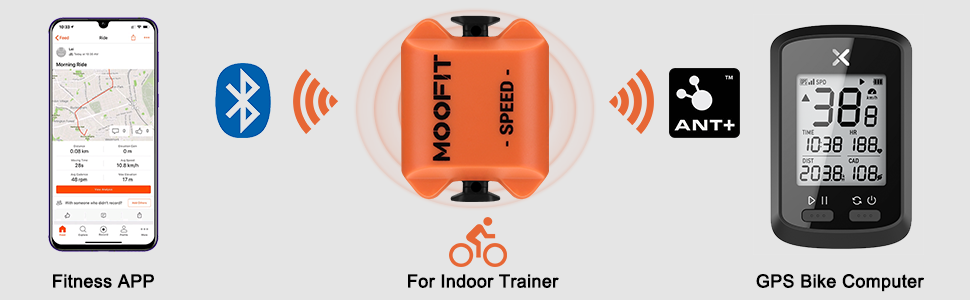
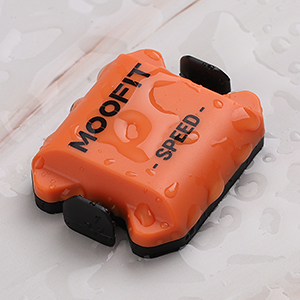
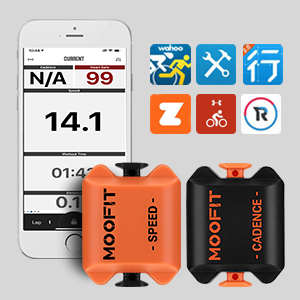
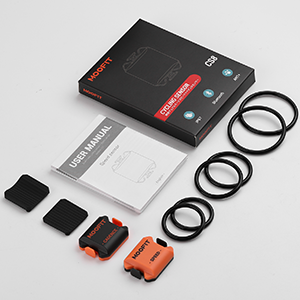
The moofit CS8 Cycling Speed and Cadence Sensor bundle offers dual Bluetooth 4.0 and ANT+ connectivity for real-time, accurate tracking of your cycling speed and cadence. Featuring IP67 waterproof protection and magnet-free installation, it ensures durability and ease of use in all weather conditions. Compatible with major fitness apps, this lightweight sensor set is designed for professional cyclists and enthusiasts seeking precise data on every ride.


| ASIN | B088WTRDKG |
| Battery Cell Composition | Lithium Manganese Dioxide |
| Best Sellers Rank | 4,516 in Sports & Outdoors ( See Top 100 in Sports & Outdoors ) 3 in Speedometers |
| Brand | moofit |
| Brand Name | moofit |
| Colour | Orange |
| Connectivity Technology | ANT, Bluetooth |
| Country Of Origin | China |
| Customer Reviews | 4.1 out of 5 stars 3,735 Reviews |
| Display | LCD |
| Display type | LCD |
| Human Interface Input | Unknown |
| Included Components | Speed sensor, cadence sensor |
| International Protection Rating | IPX6 |
| Item Dimensions L x W x H | 37L x 30W x 10H millimetres |
| Item Type Name | Speed Sensor and Cadence Sensor Bundle |
| Item Weight | 0.06 Kilograms |
| Item height | 10 millimetres |
| Item weight | 0.06 Kilograms |
| Manufacturer | moofit |
| Model Number | CS8 |
| Mounting Type | Crank Mount, Wheel Hub Mount |
| Product Warranty | 1 Year Manufacture |
| Product dimensions | 37L x 30W x 10H millimetres |
| Sensor Type | Cadence Sensor, Speed Sensor |
| Sensor type | Cadence Sensor, Speed Sensor |
| UPC | 779296047753 |
S**L
Easy connection
Work really well with my bike in garage which I have sat permanently on a turbo trainer. Connects easily via Bluetooth to app I use (wahoo which then feeds into starve too). Easy and speedy to fit and good battery life.
S**S
Works perfectly
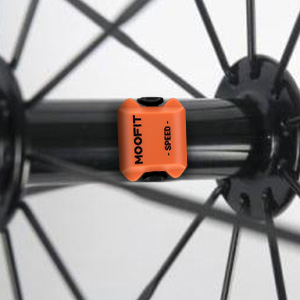
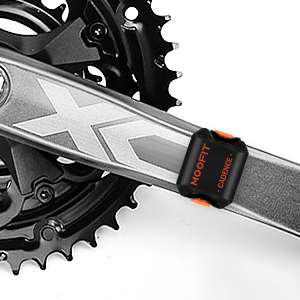
I've had a Polar cycle computer with speed and cadence sensors, however the speed sensor has gone faulty and they no longer have replacements. Having used a trusted and well-known brand for a long time, I was a little apprehensive about using Moofit, especially considering the low price. Well, I'm not apprehensive any more! The sensors are easy to fit in just a couple of minutes using the supplied securing bands, which come in different sizes to cater for different bikes. Once fitted, I opened up my Openrider app (I believe it works with a number of different apps), tapped within the app to find nearby sensors, and that was it. All set up in less than 5 minutes. The sensors operate over bluetooth or ANT+ bluetooth. ANT+ is a little more accurate and power efficient so, if your phone supports ANT+, I'd suggest using that. Regular bluetooth works fine and Openrider supports both regular bluetooth and ANT+. The speed sensor attaches to the hub inside your wheel and I attached mine to the rear wheel. This also means that the speed is registered even when I'm using my indoor training, which is fantastic and something I've not been able to do before. The cadence sensor attaches around either pedal crank. The sensors appear to be very accurate and comparable to other systems I've used. All in all, I can't really find fault with the Moofit Cadence and Speed Sensor. I sincerely hope you've found this review useful. Thank you for reading.
B**E
Easy to set up and use
These are definitely good value for the 2. Small box, housing both. I was impressed there there are a selection of bands to attach to the bike, so should fit most bikes no bother. Really easy to attach to the bike and appear that they should stay on well. The instruction manual is adequate for the basics. The company also emailed not long after receiving the product to provide some further advice for installation. The best piece of advice given was to wake up the sensors by 2-3 turns of the wheels. I did have some issues with trying to pair the sensors. At first I tried with Endomondo which it had mentioned and is an app I use. Unfortunately I couldn’t get it to pair (perhaps because I have the free version?) I tried Strava also, then found that Strava won’t accept it. I then downloaded 2 of the apps the company mentioned - OpenRider and Wahoo. Had no issues getting the sensors to pair with these, in fact it was fast and very straightforward and they have worked fine on my rides, though Wahoo only seems to want to use one of the sensors at a time. I have since found that both Apps ‘should’ be able to send your ride details to Strava afterwards, so i will try that out. For me, the cadence sensor hasn’t worked so well - I think it’s better suited to users of cleats. As I just wear trainers I did find that my foot would knock against the sensor when I stopped and started. Perhaps I could change the position or put it on the other side. However, for me, I think it is better suited for on the indoor trainer. Overall, happy with these.
M**W
Not impressed. Too chunky to function
Well, I can not comment on the function of the product as mine was faulty and wouldn't power up, refunded with no issues,. However. When fitting to try and get it to work. The install is very simple and easy, rubber band and done. The unit however is too chunky to fit on the wheel side of the crank arm and would have struck chainstay so installed on the outside of the crank but then due to its size it's constantly rubbing against my shoes, I ride clipped with spd SL so cannot easily and will not move foot position to clear. I will be purchasing Garmin or wahoo in place now as slimmer unit can fit wheel side without striking frame (chainstay)
W**L
What's not to like 🤷♂️👍
Fitted day of arrival, strapped on and test rid for 15 mins and all is good 👍 Connection with Garmin Instinct was quick and hassle free, speed seems to be correct so far as does cadence. Using this on rollers with 5 spoke carbon wheels so I have uploaded pics to show how I connected it as obviously you can't fit to a hub like you can with traditional spokes. Two rubber bands, 1 used normally as you would on a standard hub to hold the sensor in place (band A) and the other (band B) is used for lateral tension to centre the sensor in the hub/wheel to be as close as to where it would normally sit. So you start by attaching A to one side of sensor as standard; then thread A through B, then wrap B around blade while wrapping A round the outer edge of the hub, and once again thread A through B before clipping on to sensor as standard. Easy as pie and giving out good readings so far on a quick 15 min pedal. I will update once I have put it through a longer session but so far so good and very happy 😁
M**S
good but potentially not reliable
i have 1 set that works perfectly .. this latest set the speed sensor connects and intermittently sends data .. we tried altering bluetooth setup but we have finally started using the older sensor on my wifes setup and bingo works every time .. would send back if i could for a refund .. clearly luck of the draw if you get a good one or not
S**O
Do you want a smart spin bike?
I bought it for an indoor spin bike and was initially disappointed when I couldn't get the speed sensor to work as I thought (this would track the distance for my fitness watch/app) I overcame it though with a bit of logic. For reference I'm using a standard indoor bike with a trip computer, and a Garmin watch(es). Cadence sensor was very straight forward and just goes on the pedal arm. I attached the speed sensor as the picture shows, and then I found and registered the sensors on my watch. Then, whilst in the 'indoor bike' profile, I navigated to the settings and changed the wheel size manually. Then I pedalled for a few Kms to check how it compared to the trip computer, and altered accordingly. Eventually I got them to match using 6400mm as the picture shows. Now I get on it, pedal, and the Garmin app gets all the info from my session including distance. Hope this helps someone.. was straightforward in the end, but took me a while to come up with it. Product works very well I might add - no issues and it's much cheaper than Garmins official one.
S**N
Moofit bike sensors - On a Static Trainer
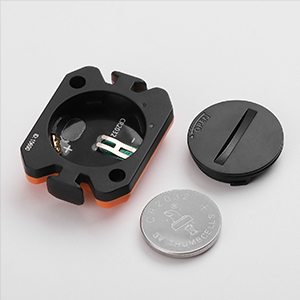
The things they don't tell you .. These can turn your static trainer. Into a smart bike trainer For RouVy, Zwift - any of the smart apps. This is a brilliant product. Cost of bike off Amazon £250 Moofit - botsensors off Amazon £25 On static trainer you must attach the speed sensor to the flywheel. If an enclosed one, open up the casing and attach.. The the cadence sensor just put on the left pedal arm. Remember to take out the foil by unscrewing the battery case, removing and then putting the battery back together. To activate the sensors once attached to your static bike trainer. Just rotate the wheels a few times backwards. Adjust the wheel size and whatever device you're using, to obtain a more accurate speed. Cost: Static trainer - Amazon £250 Both Moffitt sensors - Amazon £25 Rouvey app £12.99 pm Huawei Tablet - Amazon - £120 (0r just use your mobile) Total cost of a superbly functional inexpensive smart bike .. under £410 May not be the most fancy - But it motivates me to work out 5 days week, with a smile .. Moffit sensors - Excellent value, easy to use & set up. 5/5
Trustpilot
Hace 5 días
Hace 2 días



