We remain fully operational. Our teams are working around the clock to ensure your deliveries continue safely.

Descargar la aplicación


Servicios al cliente
Sobre nosotros
Copyright © 2025 Desertcart Holdings Limited
Descargar la aplicación
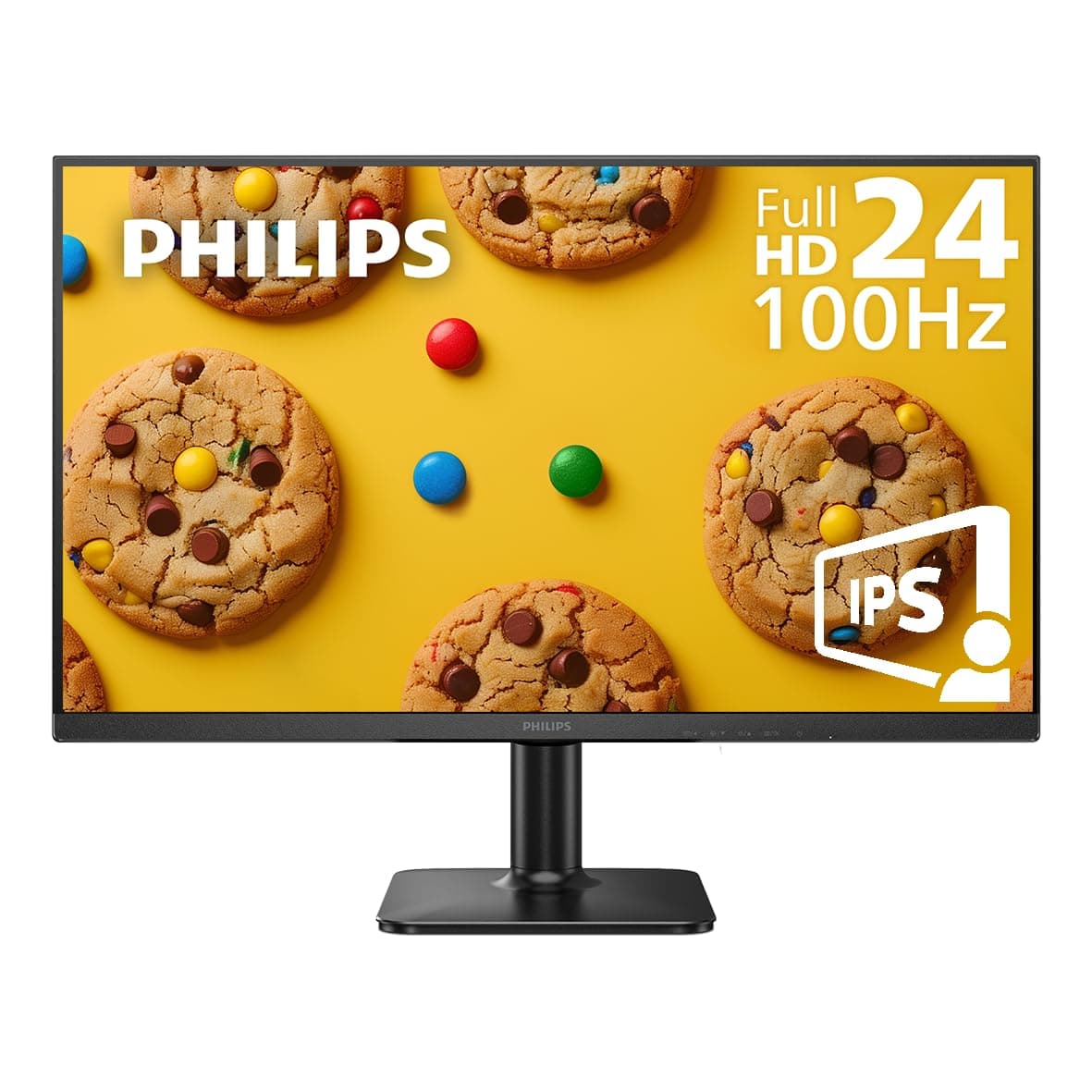


🖥️ Elevate your workspace with clarity, speed, and style — don’t just work, dominate.
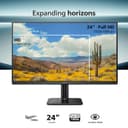
The PHILIPS 24E2N1100B is a 24-inch IPS monitor delivering crisp Full HD (1920x1080) visuals with a fast 100Hz refresh rate, ideal for both professional multitasking and casual gaming. Its ultra-wide 178° viewing angles ensure consistent color accuracy, while Eye-Care features like LowBlue Mode and flicker-free technology protect your eyes during extended use. The sleek, nearly bezel-free design supports seamless multi-monitor setups, and a robust 4-year advance replacement warranty offers unmatched reliability and peace of mind.


| ASIN | B0CZ1TQY1M |
| Adaptive Sync | FreeSync |
| Additional Features | Adaptive Sync, Eye Care, Flicker-Free, Frameless, Lightweight |
| Aspect Ratio | 16:9 |
| Best Sellers Rank | #55,516 in Electronics ( See Top 100 in Electronics ) #1,358 in Computer Monitors |
| Brand | Philips |
| Brightness | 250 nits |
| Built-In Media | HDMI Cable, Monitor, Power Cord, User Manual |
| Color | Black |
| Compatible Devices | Desktop, Gaming Console, Laptop, Tablet |
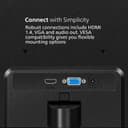
| Connectivity Technology | HDMI, VGA |
| Contrast Ratio | 16:09 |
| Customer Reviews | 4.6 4.6 out of 5 stars (4,132) |
| Display Resolution Maximum | 1920 x 1080 Pixels |
| Display Technology | LCD |
| Display Type | LCD |
| EU Spare Part Availability Duration | 4 Years |
| Hardware Connectivity | HDMI, VGA |
| Has Color Screen | Yes |
| Item Dimensions D x W x H | 7.08"D x 21.29"W x 16.37"H |
| Manufacturer | TPV Technology |
| Model Name | 24E2N1100B |
| Model Number | 24E2N1100B |
| Mounting Type | VESA Mount |
| Native Resolution | 1920x1080 |
| Number of Component Outputs | 1 |
| Picture Quality Enhancement Technology | Adaptive Sync, Flicker-Free |
| Power Consumption | 36 Watts |
| Refresh Rate | 100 Hz |
| Resolution | FHD 1080p |
| Response Time | 4 Milliseconds |
| Screen Finish | Glossy |
| Screen Size | 24 Inches |
| Specific Uses For Product | Business, Desktop, Gaming |
| Total Number of HDMI Ports | 1 |
| UPC | 810112791426 |
| Viewing Angle | 178 Degrees |
| Warranty Description | 4 year manufacturer |
| Warranty Type | 4 Years Manufacturer Warranty |
M**.
Very affordable (Basic monitor) upgrade, best warranty found!
Bought as a replacement for my HP20" monitor and have found it to be awesome for the price! Best warranty listed anywhere, and hopefully will not need, but for the price you cannot beat this deal. PRO's Very bright, good OSD, easy to set up, plug and play, registered and using same day as delivered. CONS's Does NOT come with a user manual (NO how to use/set OSD settings, specifications of the monitor, recommended settings, etc. The "Important Information Manual" has 65 pages with 5 pages in English that have no useful information for the monitor) Had to google search to verify the listing specs and still have not found a PDF for "How to set up settings via OSD" for the recommend use and the effects of each setting, especially the low blue mode. The PDF files on the listing are for a different model, and one is for a coffee pot!! But did verify that the listed specs are legit. Bought this as an upgrade and to be able to see the screen at a normal distance with my glasses but had to change settings to a 1360 X 1024 from the default of 1920 X 1080 as that setting was too small for me to read and would only occupy 80% of the screen. I am full screen at the changed setting. Would like to have more information about the settings via OSD (On Screen Display), but overall, very happy with this monitor and recommend for anyone wanting to upgrade an older desktop PC (or laptop) at an awesome price and best warranty listed!! PS I'm NOT a gamer, general use, research, FB, Email, bill pay and movies :)) Hence the no rating for gaming :)) But, my 2GB video card looks pretty awesome also and better colors than my old 20" monitor. When I upgrade my Desktop will use this monitor as a secondary/dual monitor set up!
A**E
Great for the price, office work, and as a socondary monitor.
I recently purchased the PHILIPS Computer Monitor 22 inch Class Thin Full HD (1920 x 1080) 75Hz Monitor, and I have to say, it's a decent purchase. The picture quality is good, and the 75Hz refresh rate makes for a smooth experience. The monitor also comes equipped with HDMI, VESA and VGA ports, which makes it easy to connect to a variety of devices. Additionally, the 4 Year Advance Replacement Warranty gives me peace of mind knowing that I am covered in case anything goes wrong. Overall, it's a good choice for anyone in the market for a new monitor.
D**N
Computer Screen
I've had this for two years, good screen.
R**A
Crisp Display & Sleek Design – Great Value!
The PHILIPS 24E2N1100B delivers excellent image clarity with its vibrant IPS panel and full HD resolution. Colors look natural, and the wide viewing angles are a big plus for work and streaming. Setup was simple, and the slim bezels give it a modern, clean look on the desk. A solid buy for anyone looking for a reliable 24-inch monitor at a reasonable price.
M**E
Big screen, great clarity, great color, great price.
I love the size, color, and clarity of this monitor. Ot has different modes depending on what you use ot for, I'm not a gamer so I don't necessarily need the 100hz refresh mode, but it does work well with videos. The only problem I'm having is registering the warranty as I can't find my particular model online and the QR code didn't work.
S**T
Good buy
Does the job well
I**R
The plastic bezel, buttons, and stand, are beautiful.
Many devices, cars, and things that exist today are atrociously ugly. I purchased the Philips monitor, 24E2N1100B 24" monitor with 100hz IPS screen, because it looks like it was made in 2006, back when looked amazing. There are visible labels for the buttons, and the buttons are actually accessible on the bottom of the outside edge (not behind the monitor and hidden). Hiding buttons (see Acer) is foolish, because function is ultimately always more important than form when using technology. You can use the buttons EASILY on this Philips 24" monitor. I am so relieved to have actual buttons that have a heavy tactile feel to them. In a world of weird touch screen devices, buttons are almost unheard of, especially buttons with a heavy solid feel. The Philips logo is clean, very clean. Not stupid, like the ViewSonic monitor which has 3 birds on it. I was going to buy a ViewSonic, but the larger monitors like the 27" have 3 birds on the front as their logo, and it just looks ridiculous. Do people really want 3 little parrots on their computer monitor? No. The Philips logo is one of the major selling points on this monitor. I installed 2 monitors as a pair, on a stand, and the monitors just look stunningly beautiful. But they also look clean, and precise. They don't have ridiculous stupid oversize logos like the Sansui monitor or Sceptre monitor, which would be fine if they didn't have such ENORMOUS logos that are distracting and bright chrome. The "Low Blue Light" mode is very easy, you just push the menu button, and select it. Then the monitor goes into Low Blue Light mode. I am using an adapter on my PC, to adapt the HDMI cable input on the 2nd monitor, to a DVI output on my old video card. I don't have any HDMI outputs on my computer. I have a VGA and a DVI only. So what I did is buy a $10 converter plug that plugs into the DVI port, and it creates a pseudo HDMI port on the back of the computer. The DVI to HDMI adapter plug works perfectly, there is no loss of quality or contrast and no problems with the frequency. The VGA input on this monitor works fine, but for some reason my computer doesn't recognize the monitor that is connected to the VGA port. It shows up as a "Generic" monitor. The sharpness and color of this monitor is really, really artful and pretty. The colors are SUPER powerful and it pops. It's twice as bright and twice as intense as my old 2009 era monitors that I was using previously. I am shocked to see such a dramatic difference. Conclusion: These Philips monitors have the best (very neutral and plain, but somehow also very bright and intense) color saturation and overall "feel" to the onscreen images and videos. I've honestly never seen any monitor that was so beautiful to look at. A normal image of a forest is like somehow more beautiful on this monitor. But the saturation is just right, not over saturated. The colors are very neutral. I think photographers and artists would like this monitor, and video editors. Cons: The Philips monitor has only one major con. The viewing angle vertically, when standing up at your desk, is terrible. There is a sharp glare that you can see as you begin to stand up when looking straight ahead at the monitor. Once you're about 1 foot higher than the monitor, it begins to have pretty serious viewing problems; not due to a loss of color or sharpness, but due to a weird moire-like glare that is a diffuse pattern of cloudy shading that covers the middle of the monitor (typical at extreme viewing angles on flat screen monitors). The horizontal, side to side viewing angle is slightly better than the really old flat screen monitors from 2009-2012 era, but not much better. But the side to side viewing angle is good enough for multiple people to be seated at a desk and watching movies on the monitor. But if you're someone who stands up, and you need a good vertical viewing angle, when looking downward at your monitor, then this monitor is just not acceptable. Conclusion: I ended up returning the 2 Philips 24" monitors I bought, and had to purchase an MSI MSI PRO MP251 E2 24.5-inch IPS 1920 x 1080 monitor instead. To my delight, the MSI monitor has no glare and has no moire or weird diffuse glow on the screen when viewing it from above or below or side to side. I will say, the Philips monitor had a slightly more warm and inviting feel to the colors and the sharpness. You get a better picture with the Philips, but significant glare, typical of glossy screens. The MSI has a semi-glossy screen, but has an anti-glare filter on it. The MSI also has a proper full length DC power cord, on the power adapter. On the Philips monitor, the DC portion of the power cord isn't long enough, so the power adapter cannot sit on the ground, behind your desk, because the cord is only about 29" long.
J**T
Love it even all those years after purchasing it.
E**E
I got this to replace my Dell P-Series 24 inch monitor which sadly got broken in an accident. This one is inferior in terms of quality of material and image quality. There are these visible lines on it (not sure what they are called) that are kind of not ideal. But I appreciate that it is light to carry, compact, and very good enough
O**Y
Cuando salio el ultimo capitulo de Demons Slayer Probe el Monitos y wow Alucine en colores, Realmente es muy bueno, Me encanto y estoy enamorado de él, Calidad Precio Sin Duda, almenos para mí, Tiene varios modos de video y puedes ponerle mira en el centro del monitor (aclarando es una funcion del monitor) Configurar el brillo y contraste mejora mucho mas la experiencia, Destacó que tiene un Modo de video Donde Sube y baja las intensidades, en peliculas estan muy bien.
N**N
These are specialized for a multi-monitor work setup. Pros: - Very thin borders (maybe 0.5 cm?) - nice for side-by-side monitors - Low price in Canada (~$175) - Easier to buy multiple. - Tiltable - Mountable - 1080p with a 60 Hz refresh rate is fine for most people in most contexts Potential downsides: - If mounting, the monitor will sit lower than expected since the mounting screws sit high at the back. - I bought this in addition to a different brand of monitor. It took about 30 mins of settings adjustment to get the colors, contrast, and images to look comparable across both. Note: - Comes with a 4-foot HD cable. You don't need to buy separately, unless you need something longer. - I haven't owned this for very long yet so can't say much about longevity.
M**Z
Lo compré porque tiene una muy buena resolución FullHD. Adicional trae un puerto HDMI, un VGA, y puerto de salida de audio. Lo recomiendo para tareas básicas, pero también es bueno para juegos de PC.
Trustpilot
Hace 2 semanas
Hace 3 semanas