
Descargar la aplicación


Servicios al cliente
Sobre nosotros
Copyright © 2025 Desertcart Holdings Limited
Descargar la aplicación



🖥️ Elevate your desktop game—because one screen is so last decade!
The j5create USB-C to 4 Port HDMI Adapter Hub (JCA366) transforms any Type-C MacBook or Windows laptop into a multi-monitor command center, supporting up to four 1080p 60Hz displays simultaneously. Designed for professionals craving enhanced productivity, it offers flexible display modes, stereo audio, and a dedicated Windows assistant app for seamless window management. Compact, easy to install, and built for serious multitasking, this space grey hub is your gateway to a clutter-free, ultra-efficient workspace.


| ASIN | B088TKV9SQ |
| Best Sellers Rank | #410 in USB Hubs |
| Brand | j5create |
| Color | Space Grey |
| Customer Reviews | 4.4 4.4 out of 5 stars (584) |
| Date First Available | May 19, 2020 |
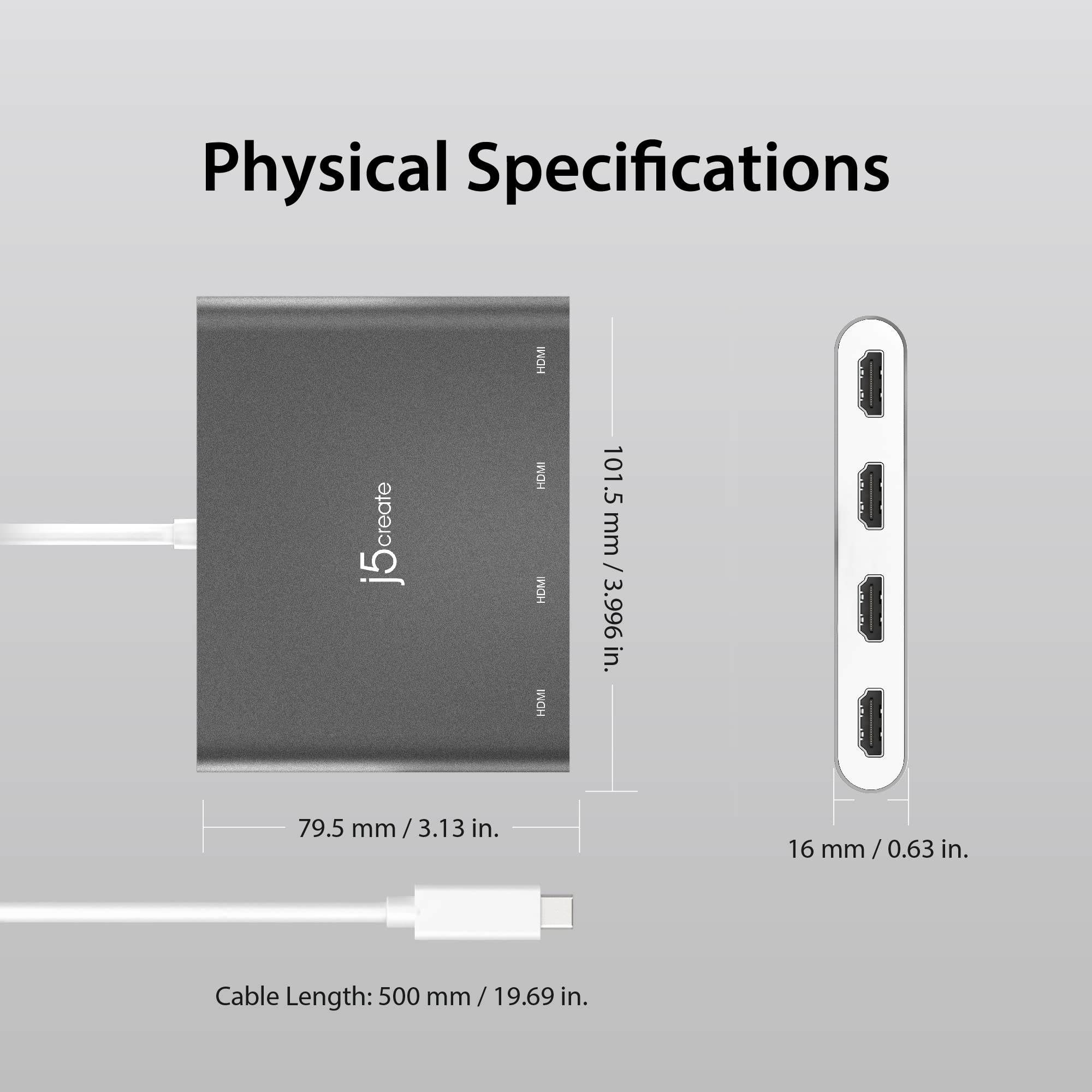
| Item Dimensions LxWxH | 0.63 x 4 x 3.13 inches |
| Item Weight | 8.2 ounces |
| Item model number | JCA366 |
| Manufacturer | j5create |
| Operating System | Windows 10 |
| Product Dimensions | 0.63 x 4 x 3.13 inches |
A**R
Easy Install. Works for HP Envy x360 laptop. Multiple Video Screens Are Jittery.
Hp Envy x360 supports 3 monitors out of the box. After plugging in the J5create to the USB-C 5Gbps port , I have 5 monitors running extended mode (4x 1080p external monitors plus my laptop 1080p monitor). After downloading and installing the driver from their website, you can arrange the 5 displays directly from the windows desktop display utility. See attached picture. Even though I haven't tried it yet, I'm pretty sure I can run 6x 1080p monitors now (4 from the j5, the laptop monitor, plus one from the HP envy HDMI port). I can watch video on 1 of the monitors, but it can't handle videos on 2 monitors. Think or Swim stock charts seem to work OK on all screens simultaneously. Additionally, there is a windows utility assistant you can download from their website, but I didn't need it. I was able to setup the 1080p monitors through the windows system display settings. It was definitely plug and play. No hassles. Shocked. I am using windows 10.
A**R
Works great
Works great
A**R
Great for business/management work
Started a job last summer that was hybrid. In office, we have massive single monitors or a set of double monitors. Trying to do work remotely on a laptop was excruciating. I just didn’t have enough space to have an efficient workflow for the specific projects I was working on. I got four Lenovo monitors from a friend of mine that were HDMI in hopes to get a good setup going. I needed a dongle from usb-C to quad HDMI to support the four monitors on my Lenovo Yoga laptop. This was the answer for me. It is basically plug and play. I did download the driver from the J5 create website and once that’s downloaded, configuring the 5 total monitors (my quad setup then my laptop screen) was as usual in the windows 11 settings. I’d say my only complaint is that the refresh rate is definitely slow. It’s not amazing, but I’m not watching videos and Zoom video is already mediocre quality on a good day, so for video conferencing the difference was not noticeable. I did test it out with Netflix to see the video/refresh quality and while it is nothing astounding, it was tolerable. Overall, for $100 versus buying an entire new setup that has a quad HDMI graphics card, I am more than happy. It has been super helpful to spread out my work so I can transpose information across different programs.
R**N
For Mass Multimonitor Desktop system, you need this.
I have an 8 monitor desktop stack with 4 hdmi monitors on this usb-c to 4x hdmi hub and 4 more monitors on a dedicated gpu. This device could get you 4 screens without any gpu if you have integrated graphics only. Prior to getting this device, I was trying to do 8 monitors with 2 dedicated gpu, with one being a 100$ legacy GT 710 from nvidia but it wouldnt work due to nvidia legacy drivers incompatible with modern nvidia rtx drivers. To get another (nonlegacy) GPU that could do this would be hundreds of dollars and add big wattage requirements, and it wouldnt have the ability to easily switch to use as docking station and it would require a 2nd pci-e slot with more heat mgmt. Therefore I dont think a 2nd gpu will ever be able to match the value on this for setting up mass-multimonitor. Ignore other reviews that say this wont run 4 monitors or its laggy. It isnt. However, if your system is old it may not be able to support that so check your cpu and mobo specs first. Most will run 4 displays. Mine runs all 4 extra monitors at a smooth 60 fps without slowing down fps significantly on my 360 hz monitor on my gpu. I did initially have an issue with 1/4 connected monitors not detecting initially when I plugged it in but this was due to typical usb weirdness - I got into immediate chat with Andre @ j5create chat support website and he helped me trouble shoot - i just needed to uninstall the usb root hub controller and replug the usb-c to fix so that the usb controller properly recognized all 4 monitors on startup.
N**E
Works, but not all same resolution.
As described by most reviews, it can extend 4 monitors. Works well with a Microsoft Surface laptop. My complaint is the HDMI ports may not all have the same resolution. I use this for work and not for videos so it may not be as obvious. However some slides and graphs I work on have colors that are not visible on two of the ports but are vibrant on the other two. Thought it was the cable but it was not.
F**I
Gets hot but ok
Works great!
C**E
Requires Admin Permissions
If you WFH you will most likely need admin permissions to install the driver. The item itself was super easy to install. And the picture clarity is amazing. I had a way cheaper splitter previously and there was a lot of lag where as with this one it seems quick. Spend the money, it is worth the investment.
N**A
Impec. Branché sur mon pc portable du taf Dell Lattitude 3490, je n'ai pas pu installer les drivers du site (restrictions de mon pc), mais inutile, tout à fonctionné direct. J'ai testé au max, donc 4 écrans connectés en hdmi, j'ai donc 5 écrans affichés. Le tout avec 4 résolutions différentes sur les 5 écrans (car 1 pc portable, 1 tele 32'', 2 écrans 27'' et un vieil ecran au format chelou), le tout en bureau étendu. Étonnamment, un de mes 2 27'' n'était pas détecté, j'ai changé de port, bidouillé 2/3 trucs.. rien, je m'en suis sorti en remplaçant mon cable hdmi (qui m'avait l'air relativement rachitique à comparer aux autres que j'avais sur les autres écrans). Et ce câble fonctionnait parfaitement jusque la, via la station ou en branchement direct. Je ne m'explique donc pas trop cela, quelle est la diff entre 2 cables hdmi. toujours est-il que tout fonctionne.
F**O
È un prodotto pratico ed utile,volendo. Pensavo fosse una scheda video esterna con 4 uscite: probabilmente lo è, ma se si ha un PC x es. con una CPU a 16 CORE,diventa a 12. Questo perché INDIPENDENTEMENTE dal numero di uscite HDMI sfruttate (nel mio caso erano 3 su 4),in Gestione attività, visualizzando i grafici in tempo reale, si nota palesemente un andamento completamente differente dai CORE da 1 a 12. L'ho acquistato per simulazione di volo,ma penso di rimettere in vendita in quanto ne ho in prova uno nuovo con solo 2 uscite HDMI e non so' se basterà,ma almeno libero 2 CORE e sfrutto un uscita HDMI già presente di default.
N**.
I bought 2. One is working perfectly and the other is not. The one that is working is delivering a very good results, however, unfortunately the second one is not!
T**G
Despite what the manufacturer says on the website and the user manual this product does not work without installing their "driver". If you don't have admin access or a IT department that let's you install random drivers then you had best stick with a proper docking station or port replicator that doesn't need a driver to work.
T**R
Super
Trustpilot
Hace 5 días
Hace 1 mes