We remain fully operational. Our teams are working around the clock to ensure your deliveries continue safely.

Descargar la aplicación


Servicios al cliente
Sobre nosotros
Copyright © 2025 Desertcart Holdings Limited
Descargar la aplicación

🖱️ Elevate your workspace with precision and comfort — never miss a click or scroll again!
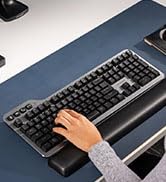
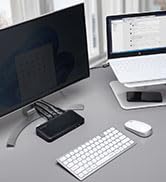
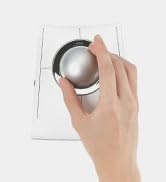
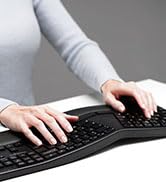
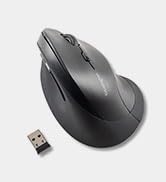
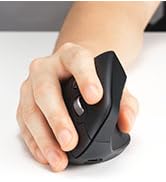
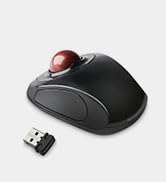
The Kensington Orbit Trackball Mouse with Scroll Ring (K75327WW) combines precise optical tracking with an innovative scroll ring and ergonomic wrist rest, designed for both right and left-handed users. Compatible across major operating systems and featuring plug & play wired USB connectivity, it offers a comfortable, efficient, and customizable experience backed by a 5-year warranty.










| ASIN | B07YVMXLQC |
| Are Batteries Included | No |
| Average Battery Life (in hours) | 2 months |
| Best Sellers Rank | #10,763 in Computers ( See Top 100 in Computers ) #1,431 in Computer Mice |
| Brand | Kensington |
| Color | Black |
| Customer Reviews | 4.2 4.2 out of 5 stars (1,572) |
| Date First Available | 2 November 2019 |
| Hardware Platform | PC |
| Item Weight | 158 g |
| Item model number | K75327WW |
| Manufacturer | Kensington |
| Operating System | Windows, Mac OS, Chrome |
| Power Source | Corded Electric |
| Product Dimensions | 13.87 x 11.46 x 4.7 cm; 158.76 g |
| Series | Orbit with Scroll Ring |
O**.
Amazing tool.
Work great and not the highest spec but that not what its for. I have a gaming mouse for that purpose. this allows my wrist to rest.
A**R
Perfect workmate!
A**I
Paso muchas horas editando video y los mouses o trackpads me acaban haciendo daño. Llevo más de un mes con este y aún no he sentido esa sensación. Puedes configurarlo para cada app y, aunque al principio te sientes un poco torpe, no tardas mucho en acostumbrarte. Lo único que me arrepiento de no haberle invertido al inalámbrico.
A**S
I've been using this for three years and it works great. I use a laptop and work remotely, so I literally tote it around and take it out almost everyday. I use the trackball because I hate trackpads, even the Macbook Pro pad. A mouse is fine, but it doesn't work on an uneven surface. Durability: The only durability issue I've had is with the little rubber feet on the bottom. I re-glued them (E6000 Premium adhesive works) about two years in. Otherwise, it never acts up. I also keep mine in a general purpose case, so it isn't rattling around in my bag. Mouse Movement: Ball movement is smooth. I think it's much smoother than the Logitech M570 that I used before. It is important to keep it clean. Snacking on slightly greasy food with my right (mouse) hand will cause it to feel janky. Wiping clean usually solves the problem. The ball pops out easily for cleaning, and the little contact points will get gunked up, so I clean those regularly too. The scroll wheel works fine too. It felt a little "loose" at first, but I don't notice it anymore, and I use it constantly. Accuracy: A trackball isn't quite as accurate as a mouse, but I haven't used a mouse in so long that I don't really notice it. I found a "speed" setting on my computer that lets me move quickly across the screen but let's me land with some precision. I doubt I would use this for precision gaming or graphic design, but I can fit the cursor between two characters with no trouble. Weight: The Orbit weighs 187 grams with a battery, so it feels light but not cheap. More importantly, the ball itself has a decent heft. I would rather it was a little heavier and had a little more inertia (like a Missile Command trackball), but it's fine. Fit: When I first got this, I thought it was way worse than my M570. The M570 is very natural, scrolling with your thumb and clicking (and using the scroll wheel) with the index and middle finger. The way I use the Orbit, I scroll with my index and middle finger, left click with my thumb, use the scroll wheel and right click with my ring finger on my right hand. This felt really unnatural, almost painful, at first. I was writing quite a bit in SQL and using Excel, so quickly navigating was important to me. So I stuck my Orbit in a drawer for a few months and basically thought it was a failure. But I pulled it out a few months later when I was without a trackball, and after a few weeks, it felt totally natural. Now it's all I use. I think a weird trick that helps is that I roll it with my fingers and then barely lift them off the ball when I go to click. Clicking with my thumb while my fingers touch the ball almost always wiggles things around too much. Connectivity: I use my Orbit with my Macbook Pro and just pair via the built in bluetooth. Before that, I used it with a Windows notebook for a few months without trouble. I never really have to fuss with it. I switch it on and it works right away. Battery Life: I use this pretty intensely everyday, but I probably only change the batteries a few times a year. I don't keep track, but I'm pretty sure it's at least three months in between changes. And I don't have to repair or fuss with it after battery changes. In summary, I this is my main input device and I'm very happy with it. It does everything I want and causes very few problems.
M**N
Love this trackball
A**E
Esse Trackball é muito bom. Já tive outro, mas infelizmente quebrou no botão onde aperta para confirmar, agora que pude adquirir outro. E, para mim, que sou um deficiente físico, esse Trackball é um ótimo investimento.
Trustpilot
Hace 3 semanas
Hace 1 semana