We remain fully operational. Our teams are working around the clock to ensure your deliveries continue safely.

Descargar la aplicación


Servicios al cliente
Sobre nosotros
Copyright © 2025 Desertcart Holdings Limited
Descargar la aplicación


🔥 Stream Smarter, Not Harder 📺
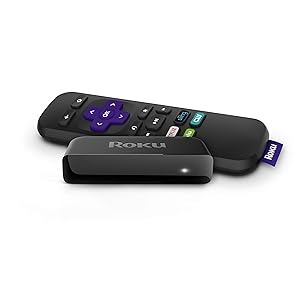
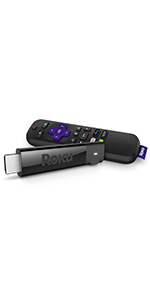
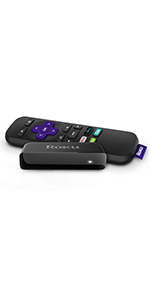
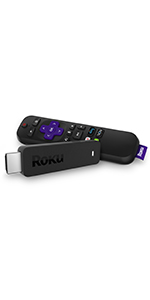
The Roku Express 1080p HD Streaming Media Player delivers high-definition entertainment with easy HDMI setup and robust long-range Wi-Fi. Compatible with all major streaming platforms like Netflix, Hulu, and Disney+, it features a voice remote for effortless control and a compact design that fits seamlessly into any living space.






| ASIN | B075XN1NZC |
| Best Sellers Rank | #109,719 in Electronics ( See Top 100 in Electronics ) #520 in Streaming Media Players |
| Brand | Roku |
| Color | Purple |
| Compatible Devices | Television |
| Connectivity Technology | Wi-Fi |
| Connector Type | HDMI |
| Controller Type | Remote Control |
| Customer Reviews | 4.6 4.6 out of 5 stars (42,350) |
| Form Factor | TV Box |
| Global Trade Identification Number | 00829610001791 |
| Item Dimensions L x W x H | 8.4L x 3.6W x 2.5H centimeters |
| Item Weight | 1.3 Ounces |
| Manufacturer | Roku |
| Memory Storage Capacity | 16 GB |
| Mfr Part Number | 829610001791 |
| Model Name | Express |
| Model Number | Roku Express 3900R |
| Other Special Features of the Product | Long-range Wi-Fi, Voice remote with TV controls |
| Resolution | 1080p |
| Supported Internet Services | Netflix, Hulu, Amazon Prime Video |
| UPC | 043396313613 829610001791 082652982149 |
| Video Codec | H.264 |
| Video Output Resolution | 1080p |
K**E
Great product
Works with smart tv. We like to watch tfc and netflix using roku
N**P
Thumps up!
TFC is working. Very good device.
Y**R
very few channel options.
if you are buying it in UAE than you will not be able to enjoy most of the channels, there are very few options to select. Check the channel compatibility in your region.
R**Y
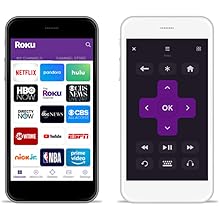
Fantastic product so far! After the first week, we bought a second one for a family member. First thing: Before you buy, understand what content is free and what is not. Second, in case it's not obvious, the Roku operates over your wifi and internet connection. You have to have an internet connection that is fast enough to stream video. If you can't stream video on your mobile (via wifi) or PC, you won't be able to stream it on the Roku either. Subscription content: Anything that you have to pay for elsewhere (like Netflix, Amazon, Hulu, network TV streaming, etc), you'll still have to have those same subscriptions. But the Roku allows you to access all of those subscriptions (the ones you're paying for) from a single device on your TV, with a nice interface that nearly anyone can use, even if they're technology-illiterate. Worst case, if you get lost somewhere, just press the Home button. (But keep in mind, each 'channel' on Roku is an app written by the individual content provider, so some are a little more complicated than others. I suspect for marketing reasons, it's not always obvious on some of the network TV channels which content is free versus paid until you try to play it. But you'll always be prompted before paying for anything, and you can add a pin-number to prevent accidental purchases). Ad-supported content: There is a lot of ad-supported content, just like watching free over-the-air (OTA) TV stations. For network TV (ABC, NBC, CBS, CW, etc), check each network's website to see what shows you can watch for free directly on their website, and that's generally what you'll be able to watch on Roku, too. After all, the 'channels' on Roku are apps written by each network. For many networks, the free content includes the last 3 to 5 episodes of things that are currently airing, with content being made available a week after the original broadcast date. This is comes in handy if you miss an episode or two of over-the-air TV. Some of the networks also offer free 'throwback' content, where you can watch an entire series of an older show. And there are a few channels like pluto.tv and tubi.tv that provide a wide assortment of ad-supported movies and TV shows. Again, check their corresponding websites to see what content they currently have, and that's what you'll get on Roku. The ones mentioned above offer some relatively recent content, in addition to a lot of older and slightly-older content. Free, without ads: Mostly, you'll find that the ad-free content is extremely old... lots of black-and-white TV and movies, some early color TV/movies, etc. For those who don't like much of what's on TV these days, there's a lot of classy and classic stuff here. And, of course, a lot of b- and c-grade stuff you've never heard of. This newest version of the Roku Express ("5X more powerful") has a very smooth interface, with good response from the remote. Video startup is extremely fast if you have decent internet speed. I tested on a relative's 6mbps DSL internet, and buffering times were never uncomfortable. On my faster internet (100mbps), videos either start instantly, or take no more than about 1 or 2 seconds of buffering. The remote control is great -- simple, strong signal, good range. It's infrared-based, so you have to be in the same room (why would you want to be out of the room??). I generally don't even have to point the remote at the Roku box, because the infrared is strong enough to reflect off of the ceiling or walls and still work. Just be sure your Roku box's front side is unobscured and pointing toward the room. They provide a sticky-tape strip to stick the box somewhere convenient, like the side or top of your TV or media cabinet. The provided HDMI cable is only 2 feet long, though, so it does have to be relatively close to the TV. But you could use a different HDMI cable if you need the remote to be a little farther away. One feature I love about the remote is that pressing the Home button will turn on your TV and switch to the Roku's HDMI input, assuming your TV supports this (I have a Samsung TV which is supported, and a TCL TV which apparently wasn't). You can also use the Roku app on your mobile to control the Roku via wifi. In addition to providing an interface that looks pretty similar to the physical remote, you can also browse for other content while something is already playing. It fact, it's quite a bit easier to navigate if you're searching for something specific, since the physical remote requires using an on-screen keyboard where you select each letter and click OK (normally, I'm not searching for something specific on the physical remote, so it's not a problem). The app also has a headphone feature, which I'm guessing allows you to listen directly from your mobile instead of via the TV... great for watching at night when others are sleeping. Note, the Roku app is NOT designed to watch Roku content directly on your mobile. It simply lets you select the content to watch on the TV. Overall, it's a great experience. My only subscription at the moment is Amazon prime, which doesn't have a lot of content that I really want to watch (sorry, Amazon! I have Prime mostly for the shipping), so I use the Roku mostly for ad-supported TV and movies, and there's more than enough to keep me busy for a long time.
T**)
I have two Roku Essentials and I must say I am pleased with them, for the quality of picture, and the ease of setup. They do come with a USB power adapter one plugs into a power bar but you can plug them into an LCD tv USB port if the power is sufficient. These devices are designed to be always on unless they are connected to your TV usb port and then switch on and off with that. If you go that way then you have to wait for it to restart. I chose to plug it into the power bar. One of my Roku is connected to an HDMI TV and the other I used a GANA HDMI to AV converter to connect it to our old Tube TV. That works great as well. Our grandchildren play some older console games on the old TV. Roku work wirelessly connecting via a home router wireless connection to the internet. You will want to make sure you have good internet wireless coverage in your home as the Roku have to be able to connect. The picture was steady and clear on both televisions. Setup is pretty easy. Users will need an active internet connection and you do have to log into Roku's website to register and enter the code of each device you have. After initially connecting my Roku received two updates. Roku has both free and paid entertainment available. You can add "apps" easily via the website or the Roku itself such as the Roku channel, tubi, youtube, and much more. Some are free, others such as Netflix and Atop (television stations) for example, are a paid service. You can set up a payment method (credit card) via Roku's website or register without a payment method.
C**️
Recientemente adquirí una televisión para ponerla en mi cuarto pero que carecía de características smart por lo que compré este Roku stick ya que estoy familiarizado con la plataforma Roku al estar presente en mi tele TCL como sistema operativo. La interfaz de Roku y su simplicidad de uso es lo que la hace muy atractiva y también en gran parte su rapidez y fluidez al utilizarlo. Espero y mi reseña le ayude de algo a alguien. ***CONTENIDO DEL PAQUETE*** En el paquete donde vino el Roku Express venía incluido todo lo necesario para que te pongas a utilizar el Roku Express. Se incluye un cable micro USB que se conecta a un puerto USB que esté disponible a tu TV o que se puede conectar a la pared en caso de que la tele no cuente con puerto USB (viene con un cubito incluido) -Viene también un cable HDMI que va del Roku a tu Televisión. El Roku Express no cuenta con otros puertos y solamente lo puedes conectar por HDMI (a menos que consigas un adaptador) -Viene su control remoto infrarrojo que es bastante fácil de utilizar y una tira de cinta adhesiva que puedes utilizar para fijar el Roku a tu TV. ***CONFIGURACIÓN Y FUNCIONES*** Al haber conectado tu Roku y haber hecho los ajustes donde fijas la resolución correcta para tu TV saldrá una pantalla donde puedes configurar la conexión de tu Roku a tu modem/router y después de ahí agregar "canales" recomendados (que más bien son como apps, pero dentro del ecosistema de Roku) Una vez haciendo eso ya es cuestión de iniciar sesión en los servicios que utilizas y listo! Como había mencionado anteriormente la interfaz de Roku es muy rápida y el desempeño de las apps es bastante aceptable (excepto Spotify, el canal de Spotify es SUPER lento en Roku) En cuanto a la conexión a tu modem/router que se realiza es solo por la banda de 2.4 ghz pero siendo que solo transmite contenido Full HD como máximo con eso basta. -Funciona de maravilla con el app de control remoto para iOS o Android lo que te permite controlar el Roku por medio de tu celular así como acceder a la magnifica función de audio privado que te permite escuchar el audio de lo que estés viendo en tu Roku a través de tu celular teniendo audífonos conectados a el para esas ocasiones cuando no quieras despertar a quien se encuentre dormido. -Cuenta también con la función de screencast que te permite enviar de manera inalambrica el contenido de tu celular o tablet Android que cuenten con esta función y también con iOS pero por medio de una app especial (no recuerdo el nombre) Con mi celular Mi A1 de Xiaomi las conexiones se realizan rápidamente y se transmiten ambos audio y video lo que lo convierte en una solución ideal para visualizar contenido en tu pantalla que no puede ser reproducido por el mismo aparato de Roku. ***NOTAS FINALES*** Dado que el Roku Express es un producto que considero de entrada no cuenta con funciones más avanzadas como las que tiene el Roku Premiere pero que sirve bien si lo único que buscas es poder acceder a servicios como Netflix, Amazon Video, YouTube, Google Music, Spotify en máximo 1080p. Vuelvo a mencionar lo genial del app de Roku para controlar tu Roku Express ya que si tienes más de un dispositivo Roku te permitirá controlar esos por medio de la app y agregar canales de manera automática por medio de la app. El producto está super barato y funciona de maravilla. Definitivamente lo recomiendo al 100%
R**D
جربته خمس سنين تقريبا ممتاز بس السلك اللي يربط بين التلفزيون والجهاز الي غيرته وهذا امره سهل
S**Y
I already have Roku 3 and Roku 2XD. I needed one more for my third TV. I use Roku primarily to stream from my NAS HDD. All my photos as well as music and videos are stored on NAS. The Streaming from WD NAS to Roku is excellent with the help of Roku Media Player(RMP)
Trustpilot
Hace 1 semana
Hace 3 días