We remain fully operational. Our teams are working around the clock to ensure your deliveries continue safely.

Descargar la aplicación


Servicios al cliente
Sobre nosotros
Copyright © 2025 Desertcart Holdings Limited
Descargar la aplicación
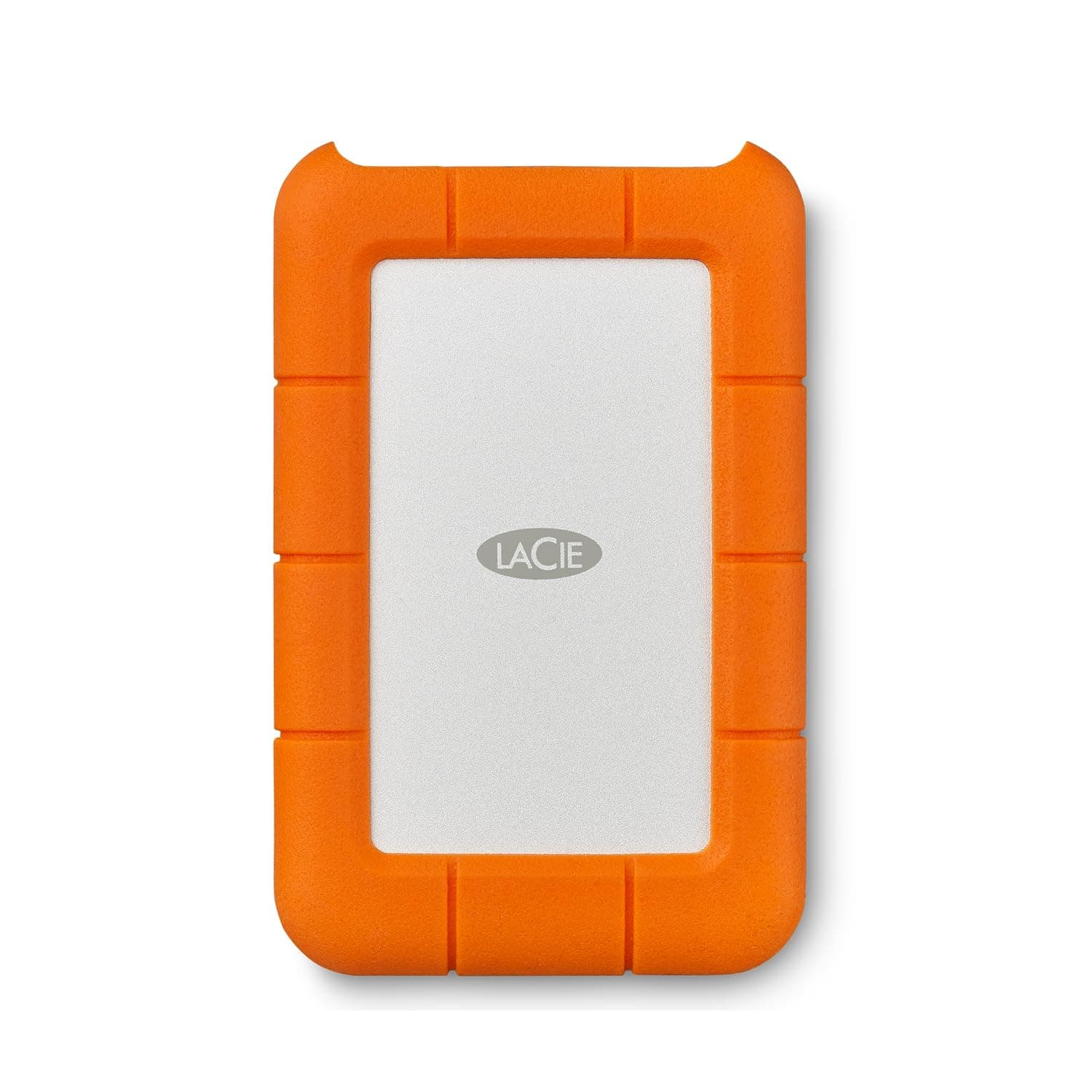
🧳 Rugged, rapid, and ready—your ultimate on-the-go data fortress!
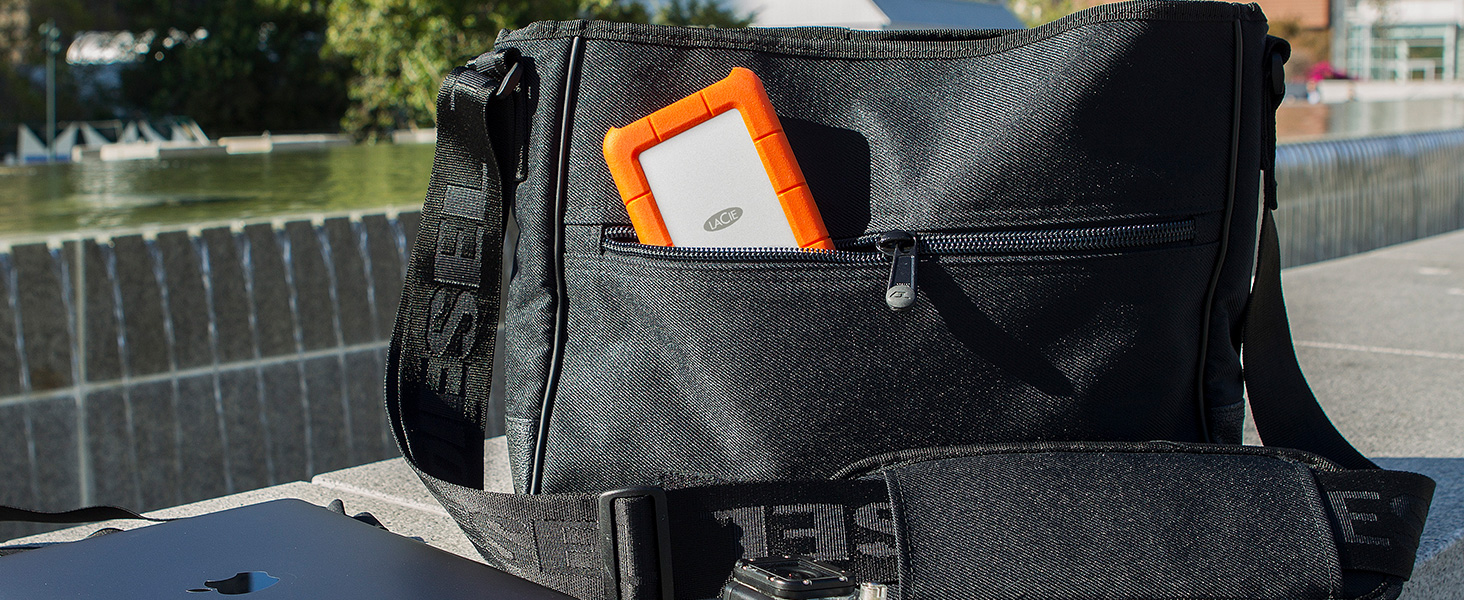
The LaCie Rugged Mini 4TB External Hard Drive combines massive portable storage with USB 3.0 speed and military-grade durability. Engineered to withstand drops up to 4 feet, dust, and rain, it’s perfect for professionals who demand reliable data access anywhere. Compatible with Mac and PC (Mac requires reformatting), it also includes a 1-month Adobe Creative Cloud All Apps plan to elevate your creative projects right out of the box.




| ASIN | B01789QMUW |
| Additional Features | Portable,compatible,Dust proof,Water resistent,Shock resistent, |
| Best Sellers Rank | #32 in External Hard Drives |
| Brand | Seagate |
| Built-In Media | LaCie Rugged Mini USB 3.0 4TB USB3.0 |
| Cache Memory Installed Size | 4 |
| Color | Orange |
| Compatible Devices | Laptop |
| Connectivity Technology | USB |
| Customer Reviews | 4.6 4.6 out of 5 stars (5,616) |
| Data Transfer Rate | 5120 Megabytes Per Second |
| Digital Storage Capacity | 4 TB |
| Enclosure Material | Rugged |
| Form Factor | Portable |
| Global Trade Identification Number | 00093053014117 |
| Hard Disk Average Latency | 8.3 Milliseconds |
| Hard Disk Description | Hybrid Drive |
| Hard Disk Form Factor | 2.5 Inches |
| Hard Disk Interface | USB 3.0 |
| Hard Disk Rotational Speed | 7200 |
| Hard-Drive Size | 4 TB |
| Hardware Connectivity | USB 3.0 |
| Installation Type | External Hard Drive |
| Item Dimensions L x W x Thickness | 5.3"L x 3.4"W x 0.79"Th |
| Item Length | 13.51 Centimeters |
| Item Type Name | LaCie Rugged Mini 4TB USB 3.0 / USB 2.0 Portable Hard Drive + 1mo Adobe CC All Apps (LAC9000633) |
| Item Weight | 330 Grams |
| Item Width | 8.6 Centimeters |
| Manufacturer | SEAGATE |
| Media Speed | 130 |
| Model Name | LaCie Rugged Mini |
| Model Number | LAC9000633 |
| Number of Items | 1 |
| Read Speed | 130 Megabytes Per Second |
| Specific Uses For Product | Personal |
| UPC | 093053014117 |
| Unit Count | 1.0 Count |
| Warranty Description | 2 Year Limited |
P**K
Great external hard drive
Very rugged and sturdy external hard drive. That holds over 5000 of my high memory files. Absolutely extraordinary. It runs day and night and stays cool. No degradation, and I did not have to form at it to windows. It just worked right out of the box.
K**R
not reliable for me on Mac machines; REVISING MY REVIEW
I regret that my two year experience with this drive using Mac machines is not positive. I have not found it to be reliable. To recover files on the drive now...again...I must fire up an antique Chromebook, which sees my files so I can back them up elsewhere. It worries me and I'm not messing with this drive further. -- Same issues on newer UnionSine drive. Drives mount one time but not the next...Disk Utility hangs trying to find it...workaround is to mount the drive on my ancient Chromebook...which sees the drives and files fine...then retry on Mac...usually this works but it is really weird...I see now it has to do with how I formatted these drives as exFAT as advised...both my Macs randomly spit it out and say yuck...nerve wracking as these are important back up drives...honestly WTH why are we still having drive compatibility crap like this? So apologies LaCie it does not seem to be your fault...
C**B
Compact and Does The Job
I’ve loved this storage for the ease of use, storage capacity, and price. I use this as an everything storage. You can’t beat the compact size either.
B**N
ONLY HAD IT ONE DAY AND....
This may be premature but this is the nicest hard drive that I have ever owned. I was going to purchase a less expensive drive that would give me more storage (like the 12 tb) but I am glad that I didn't. First of all, I read some of the reviews that spoke negatively on the cord that comes with it. I was fortunate enough to have a slot on my laptop for it. I LOVE the cord. Not only does it free up an extra usb port but most importantly it may be one of reasons I was able to transfer 260gbs in an hour. I'm not always up on the latest so to me, that's lightning. Did I forget to mention that while it was transferring those 260gb, I didn't hear a sound. With those qualities you would think that this drive needs to be plugged into a wall.....Nope. Lastly, I actually like the orange casing. This hard drive is handling heavy workloads with ease. The orange vest seems appropriate. 5 stars all the way. Stop searching. Buy this drive or one of his siblings. Peace and Blessings everyone.
T**.
Excellent Hard Drive, Weird connection.
This very cool looking and affordable hard drive arrived on time in perfect condition brand new of course and included was a small cable that I couldn't really do anything with as I wanted to connect the computer directly to an older iMac USB interface. Talked to a computer techie kind of guy that worked for Best Buy and after a lot of back and forth thing he said do you have a USB to Android cell phone charger cord? He said try plugging the Android end into the larger part of the connection on the hard drive and plug that in the back of your iMac which I did. Magically, with this phone charger cord that I got at QT for two bucks, the hard drive was recognized by the iMac and I was able to transfer files and everything, weird huh? Anyway, the guy checked the store and they actually make a cable that plugs into the bottom of the hard drive, you can see the strange USB kind of connection in the picture I attached, so I went to Best Buy and got THAT cable (about 10 bucks) 'cuz it's purpose made for both the larger (android phone connection), and that smaller side...Best Buy guy n I never figured out what the small side of connection does..Oh well, hard drive works and it's awesome.
I**L
fast storage
this is my everyday carry for my laptop small and cute
P**E
Little Drive, Big Storage
This nice little drive is big in storage. I use it for Time Machine backups as the drive is seamlessly Mac compatible, and I'm very happy. Couldn't be easier to set up on Mac. Data transfer over USB3 is fast for my purposes — and that's how the drive is powered! Gone are the days when you needed an external power source — one usb3 cable serves for power source and data transfer. I understand that spinning hard drives (HDD) like this drive are better for data integrity than Solid State Drives (SSD): since my mac's drive is solid state, it makes sense to back up onto a spinning HDD — and it's much more affordable than a comparable SSD. I travel a lot, and I've been burned in the past by HDD failures due to drops, bumps, etc., but LaCie boasts protection against shock, drops up of to 4 feet, and dust and water resistance. We shall see... I'll update this review if I have any trouble.
V**T
Dependable and as the name says: rugged
Always a dependable hard drive. I use it to store downloaded films for a film festival I run.
A**O
The only external hard drive I enjoy.
D**N
Buen producto. Es muy fiable y bien protegido. Tal vez un poco pesado.
S**T
Super produit et beaucoup d’espace
G**✨
Approfittando degli sconti del Black Friday, in famiglia abbiamo comprato due di questi hard disk LaCie Rugged mini, nella versione da 4 TB. Un'enormità di spazio, ma considerate che dovevamo salvarci dentro i dati di diversi computer. PARTIAMO DALLE BASI: Cos'è un hard disk esterno? È una "scatoletta" che, collegata al proprio pc/notebook tramite cavo in dotazione, permette di salvarci sopra tutti i dati (file, video, audio, immagini, ...) che si desiderano. Perché e quando lo si fa? Alcuni esempi pratici: 🟢 Semplicemente per avere una copia di tutto ciò che c'è nel proprio computer, per stare più tranquilli. 🟢 Perché magari il proprio pc sta tirando le cuoia, e si vuole prevenire la perdita dei dati al suo interno e/o evitare di dover pagare uno specialista perché li estragga dal pc già morto. 🟢 Perché per motivi di sicurezza/privacy non si vogliono tenere quei dati nel proprio computer, dunque si preferisce averli solo sull'hard disk, che verrà conservato in un luogo sicuro e magari protetto da chiusura di sicurezza (serratura, combinazione, ecc) L'HARD DISK ARRIVA: In tempi brevi, nella sua scatola, già all'interno della gomma protettiva arancione e fornito di due cavi USB, uno normale e uno mini. HO SCELTO QUESTO HARD DISK PER: ✅ Lo spazio di archiviazione: 4 TB sono davvero tanti, anche se si devono salvare i dati di più computer, o file audio e/o video che occupano molti GB. ✅ La crittografia AES a 256 bit, che assicura che i dati al suo interno siano sempre protetti. ✅ La possibilità di effettuare dei backup programmati in modo semplice e veloce. ✅ Il fatto che sia resistente agli urti, alla pressione, alle cadute e all'acqua: troppe volte si sente di hard disk che si rompono dopo una semplice caduta, perdendo tutti i dati al loro interno. ✅ Il servizio di recupero dati incluso per 2 anni. ✅ La velocità di trasferimento dati, più che sufficiente per un utente medio. ✅ La semplicità di utilizzo, davvero a portata di tutti. ✅ Le recensioni positive degli altri utenti. ✅ La bontà della marca nel campo della tecnologia/informatica. ✅ L'estetica, perché anche l'occhio vuole la sua parte: la compattezza dell'hard disk e la gomma zigrinata arancione acceso tutta intorno mi hanno conquistato, lo ammetto. ✅ La prensilità: la gomma arancione in questione oltre a proteggere l'hard disk dagli urti serve anche a rendelo più prensile e meno scivoloso. ✅ È più economico rispetto a un SSD, anche se magari meno veloce e durevole. COME SI UTILIZZA: Si collega l'hard disk al proprio pc tramite l'apposito cavetto, si selezionano i contenuti da copiare, si incollano (o trascinano) nella cartella dell'hard disk, si attende che l'operazione venga completata e poi si rimuove l'hard disk, preferibilmente dopo aver selezionato l'apposita funzione "rimuovi in modo sicuro". NOTE AGGIUNTIVE: 👉 Controllare di avere sul proprio PC la presa USB, sembra scontato ma non sempre lo è. 👉 Stare attenti a non perdere i cavetti USB in dotazione, perché non sono i classici cavetti USB standard (vedi attacco su hard disk nella foto dettaglio) 👉 Se non si riesce a trasferire qualche file, è perché probabilmente va convertito in altro formato prima di poter essere trasferito. 👉 Se si salvano i dati di più computer, creare singole cartelle per ciascuno, onde evitare confusione di dati. 👉 Segnare sempre (direttamente sul nome del file o su un foglietto allegato all'hard disk) la data dell'ultimo salvataggio eseguito, anche se in teoria le proprietà del file la indicano in automatico. 👉 Se si deve utilizzare molto spesso per la copia frequente di nuovi dati, forse è meglio valutare l'acquisto di un SSD. Questo è più adatto per cose come: una volta all'anno ci salvo dentro i dati aggiornati del mio PC, sovrascrivendo il salvataggio dell'anno prima. Punto. 👉 Se non si ha dimestichezza con il PC, farsi aiutare da qualcuno nell'operazione, per evitare il rischio dell'effetto contrario, ovvero la perdita di dati anziché il loro salvataggio. 💡IL CONSIGLIO IN PIÙ💡 Noi in famiglia ne abbiamo sempre due, e su entrambi salviamo i dati di tutti i PC che abbiamo (casa, lavoro, eventuali parenti che non hanno un hard disk esterno o non sanno utilizzarlo...). Perché così, data l'estrema improbabilità che si rompano entrambi nello stesso istante, se uno dei due si rompe si recuperano i dati salvati dall'altro. A quel punto, se ne ricompra un altro e si salvano i dati anche su quello, in modo da averne nuovamente due con tutti i dati sopra. Uno potrebbe dire: ma anche avendone uno solo, se si rompesse i dati sono comunque all'interno dei vari PC, no? Questo è vero, ma io considero due fattori aggiuntivi: 1️⃣ Se si sono salvati i dati di più PC e si ha solo un hard disk che poi si rompe, occorrerà rifare fisicamente il giro a tutti quei PC per risalvare di nuovo tutto su un hard disk nuovo. Avendone due, si passeranno invece i dati direttamente da quello che non si è rotto a quello nuovo. 2️⃣ Se ci fosse un grosso problema elettrico mentre il PC e uno dei due hard disk sono collegati, e questo problema causasse la rottura contemporanea di entrambi, l'altro hard disk si salverebbe (sperando che abbia già i dati salvati al suo interno, ovviamente). Non succederà mai? Forse no, ma mai dire mai nella vita. LO CONSIGLIO? Per ora assolutamente sì. Vedremo come si comporterà nel corso degli anni. Spero di esserti stata utile 😊
A**ー
iPhoneにも繋げることができ、動画の整理ができました。
Trustpilot
Hace 2 meses
Hace 3 semanas