We remain fully operational. Our teams are working around the clock to ensure your deliveries continue safely.

Descargar la aplicación


Servicios al cliente
Sobre nosotros
Copyright © 2025 Desertcart Holdings Limited
Descargar la aplicación
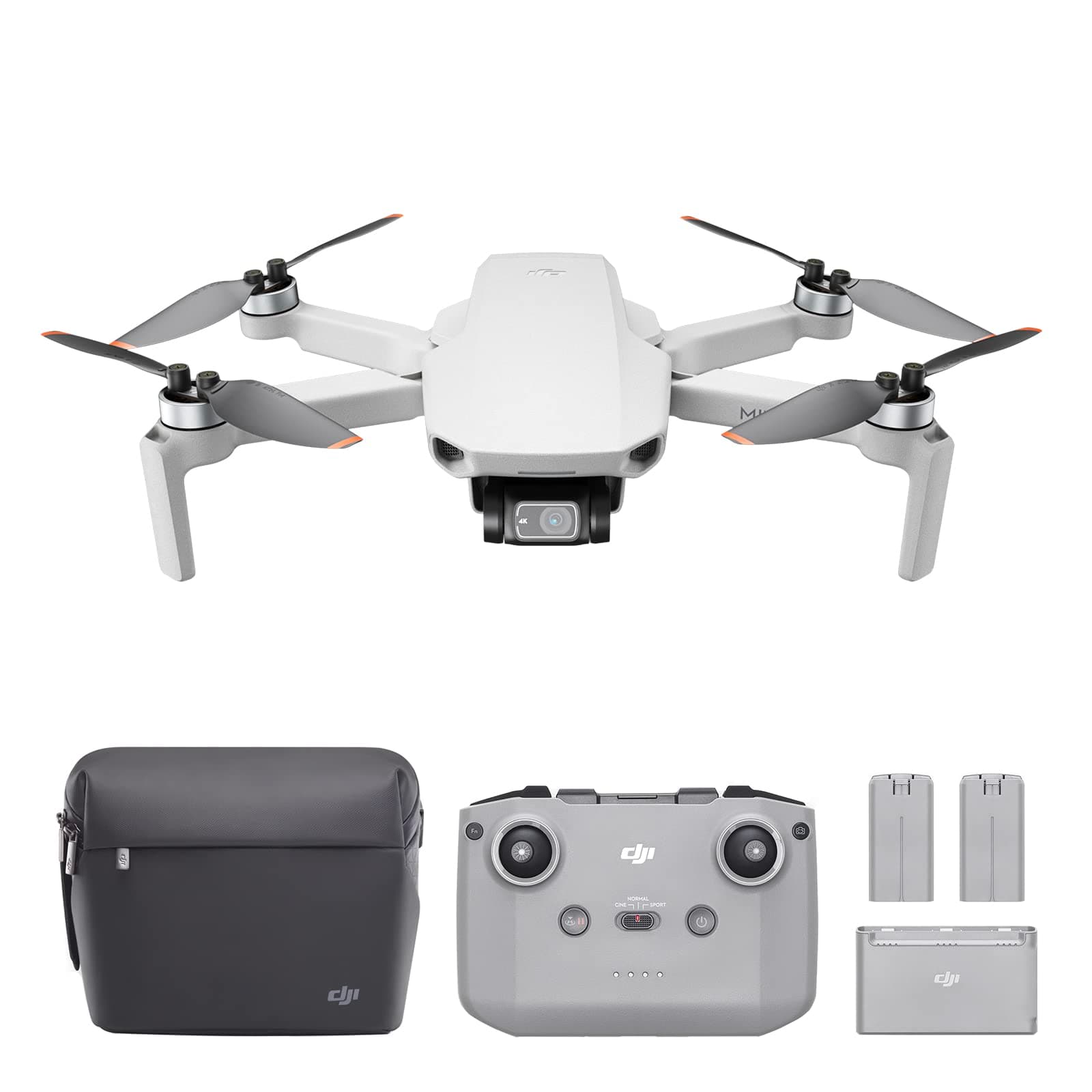





🚀 Elevate your perspective — fly light, shoot sharp, share instantly!
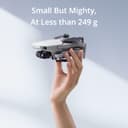
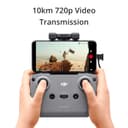
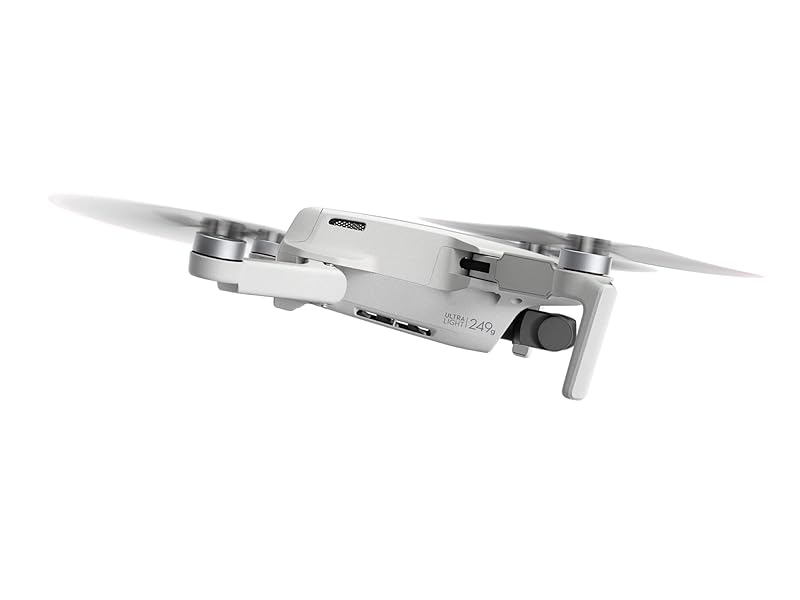
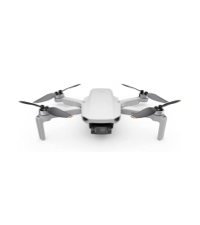
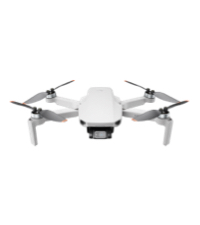
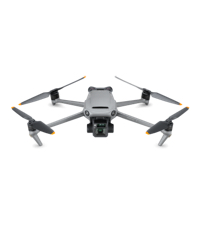
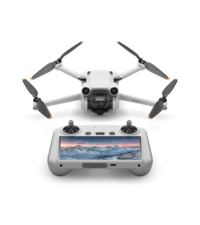
The DJI Mini 2 Fly More Combo is an ultralight, foldable drone weighing just 249g, equipped with a 4K camera and 3-axis gimbal for stable, high-quality footage. It offers up to 31 minutes of flight time, 10km HD video transmission via OcuSync 2.0, and intelligent shooting modes like QuickShots and Panorama. Designed for beginners and pros alike, it combines portability, powerful performance, and seamless app integration to transform how you capture and share your world.




| ASIN | B08JGX61H7 |
| Age Range (Description) | Adult |
| Age Range Description | Adult |
| Are batteries included? | Yes |
| Battery Cell Composition | Lithium Polymer |
| Best Sellers Rank | #301 in Toys & Games ( See Top 100 in Toys & Games ) #1 in Hobby RC Quadcopters & Multirotors |
| Brand | DJI |
| Brand Name | DJI |
| Color | Gray |
| Connectivity Technology | USB |
| Control Type | Remote Control |
| Customer Reviews | 4.7 out of 5 stars 14,827 Reviews |
| Effective Still Resolution | 12 MP |
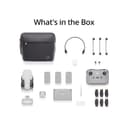
| Included Components | Aircraft x 1, DJI Mavic Mini 2 Intelligent Flight Battery × 3, Remote Controller x 1, Spare Propellers (Pair) ×3, Type-C Cable × 1 |
| Includes Rechargeable Battery | Yes |
| Includes Remote? | Yes |
| Item Dimensions L x W x H | 6.25"L x 7.99"W x 2.2"H |
| Item Type Name | drone |
| Item Weight | 8.78 Ounces |
| Manufacturer | DJI |
| Material | Nylon, Plastic |
| Maximum Range | 4000 Meters |
| Media Type | VideoTransmission |
| Model Name | DJI Mini 2 |
| Model Number | CP.MA.00000306.01 |
| Operating Temperature | 40 Degrees Celsius |
| Optical Sensor Technology | CMOS |
| Part Number | CP.MA.00000306.01 |
| Remote Control Technology | OcuSync 2.0 |
| Skill Level | Beginner |
| Supported Image Format | DNG, JPEG, RAW |
| UPC | 190021030787 190021030817 |
| Unit Count | 1.0 Count |
| Video Capture Format | MP4 |
| Video Capture Resolution | 4K |
| Video Output Resolution | 4K |
| Warranty Description | DJI Warranty Applies |
| Wireless Communication Technology | Ocusync 2.0 |
T**K
Best moderately affordable drone out there.
I will say that I love my DJI Mini 2 drone, I think it is a amazing piece of tech and can't believe how far up and away it can go. The app is easy to use, the drone is VERY easy to fly (even though I crashed it once, we will get to that), the batteries last about 30 minutes each. I have flown this drone hundreds of hours and hundreds of miles and it has never had major issues. I did buy the Fly More kit so I have extra batteries. This drone DOES NOT have collision avoidance which I wish it did and those sensors would be the only reason I would upgrade to a new drone. Early on I bought the DJI Refresh warranty that covers 2 crashes and fly aways. I never had a flyaway but I did hit a tree with it (It can go about 30 MPH in sport) The DJI Refresh warranty was 79 bucks I think, it was WELL WORTH IT... I broke my drone into about 10 pieces and they had me ship it back, I got a new one in the mail and was in the air again. The carrying bag that it comes with is not really a bonus in my opinion, I take my drone everywhere and that bag would never protect it the way it needs to be. I bought a hard plastic case to carry it in (in the photo) The camera is excellent and the gimbal is OUTSTANDING. No matter how fast you are flying or how crazy, the gimbal is always catching a great view. The camera has a setting that allows you to tilt it up +15 degrees above the horizon which allows you to take awesome cloud pictures, I am much happier once I enabled that. The RTH (Return to home) feature is great! I was surprised the few times I tried it, I was worried it wouldn't be able to do it but it was surprising accurate.
J**F
Easy to fly and a fantastic camera
I've loved remote control vehicles for most of my life; back in the 80's my dad got me a buggy that would go about 20 mph on asphalt and an old Futaba radio with the crystals you had to swap out. I had an absolute blast with that thing. Over the years I had gas and electric cars and trucks and the little indoor helis and quads. But I never really got good at the flyers. I'd carefully fly them around inside the house, but they were generally too light to use outside so I could never really practice effectively. And if I wanted to turn off the stability controls and go full ham, I'd lose control almost immediately. Well, I still would like to actually be good at flying those types of devices. The DJI Mini 2 won't get me there, but I'm willing to bet it will help. You can't turn off all of the helper electronics and start doing flips like you can with the sport quads, but that's not really the point. The point is the camera, and the camera is fantastic. I'm going to start splitting this review up into sections because I can already feel like it's going to be a long one. === The Camera === This isn't one of those cheap no-name drones with a terrible camera that gives you a dark, laggy, choppy view until it blacks out at 60 feet away. To be honest, I'm not even sure how they do it, but I get full signal strength and clear 720p transmission well beyond where I start getting nervous and bring it back to me. You can set all sorts of options, including manually adjusting the exposure in flight or leaving it on automatic, setting it to 4:3 or 16:9 (the former gives you the full 12MP image, while the latter fills your screen better but you lose some pixels on the top and bottom), and you can shoot stills in JPG or JPG+RAW. Video can be shot at 1080p, 2.7K, or 4K. While flying, your recordings and photos will show up on your phone immediately, but in preview resolutions. I'm not sure what the still photo size is, but the videos are 720p (so the photos may be 1280x720 depending on your aspect ratio, but I don't remember off the top of my head). This allows you to view and share immediately. The full resolution images and videos are located on the micro SD card, so you can pop that into your computer to see everything in its full glory. You can also create a wi-fi connection to the drone to transfer the full resolution stuff directly to your phone if you don't want to wait. I only had to set this up once, and it seems to be able to do the transfers every time now, without any extra interaction from me (other than telling it to start the transfer). This alone is fantastic to me, I'm so used to devices that require you to drop your wi-fi connection in your phone settings, choose the new device, connect, do your thing, then disconnect and reconnect to your original wi-fi connection. This is all done behind the scenes seamlessly after initial setup on the Mini 2. What a breath of fresh air! === Basic Flying === This is the ultimate in beginner-friendly flying. You can't (accidentally or otherwise) turn off the host of helper sensors keeping the craft stable and safe. It limits your movements to ensure you don't end up upside-down or flailing helplessly out of control. Releasing the sticks quickly brings it to a stable hover. The three main flying modes (Cine, Normal, and Sport) are all fully aided by sensors, the only difference is how quickly it will allow you to move and change direction. Someone brand new to flying might want to start in Cine mode, as it is the most forgiving and the slowest moving. All three of these modes have separate settings for how fast and smooth the camera gimbal works, and these settings can be modified for each mode. === Batteries === Since I got the Fly More package, I got three batteries. I haven't really tested them for real-world flight time yet, but that will naturally change a lot based on your flying style, the amount of work it needs to do to counteract wind, etc. They last a good amount of time, though - nothing like the little sport quad I have that gets about 6 minutes per battery. The controller has its own battery, which as far as I can tell is not replaceable. It's charged via USB-C, and has the option (which you enable in the DJI app on your phone) to charge your phone while it's connected. The Fly More package includes a charger that holds all three batteries and charges them in sequence via USB-C. I found this interesting because most multi-battery chargers charge everything equally in parallel, but of course for something like this you'd want all of the power charging one battery first so it gets to 100% quicker, and the others can charge while you're using the full one. === DJI Fly (the phone app) === Wow. I'm speechless. The world is filled with absolute garbage apps. Everything has an app now. My grill even has an app. And the vast majority of things that have apps have garbage apps that might get updated for the first month or two after product release, but then are allowed to languish and die with none of the bugs ever worked out, and no support ever offered. It's one of the worst things about connected devices. DJI Fly is gorgeous. It's stable. It's usable. It's all of the things that every good app should be. It shows a live view of the camera along with TONS of useful information that is somehow always there but never in my way. Pre-flight status information tells you when it's a good idea to take off (for example, it will stop you from taking off until you have a good GPS lock, unless you choose to override and take off anyway). Your photo and video options are all clustered on the right side, and the top right shows you things like the battery charge remaining, approximate flight time remaining, signal strength to the controller, GPS lock, etc. The bottom left shows things like your current speed horizontally and vertically, it's current height off the ground, and the drone's current ground distance from its home point. Tapping the map icon on the bottom left brings up a detailed map (with the camera live view going into the corner in an overlay window), and the map shows the path that the drone has taken since launch, as well as its current orientation, your current position, and the home point position. If you lose track of where your drone is and the camera imagery isn't helping, you can just use the map to point your drone towards you and start flying back. If you don't want to take your hands off the controls, you can set the Function button on the remote to quickly swap between map mode and camera mode. The DJI Fly app has integrated maps to show you where there are restricted airspaces around you. You can tap on a restricted airspace to see what the restrictions are. The app will actively prohibit you from getting into trouble by inadvertently entering a no-fly zone without authorization. It will even warn you as you get closer to a restricted area without entering (where you can still legally fly, but you're approaching restricted airspace). Distance and altitude limitations are easily set in the app. The altitude limitation is particularly useful since you can't legally fly above 400 feet without a waiver in the United States. I have my ceiling set to 400 feet, and when I hit it the drone stops climbing and I get a nice lady in the app telling me I've reached maximum altitude. === Controller === The new controller for the Mini 2 is excellent. It has a nice beefy battery that can optionally charge your phone while it's connected and still have plenty of battery life for a number of flying sessions. It has a Function button that can be mapped to several different functions in the app. Two functions actually, because you can set it to do something when clicked, and another thing when double-clicked. Camera movement is controlled with a wheel under your left finger, the button to start/stop recording (or to take a picture) is under your right finger, and another button on the right switches between still and video modes. While I've never tried it myself, it is possible to use the controller to pilot the drone without a phone attached. Obviously you won't get a camera display, and your flight is limited to something like 60 feet from you in any direction, but it can be done. === Conclusion === As someone who has been into photography for over 25 years now, I've always wanted a drone with a camera. But I never thought I'd be able to get one at this quality for this price. I'm completely blown away. If I continue to use and enjoy it for a while, I do plan to upgrade to something a little more feature-rich, like the Mavic Air 2 (or whatever version is out at the time). But this is the perfect drone to start with, to decide if I will ever need to move up and spend the extra money.
D**E
TINY, Light, & Extremely Awesome Drone - You Won’t Be Disappointed!
*REVIEW FROM A DJI PHANTOM 4 OWNER* I’ve been flying drones since June 2016. I bought the Phantom 4, never having flown a drone before, and fell in love with it. I have to be honest, I wasn’t expecting much in similarity between a half-pound, more-than-tiny drone and my beast, 3 lbs P4. Boy, was I wrong, and really blown away with the Mini 2 in all areas EXCEPT ONE. First, it’s such a breeze to set up and fly for the first time. Upon your first connection you’ll probably need to download an update, but that should go pretty quickly. It uses the DJI fly app, which is a huge upgrade from the DJI Go app that the P4 uses, and adds so much simplicity, from flying for the first time to editing and sharing what you capture. The first thing I noticed is how thick and solid the case that comes with it is, there’s no need to upgrade to a hardshell case with this one (unless you plan on flying with it and not taking it as a carry-on). It’s waterproof, has solid straps and perfect spacing for everything that comes with the Fly More bundle. The first impression of the drone is “holy s*** this is small and incredibly light”. The second is how impressive it is they were able to pack so much (4K/30fps!) into such a small device. Despite being so small and light, this drone can handle it’s own in the wind. The 4K camera quality is simply amazing. The creme de la creme. The intelligent flight modes are sweet and everything, but I don’t use them as often as I thought I would. They’re great for getting pro shots with little effort. I found I get about 26-28 minutes per battery with aggressive flying & filming, which is pretty decent for how I fly. My P4 got just about the same. The ONLY thing that leaves me in desire is the 12MP photos, but I am kind of unfairly comparing it to my P4, which was 48MP. Also, I wish they put active track in this drone, that would’ve made it just perfect. Overall, If you’re a beginner or even as experienced as I am this drone is 100% worth the money. I can do some amazing shots very simply and the quality for the size of the drone cannot be beat. The best part(!) is you don’t have to register it with the FAA because it’s just under the minimum requirement! BUY THIS DRONE!!
S**L
Mini 2 = Drone Value, Performance, Durability and Fun
I bought the Mavic Mini 2 as my second drone, following a purchase of the Mavic Mini, which I loved. The original Mavic Mini provides over 25 minutes of flight time, an amazing stable flight, ease of flying and a compact form factor -- and most of all: fun. The ability to go hundreds of feet in the air, and get literally a bird's eye view of your neighborhood, a vacation spot or a sports event is truly amazing (of course, for safety, it's a good idea not to fly directly over people, in case the drone fails and/or falls unexpectedly). I've read a number of sad stories about how long customer support takes, but it's also true that I've flown the drone into an object twice with no apparent damage (YMMV). This drone might be a little much or pricey for a young child who won't be as careful, but for 17-70 age pilots, you can't go wrong with this if you want a fun, capable, well-engineered drone for photography, video, or just flying. The Mavic 2 provides all of that in exactly the same form factor, but with a few key upgrades. 1. The controller now holds the phone/screen above the controls, which is generally more convenient. 2. The controller has traded the old WiFi connection to the drone for DJI's proprietary and improved Ocusync. It provides more range and increased reliability communicating to the drone. 3. The batteries are lighter, due to a different technology, but still just as powerful. Still, the drone is just under 249g (the maximum allowed without registering with the FAA), so perhaps the drone itself is a bit heavier without the battery. 4. I found the Mavic 2 to be a bit more powerful to the extent that while in the lowest power and smoother Cinema mode, I had to check more than once to ensure I wasn't in regular mode. The stats show it provides about 20% improved performance and I think I read that the motors are 14% more powerful. That can be a plus and a minus when shooting video — you might have to be a bit more careful to ensure smooth video when changing direction/framing or altitude. I think the extra power is the biggest difference, #5 below is right there with it. 5. Also upgraded is the maximum video resolution, doubled from 2K to 4K. With either model, you should get the Fly More Combo package, which provides 2 extra batteries and a nifty portable charge bank that can store and charge all three batteries (plus it charges them sequentially, so you know that if the second battery is charging, the first battery is full, and so forth (although you can also push the battery display button and four LED lights in front of each battery show if the battery is 25, 50, 75 or 100 percent full). All said, DJI took the great Mini and improved it. Now an even better way to enter the world of drone flying and photography. Enjoy!
B**B
Does everything that you would want unless you are a pro, and then it will do most of that as well
Wanted to get a drone for myself since I am retiring soon and want to take videos of my Kites. I fly really big kites and I thought it would be great to film them in action. I started looking for drones online and somehow, every session looking for them always stopped DJI. Best this, best that is what most sites said about the drone. (More on that later), But all of the reviews only had great things about DJI drones. The mini 2 has a 4K camera as well as 1080. You can change back and forth very easy. The basic model is $499 and I thought that this was a little steep. But I do remember buying ones about $100 dollars in the past and they all lasted about 30 minutes before it attached itself to a tree or wanted to be set free and just flew away. There was an option of getting the combo kit for $599 which is even more. But with the homework, I noted that I would save money by buying the combo kit. You get two more batteries, a charger that holds three batteries at once. You also get a rather sharp looking case as well. Also a few more spare props. Just two batteries and the charger were $150 online and this did not include the case so I bought the bullet and ordered the combo kit. It only took a day to get here. It is a good thing that I watched the videos of the Mini2 online to include the first-time setup and flying videos. I would recommend that you view these before flying, unless $600 is no issue to you. It is not hard to fly but unless you are already a drone pilot, watch the vids. The next day, I took my drone to the fairgrounds out for the first spin. Getting it into the air is really easy since I watched the vids. Could have done without them but they really help. I flew two batteries of flying time which about an hour plus a few minutes. It flies high and you will lose it from sight easy at about 60 meters out. But there is a map on the app and you can figure out which way it is going and turn it around if need be. One of the best features of this drone is the return to home function. It will come home if you push the button or it will come home when the battery is getting low. I used this function and it came with about three inches of where it took off from. Went out on two other days and used all three batteries. Was getting really good at flying it by now. Good thing about having the combo kit is that you can charge the batteries and the controller at the same time with different cords. Now, let’s get back to that Best this and best that part of the story. The wife and I went down to a local stream to look at the salmon coming upstream. After all of the other people left, I put the drone in the air. Was getting great footage with the 4K video when the wife started asking me a question and I turned to talk to her and was not watching what I was doing. I must have moved the drone backwards and it hit a very small climb and then went down hard in the water. Must to have wanted to migrate with the salmon. I was instantly upset and put down the controller and figured out how to get myself in the water. When I got to the drone the red light was still on when I removed it from the water. I immediately removed the battery and came back to shore. The drone was in water that was 34 inches deep and it was there almost two minutes. I live in Washington state and the water was COLD. I dried the unit for 24 hours with low heat. Today when I came home from work, I told the wife it was time to see what happens. I started the controller and then the drone per the instructions. My screen said that I had a battery fault. I got sick to my stomach and the shut off the drone and inserted another battery. Ok, time to see again if it would fly. All pre- flight checks were sat and then I tried to lift off. Next thing I know, my little drone was flying at my head level saying hi. All items checked out great. I think that the best rating you can give is a 5 so I give it a 10. There are a lot more features on this drone that I did not talk about. I have read reviews of pros saying that there are not enough features with the video, but it sure works for me. I am not going to be selling movies to any company anytime soon. I have not found any issues with the unit. $600 dollars in the water for a few minutes due to myself and she was perfectly fine. You can assure that I will always buy DJI from here on. Never saw the words “Water Proof” on the box. This drone is packed with great features for us average guys/gals going out to record things we like, Buy it, you will love it.
L**E
Long Awaited Upgrade
I bought the Mavic Mini Fly More Combo over one year ago. It has been one of the best under 250 grams photography drones I have flown. DJI has done a nice upgrade job as the Mavic Mini 2 has everything I was hoping for in the original Mavic Mini. Starting with what I like best (in order of priorities) of the Mavic Mini 2 which prompted me to upgrade : - 4K video at 30 fps. This put us on par as other popular 4K drones nowadays. It also supports 1080p at 60 fps for slow motion. The video is stunning with better saturation than the Mavic Mini. - The availability of OcuSync 2.0 which provides much better video transmission (and distance : 10 km vs 4 km) as compared to the Mavic Mini’s Wifi system. It also has less interference from areas with heavy Wifi signals. - Improved wind resistance (about 24 mph / sec on the Mavic Mini 2 vs 18 mph on the Mavic Mini) for more stabile flights. No more worries about taking it out in the windy weather. - Improved features for photography including digital zoom (2X zoom for 2.7K / 4K and 4X zoom for 1080p), panorama, raw format, and auto exposure bracketing. - Faster speed with the new improved motors for those who want to use it for filming sporting events. The above improvements alone have made paying $100 extra for the Mavic Mini 2 fly more combo over the Mavic Mini worth every pennies. Here are some of the other features worth mentioning : - The Mavic Mini 2’s controller is similar to the one used in Mavic Air 2. It has better ergonomic for the hands and eyes (phone is mounted on top of the controller instead of the bottom). - The charging unit can also be used as a battery pack with a standard USB port for charging other devices. This battery charger can only charge one battery at a time. I would recommend to use the charger from the DJI package as it does charge faster as compared to other standard USB power adapters. - Although DJI stated that the Mavic Mini’s batteries are not compatible to the Mavic Mini 2’s. The Mavic Mini’s batteries do work on the Mavic Mini 2. So use them at your discretion. - The Mavic mini 2 uses the same DJI Fly App so there are no worries about compatibility with the existing phones for those who are already using the Mavic Mini. Note : existing Mavic Mini users need to install the latest DJI Fly App by using the QR code provided - The carrying case is similar to those camera bags with a shoulder strap. It is like carrying a flying camera in a small bag. It also allows us to carry extra items as compared to the molded carrying case in the Mavic mini. However, it might not provide the same kind of protection as compared to a molded carrying case. Some Caveats - The Mavic Mini 2 Fly more package does not come with prop guards which the Mavic Mini Fly more combo provides. However, the good news is that the prop guards for the Mavic Mini are compatible with the Mavic Mini 2. - The props’ orange markings do not identify the prop’s spin direction which requires extra care when change / replacing the props. If you are still thinking about getting a cheaper 4K drones from other brands, I would suggest to invest a bit more to get the Mavic Mini 2 for much better features, reliability, and fun.
M**O
Great drone, software could be much better
First, let's cover the hardware. DJI has clearly put a lot of thought and engineering into making a compact, flyable drone that's easily transportable. Fit and finish on the various components is excellent, and the fact that the drone folds into a compact package for transport makes taking it along with you a snap. No complaints at all in those areas. The fly more combo is a "must have" in my opinion, as it'll help you keep flying rather than spending too much of your time waiting for batteries to charge, or having to order extra propeller blades in the event of a minor crash. The software, however, is another story. Does it work well? Yes. It's really a pleasure for the flying aspects. It's dead easy for a beginner (that was both the wife and I) to successfully take off, fly the drone successfully, and land. I had bought it for her as a gift, and we're both new to drone flying, so that was a real plus, and quite frankly, the place where the software was most useful. What is not very useful is the lack of documentation that came with the drone regarding that software. There's little in the way of additional information that proved immediately useful. Many terms aren't clearly defined, as regards how they are used in the software, and it took a considerable amount of extra Internet research to figure out what was meant. In addition, the Android version of the software appears to have been adapted from what was originally developed for use on Apple's IOS devices like iPhones and iPads. On Android, using a Pixel 4 as the controller display, the single most annoying aspect was lack of a clearly indicated means of leaving the app. Add to that the fact that it's unclear just what certain software controls are meant to do, at all, and frustration levels quickly mount. Especially difficult was attempting to determine just where photos and videos are being stored. Are they stored on the internal memory or the micro SD card? Can't really tell. How does one move information from one to the other? How do you get the drone to download to a PC via the USB cable? And worse, considering the entire purpose of the software beyond flying is to be able to retrieve footage you've recorded in flight, how do you successfully get all your photos and videos onto the SD card in order to be able to just copy it from the micro SD to a computer of some sort? That particular adventure took another couple of hours of Internet search, watching instructional videos, and trial-and-horror. And no, that's NOT a misspelling of "error". So... What should one expect? First, plan on spending a lot of time figuring out software for virtually every aspect of use with the exception of actually flying the drone. I'd recommend you do a lot of reading about it on the Internet (and watching videos to see what it looks like in practice). Second, DJI should seriously evaluate their UI. Far too much has been crammed into a single app. And far too little is provided in terms of documentation of the steps to accomplish many of the non-flying functions. Third, DJI should recognize that not all users are familiar with (or even like) the IOS sort of approach to software design. Fourth, the software should make retrieving one's photos and video footage the absolute clearest and easiest beyond that portion of the app used in flying. I think it would benefit all users if the portion of the app that handles files and file transfers was made separate from that used in configuring or flying the aircraft. Fifth, why not make ALL the data the drone is collecting easily available for use by the purchaser? I have seen reference to flight data, for example, being recorded by the aircraft, but have not found a ready means of downloading it. It would be nice to be able to analyze that data using commonly available software tools to see just how well, for example, what one thought one flew matches with what the flight actually was. While we've got lots of criticism of the app (just in case you hadn't noticed already), neither of us are displeased with the purchase. The Mavic Mini 2 flies easily and well, and it really is fun to use. And, once one gets over the completely unnecessary software hurdles, it's not all that difficult to remember what to do the next time one is attempting to retrieve those files. If you're interested in getting into drone flying, I'd recommend having a look at this one. It's not terribly expensive, and you'll quickly be up and flying.
L**N
My thoughts on the DJI Mini 2...please read my review...video uploaded.
My thoughts: This is a great little drone. I bought it on Amazon...never got it. But I was on a mission to get one in my hands. Drove over to Best Buy and they had one in stock, so I bought it. First impressions...don't buy a cheaper 150 to 300 dollar drone just to practice. I did this, and it actually slowed my learning curve. DJI does live up to the hype. One big drawback for me, but I'll get to that shortly. I ended up sending the others back. Decided to simply start learning with the Mini 2. These things just about fly themselves. RTH is fantastic for most situations. Press a button and the M2 just hightails itself right back to you...or if you prefer, you can just press a button and the M2 will forget the mission it was on and hover in place until you come to your senses. Anyway, after watching some YT videos, I decided that Cinematic mode was great for learning. Everything is slowed wayyy down and very smooth. As you get better though, you will find yourself in sport mode to quickly get to your spot....and then switch to normal mode to perform your maneuvers, picture taking and video recording. But take your time...watch YT videos on how to start up your drone, controller and app. There's a sequence for that. YT is also great for learning how to use camera filters, and which camera/gimble settings to adjust for the best photography and video footage. The use of GPS with this drone is fantastic. You'll know where you're at all the time....and this is how the little beast knows where you are. Like I mentioned earlier, this is great for if/when you would rather just trust the technology and have the M2 quickly fly right back to you with minimal fuss and fanfare. So getting back to the downside of this drone...as well as its GPS technology. I went to the Owens Valley recently to take some aerial footage of a particular fav spot of mine called Convict Lake. I was set up and ready to fly when the app told me it was a restricted area...and I'd need to unlock the area thru the app to be able to take off. Not good. No cell signal in that area. So I got back in my truck and drove back to the highway...and just when I got cell service, I looked across the street and saw a local airport. Seriously. To make a long story short, I did not get the epic footage I wanted. Number one, I would never fly anything near an airport....but to limit my drone use over a lake where I can assure you that no plane would fly near...is just overboard ridiculous. Final thoughts on the DJI Mini 2...easy to fly. Within a few sessions, you will mostly have the hang of flying. But it will prob take a few months to grasp the details on how to create cinematic quality video footage. It's basically a flying camera...but that cute little 3 axis gimble makes a very big difference. Still a great drone. Take your time and enjoy the flight. I will soon be ready to grab the Air 2s... But be careful and don't freak out and grab those spinning props. It doesn't end well. Don't ask how I know. 🤣
Trustpilot
Hace 4 días
Hace 1 mes