We remain fully operational. Our teams are working around the clock to ensure your deliveries continue safely.

Descargar la aplicación


Servicios al cliente
Sobre nosotros
Copyright © 2025 Desertcart Holdings Limited
Descargar la aplicación
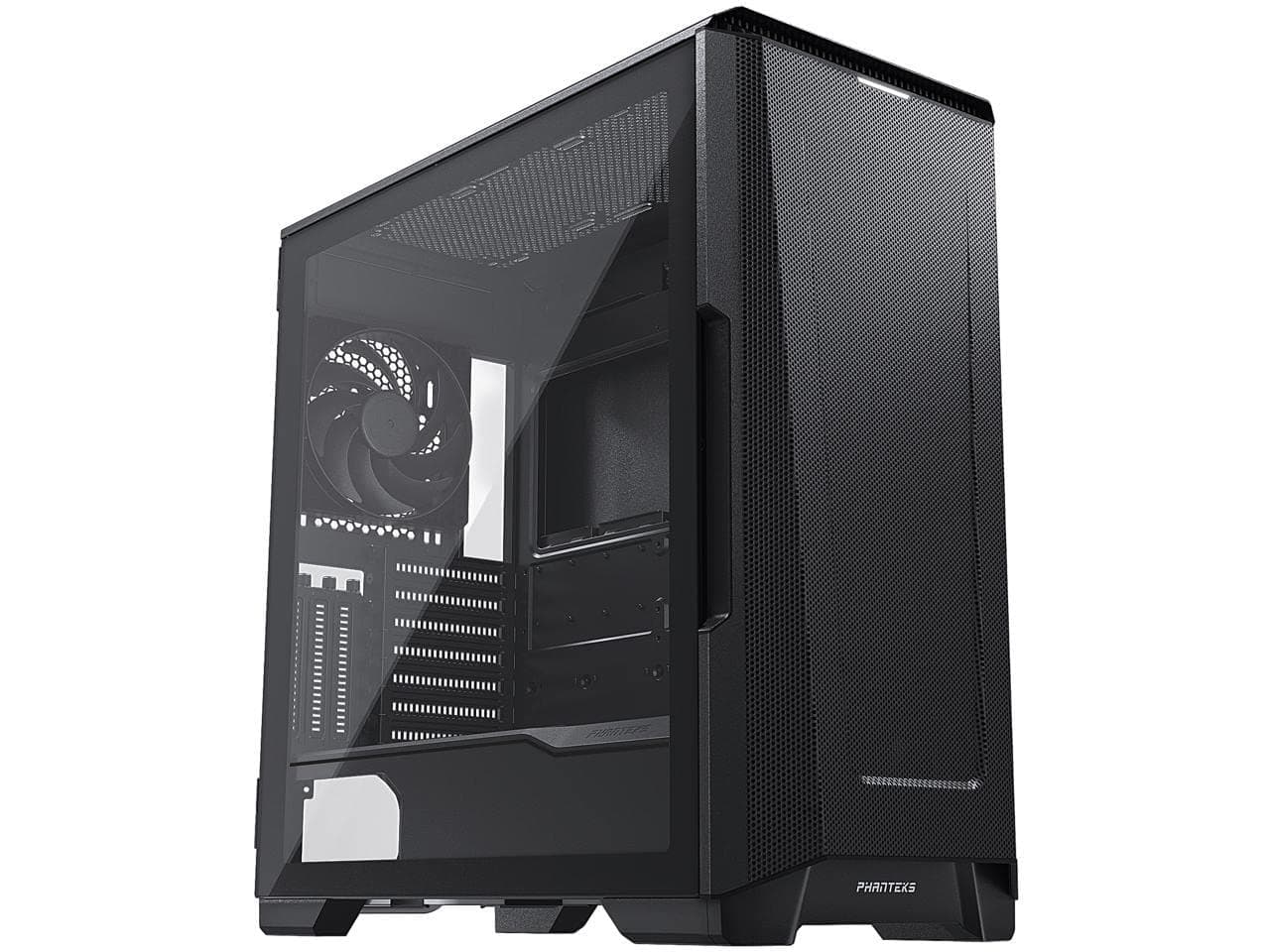

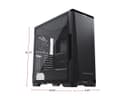

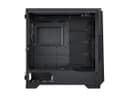
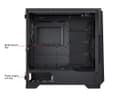
🚀 Elevate Your Build with Phanteks!
The Phanteks Eclipse P500A Midi-Tower is a versatile and stylish case designed for gamers and professionals alike. With a spacious interior that supports dual systems and vertical GPU mounting, it offers exceptional customization options. The case features easy access I/O ports, including USB-C GEN2, and ample cooling capabilities with support for large radiators, all wrapped in a sleek black design with tempered glass panels.


| ASIN | B088SZTN3Z |
| Antenna Location | Gaming |
| Best Sellers Rank | 325,226 in Computers & Accessories ( See Top 100 in Computers & Accessories ) 3,328 in Computer Cases |
| Brand Name | Phanteks |
| Case Type | Mid Tower |
| Colour | Black |
| Compatible Devices | Motherboards (ATX, Micro ATX, Mini ITX, E-ATX), Power Supply Units, Storage Drives (HDD, SSD), Expansion Cards, Cooling Systems (Air, Water) |
| Cooling Method | Air |
| Customer Reviews | 4.7 4.7 out of 5 stars (1,673) |
| Enclosure Material | Alloy Steel |
| Fan Size | 280 Millimetres |
| Global Trade Identification Number | 00886523301929 |
| Hard Disk Form Factor | 2.5 Inches |
| Internal Bays Quantity | 13 |
| Item Dimensions D x W x H | 50.5D x 24W x 51H centimetres |
| Item Weight | 8000 Grams |
| Manufacturer | Phanteks |
| Model Name | PH-EC500ATG_BK01 |
| Other Special Features of the Product | Tempered Glass Side Panel |
| Power Supply Mounting Type | Bottom Mount |
| Supported Motherboard | ATX |
| Total Expansion Slots Quantity | 3 |
| Total USB 2.0 Ports | 2 |
| Total USB 3.0 Ports | 2 |
| Total USB Ports | 2 |
| UPC | 886523301929 |
| Unit Count | 1.00 Count |
C**R
Nice to look at and use!
Nice and roomy inside, very high quality case with hinged side panel that locks via magnets. Makes accessing the interior really easy. Dust filters work fantastically. Plenty of USB ports, all function nicely and quick. Fits a 4090 inside no problems and allows fantastic airflow and cooling. Comes with two stock fans but I added more.
A**A
A size upgrade. A sizeable but workable task transplanting old parts into the new case.
Be careful to use the right screws for the motherboard; I mistakenly used the PSU screws wondering why they only went so far in as well as wondering why only one of the extra standoffs worked in the optional micro ATX locations; until I looked at the manual inventory and saw my mistake. I now have the proper screws in place and choose one of standoff locations for my old micro ATX motherboard and it is tightly secured. I have my system back up and running with a few minor hiccups, like securing the last RAM latch which my GPU had knocked loose, and attaching the fans to my Commander Pro fan hub that I had bought a few years ago so I could use 4-pin PWM fans with my old XPS 8500 motherboard. Basically you need at least one of those fans running at 1400 rpm to stop the system from emergency rebooting. My GPU radiator fan had broke and the old chassis fan is incompatible with the new case at 80mm. So you need 1x 140mm at 1300-1400 rpm to drop the GPU with AIO temp from 30C to 25C idle and keep the CPU at 60C idle. When all three are running the GPU temp drops to 16-20C idle and CPU drops to 35-60C idle. And I have ordered a new system chassis 3 pin non-PWM fan for the motherboard; a Noctua industrial 120mm 2000 rpm 3-pin fan. And a new 4-pin GPU radiator fan (which I have mounted at the top). The ML120 fan had failed; too much dust I think caused it to fail. I needed a new case also because I had nowhere to mount the radiator; I had it free standing on felt pads and a zip tie loop as an impediment to having it stop knock against at the front of the old PC case, a nightmare really. The radiator fan is still needed despite the cooling of the three front fans because it takes too long to cool down, like hours from when I first used them, but a dedicated radiator fan will be faster. I have opted for a Noctua 120mm industrial fan with dust resistant specs. Getting the old antenna loose from the XPS 8500 case was too much of a hassle and I needed a tiny Philips screw driver, so I bought a cheap USB Wi-Fi adapter instead to fill in for the mini Wi-Fi PCI card. But I have since ordered an up-to-date PCI-E x1 Wi-Fi 6E card. Considering the price of CPUs and GPUs this was the best choice; keep the old and transplant it into the new where possible and then progressively upgrade. Keep the upgrades, and when GPUs and CPUs offer good price performance per year then I buy or not I will not buy them as often. I will look out for DDR5 and PCIE5 or 6. And a motherboard that will support a few CPU generations, at least until DDR6. ---- 19/04/2021 #1 I have since installed those fans and WI-FI card. My room feels air conditioned. I was able to reduce the three front facing fans to 1000 rpm without too much noise, and I prefer them at that speed as they do circulate the air in my room and it keeps the temperature in the room nice. I have realised after it was too late that the F12 fan is not as suited for the rear of the case as it is not made for airflow, I ordered and received the appropriate S12A fan. I did try the F12 3 pin fan just to see what it was like, it is not quite a hairdryer like I feared. But the S12A will be better. I still need to install that. I cannot get the Bluetooth on the WI-FI card to work with the motherboard or even the Commander Pro USB headers. The legacy Dell WI-FI still lingers even if you try to uninstall it. The WI-FI 6E works well though, maximum signal strength, and eking out the most of below average speed internet (57Mb down; 19.7 up); my road is not included in the gigabit speed that other roads in my area have; there is like three high speed internet boxes near by, my road is left out, so annoying; I hope they fix that. #2 I installed that S12A fan in rear of the case and it quite a bit more breezy than the F12 fan was. And I got the Bluetooth working. I plugged it into the Commander Pro USB passthrough sockets, and I read some checklist of instructions to confirm that it was working. I had disabled the Dell Wireless 1703 Bluetooth device and installed Intel Bluetooth driver before though I was not sure, but I know now that the Wi-Fi card's Bluetooth is recognized and I was able pair it with my iPhone. One mistake was disabling the RFCOMM Protocol TDI device as because of its driver date of 2006 but I re-enabled it and I think that might have helped to mitigate the problem. And a plethora of other devices or services have appear in device manager relating to the Bluetooth paired device or service.
A**A
Beautiful and easy to build in.
Simply beautiful case. I found it really quite easy to build in thanks to its large capacity. Not having a full size tower for years, the built in hidden cable management is a godsend for the amateur PC builder. I just wish 30X0 series GPUs weren't so rare (at RRP, not paying some scalper) or I would have gotten that in white also! I got an additional exhaust fan also from phanteks, as well as the cpu cooler. All together it's quiet and keeps it's insides lovely and cool, looks great and is very sturdy. Can't fault it!
A**N
Best case I've built in
This case is easily the best I've ever built in. Everything about it is well put together. Design and production. Components just glide into place without any fuss, they screw in with zero difficulty, there's a clever gpu anti sag bracket included, drive cages are easy to take out and put back in. And cable management is a dream. Phanteks have engineered near perfect cable management. The wires are easy to route through cut outs that never put up awkward resistance! Velcro ties that are not sealed off help speed up the tedious cable tidying considerably. You barely need to use any plastic cable ties. What an awesome case. Comes with the usual Amazon service. I ordered, and it arrived next day. Great.
M**C
Great air flow and cable management.
This is a very nice case to build a system inside of, there's lots clever features like the ability to have your gpu vertically mounted. Lots of nice velcro straps on the rear to help cable tidy and lots of smartly placed holes so you can route your cables tidily. The airflow is really good. I bought phanteks rgb fans separately and they compliment the case really well. Coming from an aging corsair 600t its much lighter and less bulky but with more space inside, largely because there is no optical drive bays and the hard drives are smartly placed.
K**R
Great case easy to build in
Great case to build in really easy for first time and looks great
A**J
Boitier de bonne qualité, avec en grandf point fort un airflow très soigné ( devant tout en mesh, tout est lisse dedans pour que l'air s'écoule bien, câble management bien pensé) qui permet à la configuration d'être bien refroidie. Beaucoup de place àl'intérieur. A iso configuration de ventilateurs 140mm entre 5V et 7V), comparé à mon ancien boitier Corsair, j'ai perdu près de 10/15°c sur la carte graphique et entre 5 et 10 pour le CPU. (RTX3080 et Amd R7 5800X3d) Packaging et visserie en plein. Il manquait juste une vis pour un des clips de passages cables, mais j'ai pu me débrouiller.
H**.
Easy to install and great airflow. Good casing to buy
M**O
Ho preso questo case dopo un'attenta valutazione e le aspettative sono state rispettate a pieni voti! Il case è stupendo, robusto, spazioso, intuitivo. Il cable management è favoloso, al tatto e alla vista i materiali sono premium. Il design spacca, la mesh frontale con una foratura così piccola permette un air flow pazzesco e non accumula eccessiva polvere. Il pannello in vetro temprato si apre a sportello quindi niente perdite di tempo con le viti e questo favorisce anche una maggior costanza di pulizia, quindi ancora meno polvere! (consiglio l'aria compressa per pulire gli interni). Ci sono anche delle chicche: tra le quali un anti scivolamento per la gpu da montare sul retro! Voto: 10!!!
M**R
Best casing at this price so far. Full RGB 140 MM Fans and easy air flow is excellent. The only problem is that, 140 MM front fans a rea noisy. Otherwise perfect casing for my high end CPU's. Regards, Mazhar
A**I
رائعة جدا من كل النواحى لكن عزل اصوات المراوح مقبول نوعا ما
Trustpilot
Hace 4 días
Hace 2 días