We remain fully operational. Our teams are working around the clock to ensure your deliveries continue safely.

Descargar la aplicación


Servicios al cliente
Sobre nosotros
Copyright © 2025 Desertcart Holdings Limited
Descargar la aplicación
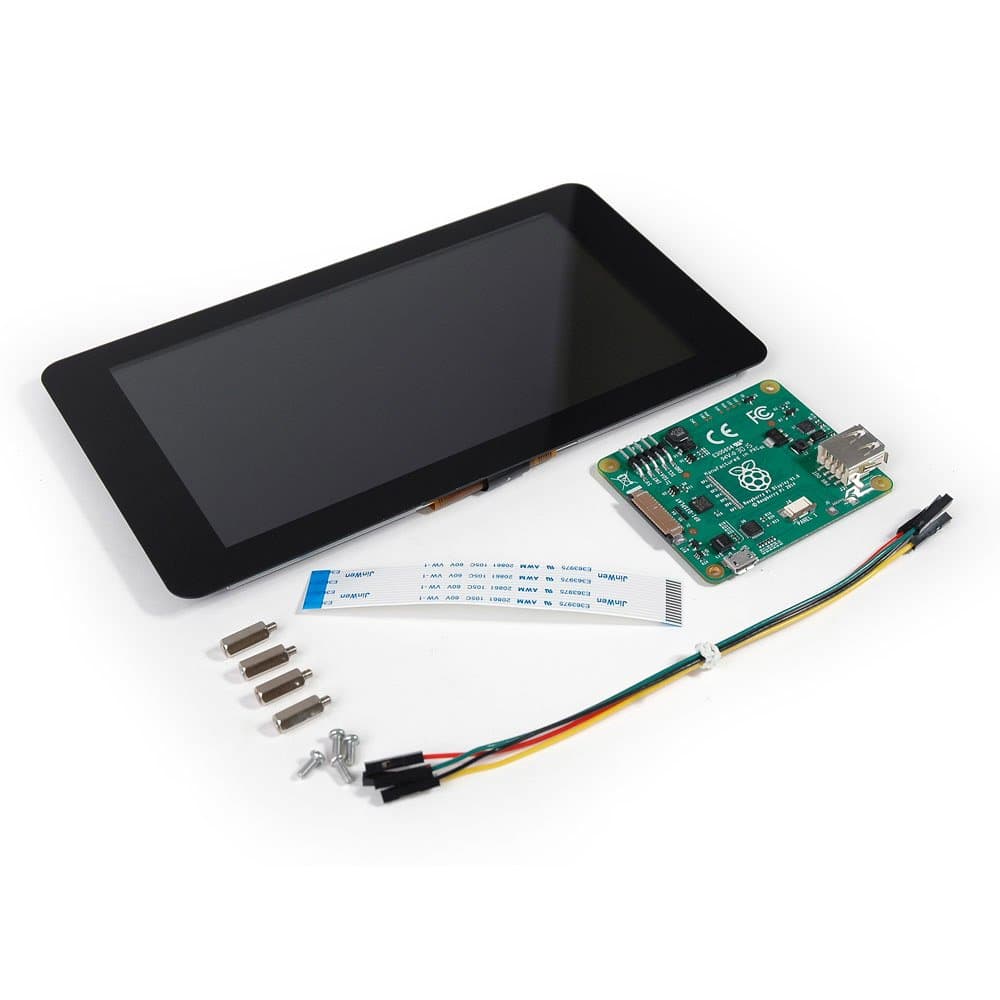
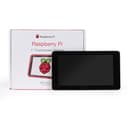
🚀 Elevate your Raspberry Pi projects with touch—because your ideas deserve the best screen time!
The Raspberry Pi 7" Touch Screen Display is a high-definition, 7-inch capacitive touchscreen designed for seamless Raspberry Pi integration. Featuring an 800x480 resolution and 10-finger multi-touch capability, it connects via a simple DSI ribbon cable and includes all necessary hardware for quick setup. Ideal for portable and embedded projects, this display combines vibrant visuals with responsive touch control, making it the official go-to screen for Raspberry Pi enthusiasts and professionals alike.
| ASIN | B0153R2A9I |
| Best Sellers Rank | #718 in Single Board Computers (Computers & Accessories) |
| Brand | Raspberry Pi |
| Compatible Devices | Desktop |
| Connectivity Technology | GPIO, USB |
| Customer Reviews | 4.5 4.5 out of 5 stars (2,036) |
| Display Resolution Maximum | 800x400 |
| Display Technology | LCD |
| Display Type | LCD |
| Global Trade Identification Number | 00702658304126 |
| Hardware Connectivity | USB |
| Has Color Screen | No |
| Item Weight | 381 Grams |
| Manufacturer | Raspberry Pi |
| Model Name | raspberry pi |
| Model Number | 7TOUCH |
| Refresh Rate | 60 |
| Resolution | HD |
| Response Time | 2 Milliseconds |
| Screen Size | 7 Inches |
| UPC | 013088392127 702658304126 |
A**Q
Great display, easy to work with.
Built myself a Pi3 Touchscreen PC using this display and the new Raspberry Pi 3.. This display works as well as my Galaxy S4, and is more accurate with overscan turned off. When it boots, you may see a lightning bolt or a small icon like the boot screen (color chart).. this means this section is reporting a brownout.. the 2.5A power supply that comes in the Pi3 kit is not enough, but the 3A supply handles it just fine. This unit fits perfectly into the tilting container that also holds the Pi. The only wires I have connected to the display is the ribbon cable (handles video and touch response) and the 5V splitter.. they've included the wires to go from the 40-pin connector, but it might be better to use the 5V MicroUSB power port for it's protection. great color response, listed as 800x480, but I think it may be 720x480. Have even been able to scan barcodes from the screen. haven't played a video yet, though. For the 3A power supply: https://www.amazon.com/gp/product/B01L8DVOFM/ref=oh_aui_detailpage_o02_s00?ie=UTF8&psc=1
W**W
Nice display for your Raspberry Pi project
I originally purchased this display to use with Octoprint to install my 3D printer. I went with this screen because it is the "official" touch display for a Raspberry Pi and as such the drivers are build into the OS and I wanted a larger screen. Overall I found the setup to be fairly straightforward. I Googled and found several walkthroughs that not only helped me connect the display but configure the Raspberry Pi for my specific application. My only complaint and this is more for the Raspberry Pi then the touch screen is with the ribbon cable installed for the screen, it can be difficult to access the SD card on the Raspberry Pi. I found the touch screen is bright and has a wide viewing angle. The touch interface was both accurate and fairly responsive.
L**I
This is the screen to get.
Wow! Plugged it in and it just works. No adjustments, calibration, driver loading, etc. I am running the most current version of the OS so that is probably the reason. At first I was afraid that the lower resolution would be an issue but at this size, I don't know if a higher resolution screen would make a difference. At least not for what I plan on doing with this. The photos show that the screen, posts, driver board, and ribbon cable are separated and I saw a video that says that you need to assemble all the pieces. My unit was already put together. I just inserted the ribbon cable into my Raspberry Pi. There are no instructions, but search Youtube and you'll find something. I purchased the Smarticase Case for the Official Raspberry Pi 7" Touchscreen Display - LEGO compatible front and adjustable angle and it fit perfectly. I highly recommend getting this case. Or some other case if you prefer, but definitely get something. There is nothing protecting the edge of the screen. It won't get damaged just by handling it, but leaving it propped up is just asking for trouble. Also the driver board is exposed so you are risking a short. One note. If you use this screen, the HDMI port on the Raspberry Pi is disabled. So you cannot use both this screen and a second monitor connected to the HDMI port. People smarter at this than I are working on this, but as far as I can tell, they haven't figured it out yet.
N**N
Good enough screen for portable projects
I created a Raspberry Pi portable computer by putting this screen into a SmartiPi case and screwing GoPro hinges into the back of a compact mechanical keyboard. This display is slightly lower resolution than I'd like but it's the only 7" display I can get that easily interfaces with a Raspberry Pi and has an available enclosure for it. That being said the screen has never given me issues. If you tweak the GUI just right on a Pi you can get everything zoomed out and it doesn't seem so cramped anymore. I discovered a neat trick: buy a Nintendo Switch glass screen protector, it's the same exact size.
J**N
Quality and size are great!
Picture quality is good. Screen is sturdy. ETA Prime’s video review and instructions of this made it very easy to setup. I did not use the touch quality, so I can’t speak to that. Only flaw is that I don’t think it supports HDMI out while using this screen. There might be a software fix to this, but I didn’t bother to look into. I just tried plugging in the port to see what would happen. Not much. When not directly side-by-side, screen size feel is comparable to a Switch. Also bought a case with this that paired very well. Only issue was overheating with heavy use and the back cover on. I didn’t have a heat sink.
J**C
Works well with 3B+ using 32&64bit Raspios current
Plug and play with RaspberryPi power supply with my 3B+ running Raspios full or lite 32&64 bit current (bullseye and bookworm). Touch screen works and is readable with a keyboard instead of onscreen keys. Mine is a test bed so I made a simple stand out of L-shaped aluminum (aka aluminum angle iron) to access the Pi easily.
J**L
It worked right out of the box.
The screen was exactly as described and well packaged. A ribbon cable (provided in box) and 2 jumper wires to the pinout header (4 are provided in the box) were all that was required to get the display up and running. Upon startup after connecting the screen physically, it fired up and the touchscreen worked with no need to get into the programming. If the screen is inverted for your setup, a one line command is all that is needed to flip the screen. Awesome product with a no hassle install.
I**R
H**N
Poor Quality Control, the LCD isn't even on straight.... Very disappointed DO NOT BUY
I**M
Proper follow up and excellent quality
A**L
Good product
A**R
I installed it in a SmartiPi where it fits perfectly. Now I have my Raspberry Pi accessible easily in a nice case with a perfect touch screen.
Trustpilot
Hace 5 días
Hace 1 semana