We remain fully operational. Our teams are working around the clock to ensure your deliveries continue safely.

Descargar la aplicación


Servicios al cliente
Sobre nosotros
Copyright © 2025 Desertcart Holdings Limited
Descargar la aplicación


🌡️ Smart comfort meets sleek style — control your climate, save your energy, and never miss a beat!
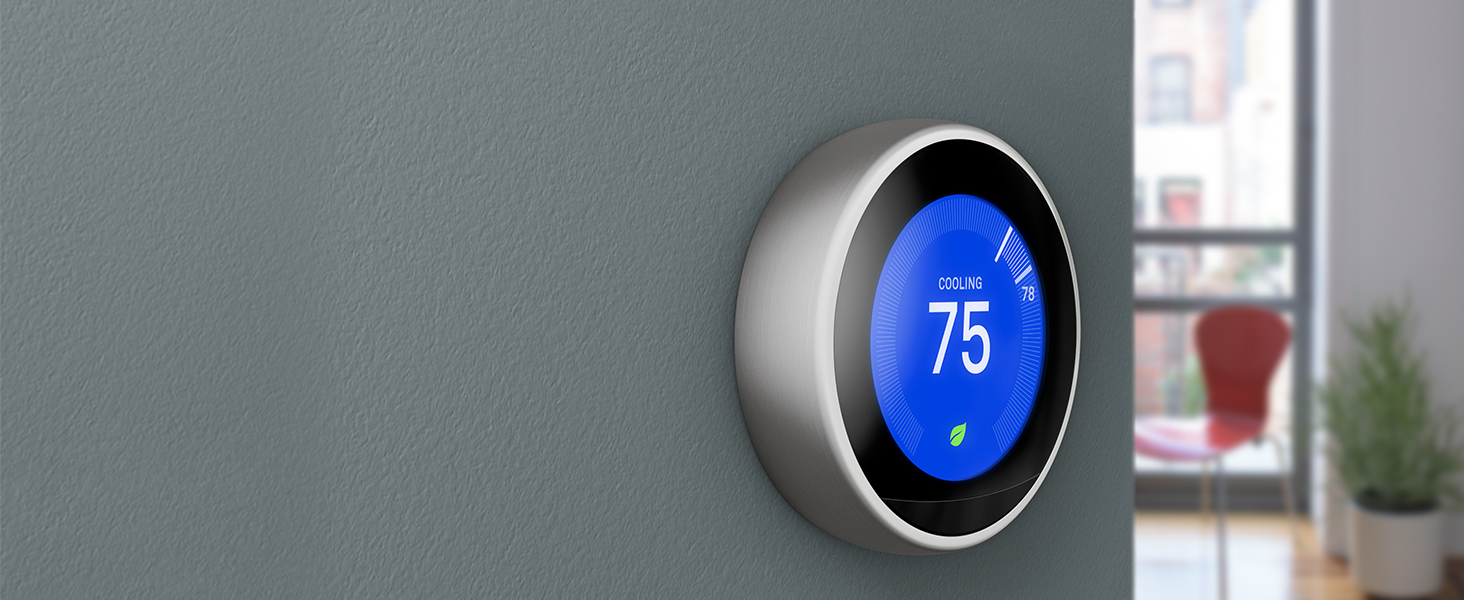
The Google Nest T3016US Learning Thermostat is a premium, ENERGY STAR certified smart thermostat featuring dual-band Wi-Fi, voice control compatibility with Alexa and Google Assistant, and an intuitive Auto-Schedule that learns your habits to optimize heating and cooling. Its Home/Away Assist minimizes energy waste by adjusting settings when you're away, while the Nest Leaf icon guides you to energy-efficient temperature choices. With a bright digital display, stainless steel finish, and comprehensive energy usage reports accessible via the Nest app, it’s designed for the modern professional seeking seamless home automation and cost savings.








| ASIN | B0131RG6VK |
| Additional Features | Wireless: Working Wi-Fi connection: 802.11b/g/n @ 2.4GHz, 5GHz, Wireless interconnect: 802.15.4 @ 2.4GHz, Bluetooth Low Energy (BLE) |
| Backlight | Yes |
| Best Sellers Rank | #12,128 in Tools & Home Improvement ( See Top 100 in Tools & Home Improvement ) #19 in Home Programmable Thermostats |
| Brand Name | |
| Color | Stainless Steel |
| Connectivity Protocol | Bluetooth, Wi-Fi |
| Connectivity Technology | Wi-Fi |
| Control Method | Voice |
| Control Type | remote control,app control,voice control |
| Controller Type | Amazon Alexa, Google Assistant, nest |
| Customer Reviews | 4.4 4.4 out of 5 stars (32,653) |
| Display Type | Digital |
| Finish Types | Stainless Steel |
| Global Trade Identification Number | 00854448003877 |
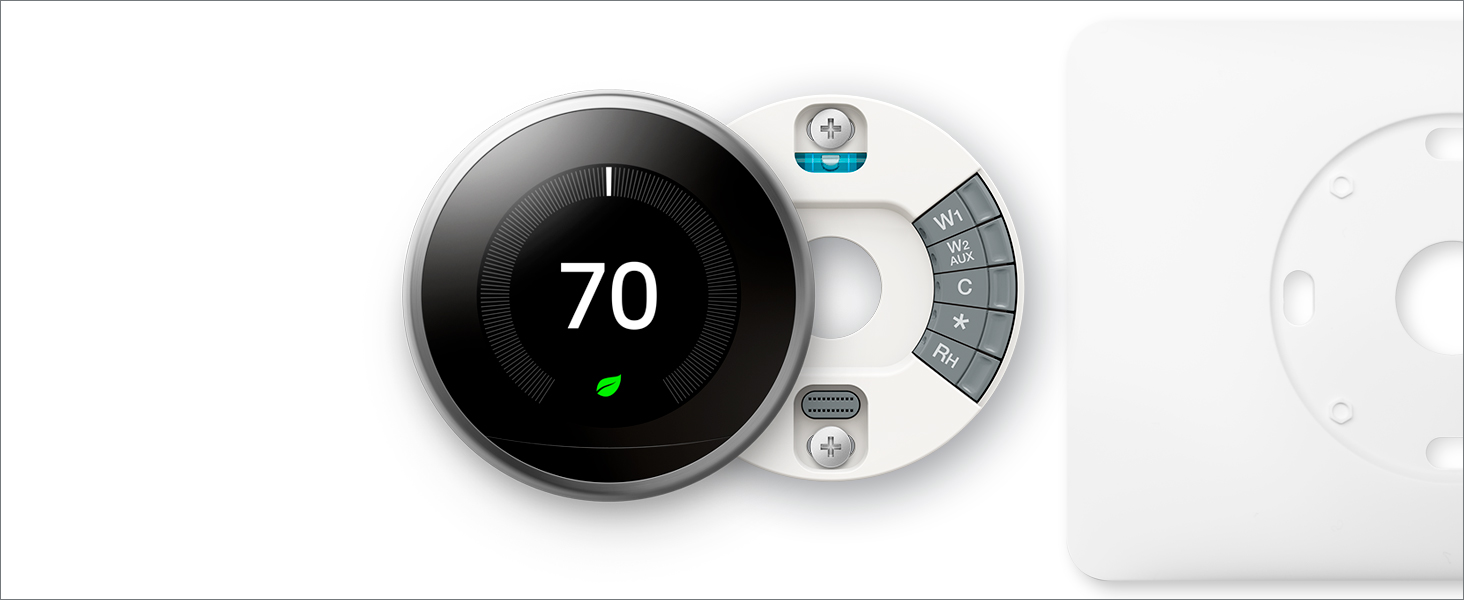
| Included Components | Display, Base, Optional trim kit, Mounting screws and labels, Nest screwdriver, Installation Guide, Welcome Guide, Nest Pro installation card |
| Item Dimensions D x W x H | 1.21"D x 3.3"W x 3.3"H |
| Item Type Name | Nest Learning Thermostat 3rd Generation, Stainless Steel, Works with Amazon Alexa |
| Item Weight | 16 ounces |
| Manufacturer | |
| Manufacturer Warranty Description | No warranty. |
| Material Type | Metal |
| Model Name | Nest Learning Thermostat |
| Model Number | T3007ES |
| Mounting Type | Wall Mount |
| Number of Batteries | 4 AA batteries required. (included) |
| Power Source | Battery Powered |
| Product Style | Thermostat Only |
| Screen Size | 2.08 Inches |
| Shape | Round |
| Specific Uses For Product | Air Conditioner |
| Specification Met | ENERGY STAR Certified and UL Listed |
| Temperature Control Type | Heating |
| UPC | 854448003877 |
| Unit Count | 1.0 Count |
| Voltage | 24 Volts |
R**N
I was very happy with this purchase as there are rebates for Southern ...
I ended up buying this thermostat directly from Nest.com because they had a promotional discount on the 4th of July. I was very happy with this purchase as there are rebates for Southern California Edison and SoCal Gas for buying this thermostat with continuous rebates throughout the year. I really do love this thermostat, not only is it incredibly functional, it's very beautiful on the wall replacing an ugly old school Honeywell system that was easily 16 years old. Things I love: * Installation was very simple and Nest makes it easy by going online first and doing a compatibility check and shows you a wiring diagram you should print off. I'm no electrician and could easily do this install in about 15 min once I had the diagram and the tools in front of me. * The integrated feel - it connects to your wi-fi, you have an app for iPhone (and I believe Android), you can control it online in a traditional browser. Besides doing it's job it's keeping track of energy usage and helping to show you where you can be saving. Plays well with other internet of things, like Amazon Alexa and IFTT * The trim plate - the ugly old Honeywell system i had left a large square mark on the wall, the trim plate that came with Nest easily covered that up and it looks beautiful. * Senses when you walk by or approach and lights up to show you the current temperature, and outside temperature (gleans from wifi weather) * Intuitive interface, you press in the lower part of the thermostat to bring up a menu and you rotate the dial and press again to make choices, very simple and easy-to-use. * Partnership with energy companies - besides a rebate with gas and electric companies, they have a partnership with a solar company in my area I'm going to check out. Strong partnerships like that can lead to highly efficient systems and reducing cost (hopefully). What I don't like: * As a geeky nerd, I'm a little disappointed that I have to use the interface to connect to my wifi. If you have a very secure wifi password that is long, this will be a test of patience. In other devices, I'm used to it broadcasting it's own connection that you can securely connect to and set the password on with another device, like your iphone. I wish this kind of option were available, or other kind of pairing ease-of-use. * The auto-schedule that tries to learn your pattern in the first few days can be a little grumpy. For example, I had my power off on a hot day when installing. Once I got it installed it was quite warm in my house. I turned it on and immediately set to 65. I later adjusted that, but over the next few days it set itself to 65 until it figured out that wasn't a normal thing. Overall, I like the auto-schedule, it's just in the first few days you'll be scratching your head. * Don't do like me and set to 65 if you'd be happy at 71, for example. Just set your ideal, not a drastic temperature. * When you first turn it on, it may not be immediately apparent how to achieve what you want. I put it on hot/cold (by accident) and was trying to figure out how to just cool the house when I was staring at the heating screen. Stick with it and it will get easier in a day. The iPhone app is a lot easier to deal with, but once you get used to the interface, you won't give it a second thought after 2-3 days. * Cost.. it's expensive. Nest had a 4th of July sale for $50 off which made it attractive along with the rebates is like $175 off. But, you do get a lot more for your money. Final thoughts: If you plan to do more home automation, or already have a home automation system, be sure to know if this will work with it. For example, at the time of writing this I'm considering a SmartThings Hub system by Samsung which apparently Nest does not have a working partnership with Samsung on, so Samsung doesn't have a supported connection to Nest thermostat (although there are developer work-arounds that work). It does work well with Wink Hub system. This isn't an endorsement for either SmartThings or Wink Hub but it's a good idea to know this information if you have the desire to integrate and update more items in your home like lighting, locks, sensors, etc that require a hub of some sort.
L**B
The reviewer who posted the top review stating "Will not display the current temperature!" is incorrect. It does display temps.
So the gentleman who posted the top review that says "Will not display the current temperature -- by design!" is incorrect at worst and misleading at best. I just installed one of these and it will display the current temperature, it's just not in huge numbers. When you walk up to the unit it will know you're there, and display what you have the heat/cooling set to and then will switch to the mode that lets you see what the temperature is. The temperature will be noted with a hash mark/notch and a number. I've included a picture here to show what I'm talking about and the stock amazon photo shows the same thing. If you look at my picture you will see where my unit is set to heat at 66 degrees and cool at 74. In between those numbers is 72, which is the current temperature. I also included a picture where I turned the dial to go to cool to 71 degrees and the display still shows the current temp at 72. In Amazon's stock picture the unit is set to heat up to 68 degrees and the current temperature is 65 degrees, as indicated on the upper left hand side of the picture. If you tap the unit it will pull up the main display screen which has the temp as well. Maybe the gentleman didn't understand the differences here or he had an older firmware than what it uses now. Regardless, I don't feel it's fair to knock this unit for not displaying the temperature even though it does. It's not in giant numbers, but it's pretty easy to tell what the current temperature is if you take a moment and look. The current temp is on dispaly immediately if you're looking at the unit. Now to the actual review. This unit was very easy to install, the big pain was getting my old thermostat off of the wall. Nest has a interactive website for the installation of this unit (nest.com/works) that makes it easy to figure out if your current wiring will support one of these newer thermostats. You log onto the Nest site and chose the wires that you have coming out of your thermostat and from there the Nest site will tell you if you can use the Nest thermostat with your current setup. I would suggest looking that up before you purchase this unit. Or if you too like to live dangerously, do what I did and pull up the site on your iPad after you've bought the unit. With that out of the way, the unit comes with a back plate that you will connect your wires to. Before you do this, turn off the power to your HVAC system. I like to live dangerously, but not THAT dangerously. Connect the wires to the back plate, attach the unit to the wall and flip your breaker. The unit will light up and guide you through a pretty easy set up. NOTE: You do have to have wifi to get this unit to work properly. If you do not have wifi do not bother purchasing this thermostat. The thing I like the most about this thermostat is I can set a threshold for heating and cooling. Every house I've lived in has always had thermostats that seemed like they were from the 1970s so I don't know if this feature is normal on new thermostats, however this is a game changer for me. Where I live the temperatures can vary by 40 degrees each day and having a thermostat that will let me run the ac in the evening and then turn on the heat at 2 am when the temp drops is worth every penny. I literally have set the thermostat and left it alone since installing it. Some other cool features of this thermostat are that it keeps track of how much heating and cooling you do each day if you're into metrics, and it has a feature called "Sunblock". When you install the thermostat it asks you where you're installing it (such as a bedroom, hallway, kitchen, etc) and if the unit is in direct sunlight. If it is the unit will use Sunblock, which uses the light sensors in the thermostat to determine when it's under direct sunlight. This is used to learn the sun’s patterns in relation to your house the temperature sensors to detect the heat spikes that occur in direct sunlight. It then links to your wifi and knows when the sun rises and sets in your area. Sunblock will use that information to set the correct temperature whenever it’s in direct sunlight and not waste energy. Again, this is a game changer. My previous house had a thermostat that was near direct sunlight and close to a computer so it would run the AC when it wasn't needed, and jack up our electrical bills. There's an app as well that lets you control the temperature if you're lazy and don't want to get up, and to set the temp in the house while you're away. Overall I think this is a really cool product, and if the features I've mentioned are something you'd be interested in then I think it's worth the money. It's especially worth it if your power company has a rebate for purchasing one of these units. That can bring the cost down $50-$100 dollars.
M**.
La instalación no es tan sencilla como el que tiene solo calefacción, de hecho me tuvieron que ayudar amigos . Este modelo es el internacional, que ademas de la calefaccion tiene aa. En españa todavia esta de manera masiva, asi que me decidi por este. Al final encontramos unas guías por internet de instalacion. Quitando esto, en si con el producto estoy encantada. Es estético y sobretodo me permite ahorrar un dispositivo y creedme controlar aa y calefaccion no tiene precio. Yo al menos, lo recomiendo
S**Y
No doubt Google is one of the best, super easy to install and works great
S**R
East to install and works fantastic.
N**M
Es tal cual lo describen el único problema es q tardo mucho tiempo en llegar
P**O
I don't really need something like this as it is more of a luxury item. However, all new homes have it and I wanted to spoil my house. We have a heat only system with gas boiler and in floor radiant heat that takes a long time to warm up the house. This is probably the worst system to be a candidate for the NEST but I did it anyways to up the cool factor of the home The bad thing is that you need a nest to control each valve. We have 3 zone valves here so things can get pricey really quick if u replace all 3 thermostats. Good news is that install was a piece of cake. I only had 2 wires to connect and no C wire. Works like a charm and thermostat automatically charges up and stays charged. Hadn't had issues with wifi or anything
Trustpilot
Hace 1 mes
Hace 1 día