We remain fully operational. Our teams are working around the clock to ensure your deliveries continue safely.

Descargar la aplicación


Servicios al cliente
Sobre nosotros
Copyright © 2025 Desertcart Holdings Limited
Descargar la aplicación
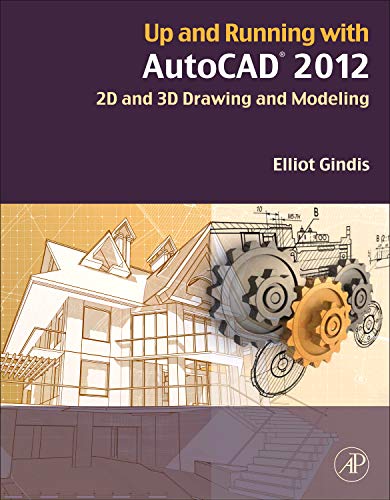
Buy Up and Running with AutoCAD 2012: 2D and 3D Drawing and Modeling 2 by Gindis, Elliot J. (ISBN: 9780123870292) from desertcart's Book Store. Everyday low prices and free delivery on eligible orders. Review: Four Stars - ok with difficulty Review: Up and running with AutoCAD 2012 - This is an exceptional book - for the USA market. Explanations and examples are all based around feet and inches. Most of the world use metric measurements including the UK. Setting the grid is explained in Chapter 2, more or less ignoring the all important metric setup procedures. Since all subsequent Chapters are 'building blocks' based on Chapter 1 and 2, metric users are more or less stuck at the beginning of the book. If you know a good teacher s/he can explain this aspect, but if you are a 'home learner' this book is a no no. A great shame.
| Customer reviews | 4.0 4.0 out of 5 stars (14) |
| Dimensions | 21.59 x 3.18 x 27.31 cm |
| Edition | 2nd |
| ISBN-10 | 0123870291 |
| ISBN-13 | 978-0123870292 |
| Item weight | 1.72 kg |
| Language | English |
| Print length | 754 pages |
| Publication date | 3 Sept. 2011 |
| Publisher | Academic Press |
G**.
Four Stars
ok with difficulty
N**Y
Up and running with AutoCAD 2012
This is an exceptional book - for the USA market. Explanations and examples are all based around feet and inches. Most of the world use metric measurements including the UK. Setting the grid is explained in Chapter 2, more or less ignoring the all important metric setup procedures. Since all subsequent Chapters are 'building blocks' based on Chapter 1 and 2, metric users are more or less stuck at the beginning of the book. If you know a good teacher s/he can explain this aspect, but if you are a 'home learner' this book is a no no. A great shame.
A**R
Reads good. Looks to be a good source for beginners. Have not made it to the 3D stuff, will let you know.
K**D
I think I should preface this review with a small synopsis of my experience with Autocad. I have been an architectural drafter for over ten years. Most of that time was spent using Microstation software which is the other drafting software most widely used besides Autocad, at least at last check. If a newcomer has appeared on the scene in the past two years, I missed it. I spent the last two years using Autocad, having changed companies. So I feel that I have a handle on what Autocad is about while also being new enough to it to know where I could have used a little more help getting up and running. This book is more of a textbook than a how to guide. Meaning that it would be almost imperative to have someone who is familiar with Autocad and the type of drafting you wish to do standing nearby to explain the basics, and the author does admit that beginners shouldn't try to set the standard parameters without help. Community colleges across the country have Autocad classes and computer labs. I'd imagine that's how the majority of us learn the program and it's time well spent. Having said that, I do know of a few people who say they sat down with a book and taught themselves. This book would be suitable for that but I still contend you need to know the basics of drafting in general. I will use this book often while I'm updating my skills in Autocad. I will say that if it were up to me, I would have split the 3-D modeling into a separate book. Most of us never have the need to use 3-D, although it is a good thing to know at least the basics. I also would have found a page or two of simple charts showing commands and tool boxes to be very helpful. And while I'm dreaming I may as well wish for pop up tabs for the chapters. No matter your level of Autocad experience, this book will be a good way to add to your skills and brush up on the basics.
D**W
First off this is an easy to read and follow book. The sections are logically laid out to allow the book to introduce and show why and how to use AutoCAD and where to get to items that will be referenced throughout the book, the next section (majority of the book) focuses on beginner through advance 2 Dimensional drawings and how to create basic drawings using lines, circles, arcs, rectangles... to create basic items to full scale landscapes or layouts (the book mainly uses architecture and house layouts to illustrate this). The final section introduces you to 3 Dimensional modeling and finally gradient and animation. The 3D section starts out with basic tools to create 3D items (chairs, bookshelf...) and then starts creating 3D houses and other items with high level texturing and gradient fill, the book also touches on animation and how to make the items animated in your drawing. The book ends with quick reference on the history and use of AutoCAD and different editions and their origin. The book is laid out like a College Textbook, however, unlike many textbooks it includes the answers to questions at the end of the section, therefore making it great for class or individual use. The book is well written and provides detailed pictures of how each step looks for sections that build a project, allowing the reader to ensure that their project looks the same. I want to note that the layout of AutoCAD 2012 in the book (I presume he is using Windows), which has the ribbon system, is quite different from AutoCAD 2012 for Mac. I am using the AutoCAD 2012 for Mac and if you are using it as well their is quite a difference in the look, so you may need to reference the internet or Help tools in AutoCAD for Mac for the location of items referenced in the book, however, the design process will still be the same. In the end this is a great book and companion for using and learning AutoCAD 2012. Even with the few differences between Mac and Windows this is an easy to follow book and allows the reader to learn this great software and allow a leg up in the industry! A must for anyone learning AutoCAD 2012. I also want to mention that if you are a student (.edu account) you may qualify for the Educational Edition of AutoCAD 2012, which has limits (I believe a watermark), but it is Free, and can be found on the AutoDesk website for Education. This is a great way to get the software and learn how to use it without the investment of the full edition; if you are a Student. -- Just FYI!
F**Y
Although I am an engineer, my expertise is neither mechanical nor architectural, so I never really have a strong need to get up, running and proficient with AutoCAD, ProEngineer or Draftsight, all of which are available where I work. However, there have been occasions where I wanted to make 2D sketches with dimensions and, for that sort of thing, PowerPoint didn't quite cut it. Enter "AutoCAD 2012." This book gives me all I need and more. In fact, the author states, in the preface, that the first third of the book is all you'll need to become an AutoCAD intermediate. That's essentially the first 249 pages, mosyt of which have copious amounts of white space along with drawings and examples. All in all, a great book to get you started and more. My only gripe (and its very minor) is that the author covers FOUR ways to accomplish the same thing (Keyboard, Cascading menus, Toolbar icon and Ribbon). Granted, these are all good things to know, just not necessarily right off the bat. That's a matter of taste, most likely. If you want to learn AutoCAD quickly and get your stuff done without too much frustation, this book will do the trick.
R**S
For those seeking an "easy-to-learn" introduction to AutoCAD, this may be an excellent choice. It's hefty, coming in at 730 pages, but is beautifully and profusely illustrated (offers than a thousand screen-shots). Packed with examples, the author works had to break concepts down and explain -- not only the "how's" -- but, the why's and theoretical background of important concepts and commands. Commands are documented, down to the command-and-click level, with resulting responses explained as well. The illustrations show commands in progress, screen set-ups, menus and command outcomes. Users will find learning objectives spelled out at the beginning of each chapter and the estimated time to complete that chapter. Then, following each, is a chapter summary and self-test to reinforce learning objectives. The chapters build upon each other, and grow more challenging as the book progresses. Well indexed, profusely illustrated, nicely designed, it's a well-done book. My only criticism is that it would have been helpful to include a disk-based practice guide.
Trustpilot
Hace 1 semana
Hace 3 semanas