We remain fully operational. Our teams are working around the clock to ensure your deliveries continue safely.

Descargar la aplicación


Servicios al cliente
Sobre nosotros
Copyright © 2025 Desertcart Holdings Limited
Descargar la aplicación




Buy anything from 5,000+ international stores. One checkout price. No surprise fees. Join 2M+ shoppers on Desertcart.
Desertcart purchases this item on your behalf and handles shipping, customs, and support to Spain.
🎯 Keep your hands on the wheel and your control on point — upgrade your drive with Maestro!
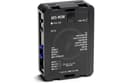
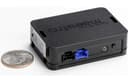
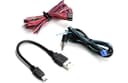
The Maestro ADS-MSW Universal Analog Steering Wheel Interface lets you retain full steering wheel audio control when upgrading to an aftermarket stereo. Compatible with over 1700 vehicles made after 1998 and nearly all major stereo brands, it runs on 12V DC power and offers customizable button mapping through intuitive software. Installation is streamlined with tailored wiring diagrams, making it the go-to solution for seamless integration and enhanced driving convenience.
| ASIN | B00J4W10XG |
| Best Sellers Rank | 1,825 in Car Audio & Video Input Adapters |
| Guaranteed software updates until | unknown |
| Item model number | ac77bc69-641b-45da-8c7c-e3e45bb2de6f |
| Manufacturer | Maestro |
| Product Dimensions | 7.32 x 10.62 x 1.91 cm; 22.68 g |
M**N
Very easy to set up and fully functional with Toyota GT86
Easy to set up using my computer. Installation in my Toyota GT86 2017 was straightforward, and unlike other steering wheel interfaces I’ve tried, this one worked perfectly; all the buttons are now fully functional. The computer software is user-friendly and lets you customise the function of each button. It even provides a wiring diagram tailored to your specific car, making the installation process much smoother.
C**L
This was a little tricky to install. Had to search a bit to find the correct wires in my vehicle. Once I found the right ones, it has been working perfectly allowing me to retain the use of the steering wheel controls.
S**Y
I tried multiple different brands all not working until I finally got this one. It works! Easy to install and clear instructions. Very cool how you can set your buttons to have two different configurations as well. (Press and hold). This one works on my 2007 Honda odyssey with Alpine radio with amplified speakers.
K**K
It was a trusted brand, hard to get this option in Australia. Configured using the software app, which was straightforward. Installed in car and worked as expected. Had to flip two buttons. Just reflashed in the car and presto perfect result.
J**S
Simple installation and instructions. Once I set it up for my vehicle and connected the head unit, it was a breeze to program the steering wheel buttons
K**N
Used the custom install option to connect to unlisted car (Mahindra PikUp) worked first time. The only issue is that I couldn’t save the configuration, so when I went to make changes I had to reflash from the start.
Trustpilot
Hace 4 días
Hace 3 semanas