We remain fully operational. Our teams are working around the clock to ensure your deliveries continue safely.

Descargar la aplicación


Servicios al cliente
Sobre nosotros
Copyright © 2025 Desertcart Holdings Limited
Descargar la aplicación
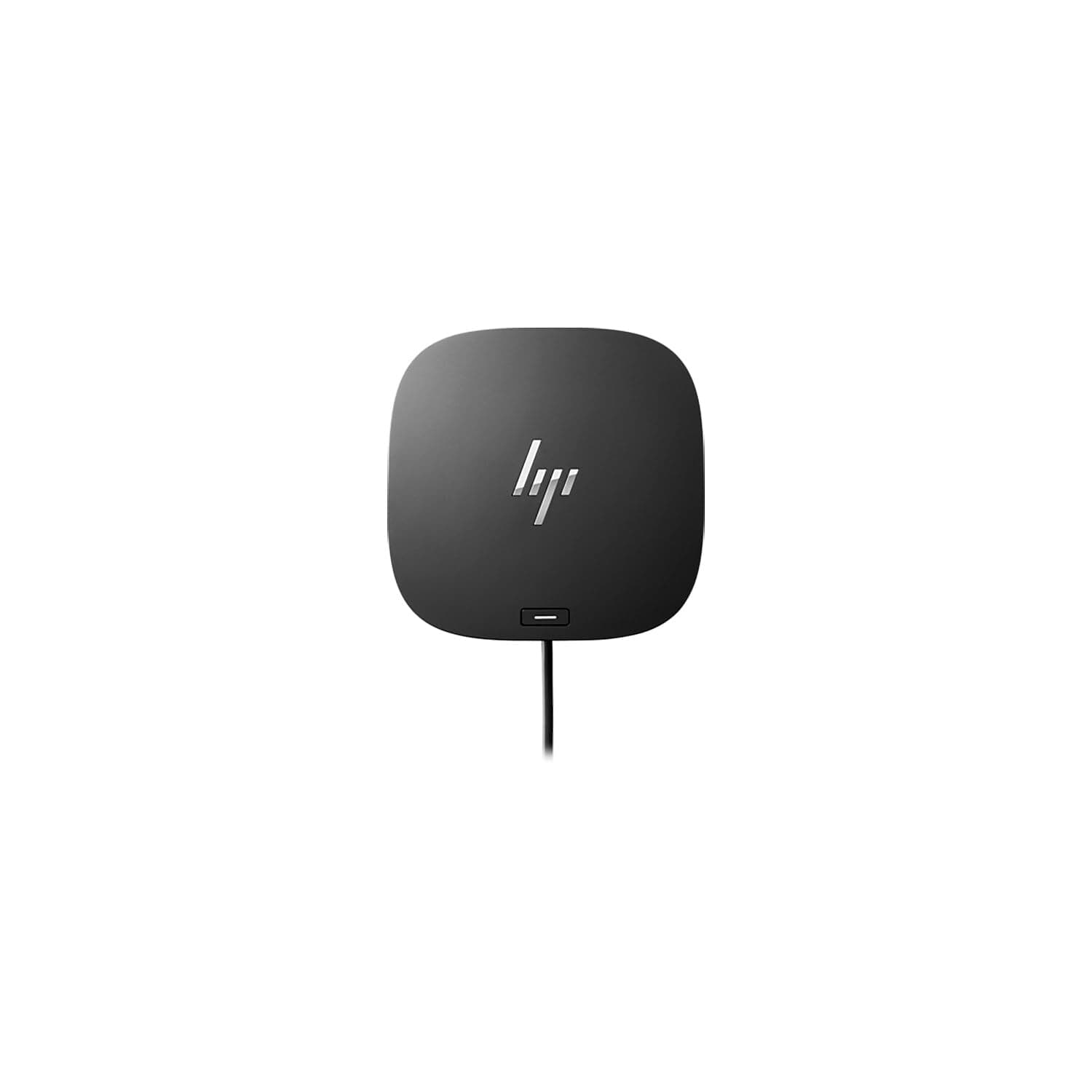
🚀 Elevate your workspace with the ultimate USB-C dock — power, speed, and control in one sleek hub!
The HP USB-C Dock G5 is a premium wired docking station designed for USB-C and Thunderbolt-enabled notebooks. It supports up to three displays in 4K, QHD, or Full HD resolutions, offers four USB Type-A ports, an RJ-45 Ethernet port, HDMI, and DisplayPort outputs. With universal compatibility across major brands and advanced IT management features, it streamlines connectivity and device charging through a single USB-C cable, all within a compact 5x5 inch design.

| ASIN | B07RGC9QSL |
| Best Sellers Rank | #1,200 in Computers & Accessories ( See Top 100 in Computers & Accessories ) #136 in Laptop Docking Stations |
| Brand | HP |
| Built-In Media | Docking Station |
| Color | Black |
| Compatible Devices | Notebook |
| Customer Reviews | 4.2 4.2 out of 5 stars (2,068) |
| Global Trade Identification Number | 00193905208531, 00193905208609, 00193905522316 |
| Hardware Interface | USB |
| Item Dimensions L x W x H | 1"L x 1"W x 1"H |
| Item Type Name | Docking Station |
| Item Weight | 676 Grams |
| Manufacturer | HP Inc. |
| Number of Ports | 9 |
| Total Number of HDMI Ports | 1 |
| Total Usb Ports | 2 |
| UPC | 193905522316 193905208616 193905208517 193905208609 193905208654 193905208579 193905208524 193905208630 193905208548 193905208647 193905208531 193905208586 193905208678 193905208623 193905208555 193905208500 193905208593 193905208562 193905208661 |
| Unit Count | 1.0 Count |
| Warranty Description | limited |
| Wattage | 100 |
K**B
Perfect For New HP Laptop
I bought this to go with a new HP laptop based on the low power Intel Core Ultra 7 processor. Laptop physical connection options are limited to two 40 Gbps Thunderbolt 4 ports and a 10Gbps USB-C port. Newer monitors are equipped with USB-C in addition to HDMI or DisplayPort, but I need HDMI for the somewhat older monitor I use with the laptop. I've been using the Dock G5 for almost two weeks now. USB-A ports for older USB devices, the wired Ethernet port, and the HDMI port are all plug and play with no problems. The G5 USB-C port supports high-speed charging to my Android phone. It also replaces the charger that came with the laptop, charging it at the same rate. About the only downside I find is that the laptop is always kept fully charged if I leave it connected to the G5, so I have to disconnect it periodically to cycle the laptop battery. If you are considering purchasing this and expect it to work as a charger, you should make sure your laptop's USB-C port supports Power Delivery and charging, and make sure the power levels are compatible between laptop and Dock G5. Newer, lower-power laptops that support only USB-C and Thunderbolt 4 physical connections are likely to support USB-C charging, while older laptops often will not. To be honest, the Dock G5 is probably overkill for my needs and I could have gotten by with a USB-C hub and some adapters. That said, the Dock G5 is well made and works perfectly with my HP laptop. I'm very happy with it and won't be looking back.
M**S
Most reliable one so far
I've been through a couple of budget USB C docks on my wife's HP Envy laptop, and they've always been less than reliable. They would require constant power resets, randomly stop driving a monitor, USB audio issues and then complete failure. I finally just spent a bit more got the HP G5, connected it, ran the updates, and it's been rock solid.
T**N
Compact, powerful, works seamlessly with my EliteBook x360 1030 G4
Bought this for home to use with my work-issued laptop. This dock has 1 more conventional USB port than the one issued to me at the office, so I was able to hook up camera, keyboard/mouse, speakerphone, and headset plus 2x24" monitors via DisplayPort with no problems. Bought this to replace another dock that was under-powered with those USB devices connected. This runs the dual monitors and all of my peripherals with no fuss and no problems. I also tried plugging in my MacBook Pro and was disappointed (but not surprised) to find that it does not support dual external displays for that computer. No matter...would have been a nice bonus but it's perfect for what I need it for. The power button on top is an improved design over previous generations where the entire top panel acts as a power switch. Much less concern about accidentally tapping it and powering down the whole computer unintentionally. It's shorter and has a slightly larger footprint on the desktop than the older ones that are taller and narrower. To me, this one fits better in the space I have. All in all I am very satisfied with this product and I highly recommend it if you are working with a compatible PC.
B**M
This product is no warranty and not new per official HP support agent.
This product is not covered by the HP warranty. Be careful. I have two Dell 24" monitors that I connect to this G5 docking. Unfortunately, the HDMI port on the docking is not working and is causing one of the monitor screens to flash. I reached out to HP, and they said that I need to return the unit to the seller as this product is not new and no longer under warranty. I bought this unit from this seller in January, and I did not open it until I received my monitors. By the time I installed the docking station, it had already passed the return windows. I tried to reach out to the seller, but no luck.
N**N
Great Dock
This is a great Dock, I use it for work and capable of supporting three screens. Never had an issue with it.
J**L
Simple setup but most effective with the right machine
I've used this dock with multiple laptops and it works great. My setup involves a Level1Techs 3-monitor/2 PC DisplayPort KVM splitting between this dock and a desktop. A Dell XPS 15 with discrete 4GB graphics was able to drive all three monitors through this with no issues. My Lenovo T14 Gen5 only has the juice to drive two monitors directly and so I have to use an active HDMI adapter for the third. This lesson is this dock won't drive more displays than your graphics adapter has the bandwidth to support. A lot of onboard graphics won't support three monitors through USB-C. Make sure you know what you have before you buy if a three screen setup is your goal.
M**E
Die Docking Station hat meine Erwartungen voll erfüllt. Sie ließ sich ohne jede Mühe anschließen – einfach einstecken und sofort loslegen. Seitdem läuft alles absolut stabil, keine Verbindungsabbrüche oder sonstige Probleme. Perfekt für den Alltag im Büro oder Homeoffice. Klare Kaufempfehlung für alle, die eine zuverlässige Lösung suchen! Ich nutze sie mit einem Microsoft Surface Pro.
B**N
Livraison rapide pour connecter 2 écrans sur un seul pc HP. Il n en reste pas moins incroyable que certains vendeurs demandent des sommes folles pour le même produit !
B**S
Purchased through Amazon Warehouse to save some cash as these things are expensive brand new. Solid piece of kit, plenty of connectivity options and works really well with my current home office setup - dual screens plus laptop, camera, headset and wireless keyboard and mouse.
V**A
I am using it for last 2 months and I must say it works like charm. Definitely it is worth buying.
L**S
Tal y como se indica la descripción, ideal para reducir el número de cables en tu escritorio. Muy funcional
Trustpilot
Hace 5 días
Hace 3 semanas