We remain fully operational. Our teams are working around the clock to ensure your deliveries continue safely.

Descargar la aplicación


Servicios al cliente
Sobre nosotros
Copyright © 2025 Desertcart Holdings Limited
Descargar la aplicación


🎮 Protect, personalize, and pack your VR world in style!
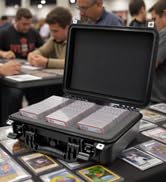
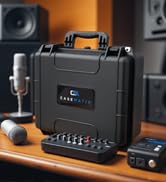
The CASEMATIX Hard Case is a premium, USA-made protective storage solution designed for Meta Quest VR headsets (Quest, Quest 2, Quest 3, Quest 3S) and accessories. Featuring a durable hard shell exterior and a tri-layer foam interior with customizable diced foam, it offers tailored impact protection and organization. Its ergonomic carrying handle makes travel effortless, while the spacious interior fits headsets, controllers, cables, and Elite Straps securely. Ideal for professionals who demand both style and function in safeguarding their VR investment.





| ASIN | B07S59ZSMN |
| Best Sellers Rank | 36,267 in PC & Video Games ( See Top 100 in PC & Video Games ) 521 in Mobile Phone Virtual Reality (VR) Headsets 780 in Standalone Virtual Reality Accessories |
| Item model number | TAC17-OCQT |
| Manufacturer | CASEMATIX |
| Product Dimensions | 40.64 x 35.56 x 15.24 cm; 1.36 kg |
P**S
Great Case!
Great case, I didn't use the recommended setup for the Oculus with battery strap as I found the buttons on the hand controllers faced down on one of the controllers when using this setup, which could result in your batteries being drained, so I used my own setup that keeps the hand controller buttons free from being accidentally engaged. The only thing that would be nice would be to have this configuration in a permanent moulding rather than the tear-off pieces, but that's a wish list, not a product fault. That said, If you sold one for this case, I would buy it, as over time, the tear-off pieces tend to break off! But it's a fantastic case and much better than anything I have tried before!
S**W
I'm not really here to review the CaseMatix product itself as much as to offer my experiences and assistance to the community of users / customers. The product seems fine and sturdy and will serve its job well. Seems a little high priced to me, but also seems pretty good quality and should do its job well if you cut the foam properly. That was my first surprise (and not immediately obvious to me) that you have to design it yourself for whatever your use. That's a good thing, because you can use it for a lot of purposes and use it the way you see fit. But it's also more work to have to try to decide the best configuration. It gave me pause, because most of the ad photos show the product finished after someone has cut out the squares. NOTE: I'll try to attach media to this post in the order mentioned in the post. No promises, though! :-) MY LAYOUT DESIGN AND TEMPLATE FOR THE OCULUS QUEST 2 (default head strap) So I looked at the photos that other customers submitted for the way they designed the foam for the Oculus equipment (thanks for those submissions, everyone!). Then I embarked on designing my own. I tried to design mine with extra cushion (2 squares) towards what would be the bottom of the case when it is closed and standing upright. I also didn't want any of the main pieces touching each other and clanking together, and at least 2 squares between almost all of the pieces. I also wanted the pieces to be snug, so they just fit in there and hold in place well. The heavy end of the headpiece is towards the bottom of the case so that when the case is closed and upright, it will not exert extra pressure on headband / earpieces / any other pieces. As you can see, there is also a special section of loose foam (green section in my grid template) to attempt to protect the lenses and keep the headband tamed. The headband excess is folded back and forth gently in its designed foam pocket, leaving extra room for other features in the case. Finally, with some remaining space near the handle of the case, I'm using 2 squares the length of the case for chargers, cords, etc. I found that the foam squares in my CaseMatix case are 28 across by 21 down. Since I had to go through the design work for myself, anyway, I was inspired to freely offer the blueprint for this design here so that others could use it if they felt it would meet their needs and did not want to take the time to design their own (see photos to make this determination if you are interested). To do that, I obtained a grid and colored it in accordingly (see photos). I also included a blank grid (see photos) in case anyone else wants to document their particular design for others to use similarly. I hope this is helpful to someone! :-) TIP FOR SEEING FOAM SQUARE EDGES I also found that it was difficult to keep track of where the edges of the squares were in normal light (for grid transfer, counting squares, precision separating, etc). (Maybe this is my eyes? or maybe I'm not using enough light?). So I offer this tip you can kind of see the square edges when light is above or around you (see photos), but you can really easily see the square edges when you lay a light source (like flashlight) down on the foam and shine it across the surface of the foam (see photos)! SEPARATING THE SQUARES I initially missed the small, single-sided "foam customization guide" included the the case because of the advertisey-looking "follow us" message on the opposite side. So I made the mistake of trying to cut my first section out with a knife. That is not necessary, though, as the squares are connected to each other in such a way that you can pull them apart with your fingers. Once you pull them apart, they are permanently separated, unless you tried to glue them back in or order a new foam replacement. If you pull them apart, there seems to be much less (maybe even none) loose foam fragments than if you try to cut them out. After I discovered the "foam customization guide", it says you can "press down firmly on the blocks of foam you wish to remove and they will separate from the surrounding blocks" however, when I tried this, I was concerned that this method might weaken the connection of the surrounding blocks I wanted to keep in place. So instead I found that separating each block connection one at a time was better. I'm going to try to submit a movie demonstrating this technique (see attached movie). It allowed me to precisely sever only the connections that I wanted to without compromising surrounding connections: You insert your finger on the connection you want to sever (in between two squares), and alternate (wiggle) the tip of your finger back and forth against the two foam blocks you are trying to separate as you press your finger all the way down to the bottom of the blocks. OTHER IDEAS: I am experimenting (see photos) with storing (and attempting to protect) the long and expensive Oculus Link cable under the main foam, so that I can bring it with me and not have to pack it separately and hopefully not have to worry about it getting any kinks / sharp bends in it. I also experimented (not pictured here) with trying to fit my dedicated wireless router in the package (but mine is a little too tall with antennas that cannot be removed), and the chargers and a Chromecast device. The router was really the only thing that didn't fit because it was too tall. So the good news is that there's additional room you can experiment with in this design. Finally, I had another, generic idea to share about the CaseMatix case: This might be especially helpful if you only use it for transporting? You could purchase more foam inserts, and switch them out, depending on what you want to store / transport in it. I haven't checked how much the new foam inserts cost, though, to know if it is very cost effective or not. Information about this is available on the insert called "foam customization guide" (at the CaseMatix website, apparently). Dont forget to register at their website for your free lifetime warranty! (as mentioned on the "advertisey-looking 'follow us' message" insert).
A**.
I use it with the Meta Quest 3 with the Aubika Fast Charging Head Strap for Meta Quest 3 with Built-in 8000 mAh Battery Pack, Elite Strap Replacement and every thing fit great and it is crash proff if you have a cat and you wont break anything even if you drope it. Best casing ever.
A**Z
Es un buen case de alta calidad se siente resistente, lamentablemente el mío llegó roto de una bisagra, no hice la devolución porque si necesitaba el producto, quizá se dañó porque el producto no viene dentro de una caja, solo una bolsa de plástico y las paqueterías nunca tienen cuidado, le doy las 5 estrellas porque me gustó mucho la calidad y es buen producto lo recomiendo
E**U
Es un excelente producto la verdad muy contento con mi compra bastante amplio y fácil de transportar lo uso para mi equipo de multimedia Cabe la mezcladora micrófonos inalambricos una laptop y una tablet además de otras pequeñas cosas
F**R
It was absolutely perfect because you can customize it easily to accommodate my Question 3 and Bobovr S3pro headset. Great protection for the gear! Worth the price.
Trustpilot
Hace 2 semanas
Hace 2 semanas