We remain fully operational. Our teams are working around the clock to ensure your deliveries continue safely.

Descargar la aplicación


Servicios al cliente
Sobre nosotros
Copyright © 2025 Desertcart Holdings Limited
Descargar la aplicación
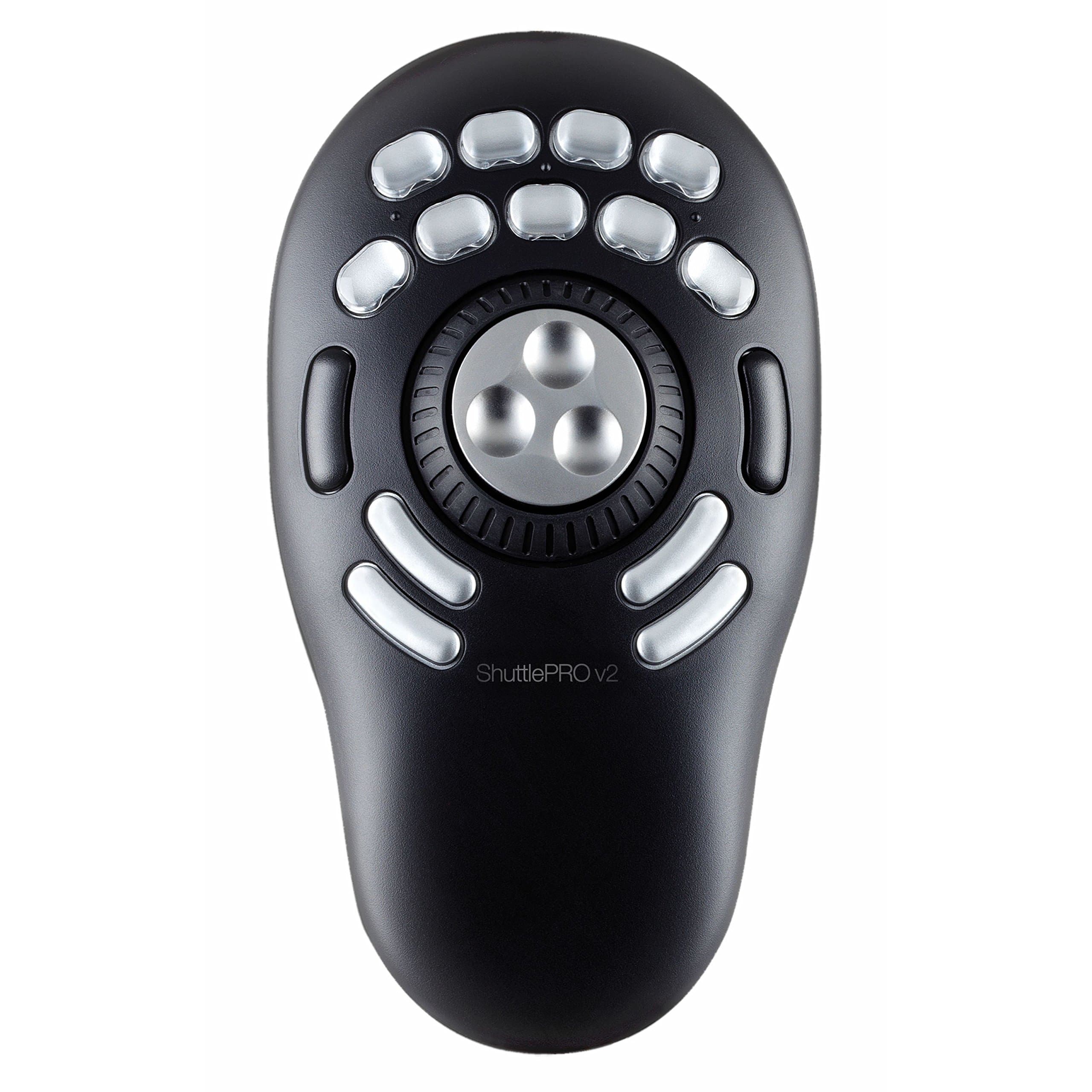
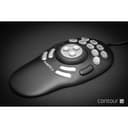
🎬 Edit smarter, not harder — the ultimate command center for pros on the move!
The CONTOUR DESIGN ShuttlePRO V.2 is a sleek, ergonomic input device featuring 15 programmable buttons, a 360° jog wheel for precise frame control, and a spring-loaded shuttle for rapid navigation. Pre-configured for popular video and audio editing software, it enhances productivity by enabling one-handed operation and customizable workflows, making it an indispensable tool for professional editors and creatives.
| ASIN | B00027X2YM |
| Best Sellers Rank | #6,395 in Computer Keyboards |
| Customer Reviews | 4.0 4.0 out of 5 stars (153) |
| Date First Available | August 28, 2005 |
| Is Discontinued By Manufacturer | No |
| Item Weight | 13.6 ounces |
| Item model number | ShuttlePRO 2 |
| Manufacturer | Contour Design |
| Product Dimensions | 10.7 x 8.6 x 2.8 inches |
J**N
An excellent piece of gear for your video editing suite
I'm making one of my periodic forays into video editing and came across this device. I was dubious, thinking that operating this with my left-hand and the mouse with my right would challenge my manual dexterity skills. Wrong. Within a minute or less, everything felt comfortable and two-handed operation was a reality - and a wonder. This gadget really makes video editing a lot more efficient and fun. (As a hobbyist, I suppose I can see as fun what might be tedium for someone who does it day in and day out.) The ShutlePRO V.2 is well made, surpassing my expectations. The unit is fairly light, but six well placed pads on the bottom keep the unit in one place. The unit has a very low profile and fits easily under the palm. The nine upper buttons are arranged in two rows and fall naturally under the fingertips. There are four additional buttons below the job and shuttle controls. Two of these fall nicely under the thumb, but my little finger isn't dexterous enough to deal with the other two. Maybe with some practice. There are two other buttons, one on either side of the jog, usable with thumb and middle-finger. In all there are 15 buttons, all of which can be programmed by the user. Talk about power! Presets are provided for many popular packages. Labels are provided for common functions and I presume, but have not confirmed, that the caps on the upper two rows of keys are removable. One small drawback: only one set of pre-printed labels is provided and no mention is made on the instruction sheet of how to get more, including blank ones for your own sets. Small item which I suspect a call or email to tech support will resolve. The jog and shuttle wheels are marvelous. The jog wheel, in video editing gives you frame by frame control. It has three indentations for your fingertip. For my fingers, I would have preferred slightly deeper indentations, but that might make the jog wheel feel like a bowling ball for others. Anyone who done any video editing with pro equipment knows that a jog wheel is indispensable. The shuttle wheel is spring-loaded and has seven positions on either side of center. Depending on your video package, this will speed up your forward and reverse scrolling through your video material. The jog and shuttle controls are also programmable giving the daring (and perhaps mad) the opportunity to program up to 45 more functions. Programming the keys with the included utility is simple and straightforward. So far, I am definitely the kid with a new toy. Some of the tedious parts of video editing, such as single frame navigation using the keyboard are banished hopefully forever. I still have to decide what functions to assign to the buttons and which buttons to use. The ShuttlePRO V.2 is not limited to video editing. It can be used with audio programs, Photoshop, even Outlook, Word and whatever else you have on your machine. It is a very powerful adjunct to your mouse. (I don't think it would replace a mouse or tablet.) On the whole, I am very pleased with the purchase. I bought for use in video editing and don't know if I will ever use it for any other purpose. Doesn't matter to me since it does what I want and more within the confines of video editing. A very nice product. Jerry
A**L
Best workflow solution for Adobe Lightroom
It really is the best workflow solution I've found for Lightroom thus far. I've been an LR user for years, and I finally wanted to enhance my workflow to speed through photos easily. As a wedding photographer, I do high volume work so I'm already fast. I edit 1500-2000 photos per day (at least, I try to) and I can easily do so with the Contour in a shorter amount of time than just the keyboard/mouse combo. I've tried a Logitech G13 and it wasn't very ergonomic, also too many buttons. Tried the Logitech G600 MMO mouse and I had a lot of mis-clicks and MMO mouses aren't very comfortable. I've also tried midi controllers such as the Behringer X-touch Mini as well as the very expensive Palette Gear. Both of those controllers required the use of both of my hands (one hand required too much travel between controls). I wanted my right hand free for more specific cropping work, so I have to use a mouse with my right. With the Contour, I was easily able to press all buttons and use the dials with just my left hand with hardly any travel or learning curve - thus speeding up my workflow. I still had my right hand free so I can use my mouse for quick cropping/healing/brushing. The Shuttle Pro is also very comfortable to use compared to the other devices I've tried above. Being a PC user with Windows 10 and LR CC, I unfortunately could not try Paddy / VSCO keys / Motibodo / Pusher Labs. I'm still totally satisfied with the Contour and I don't think I'm missing out. If you're curious, here are some of my LR CC settings: Top buttons: Unflag, flag, paste previous, reset crop, crop tool, undo, redo, red label, enter Left and Right buttons: Previous, Next Jog: Up/Down (Hover over slider with mouse) Shuttle: - / = (Set to control Exposure mainly) Bottom buttons: Backspace, enter, copy settings, paste settings Highly recommended. This changed the game for me.
B**A
Good - but problem with IMovie 8
Great Jog/Shuttle. Firm under the hand. Very responsive controls. One current (and hopefully they resolve this soon) limitation is that the Shuttle Pro does not automatically recognize IMovie 8. Manual says: "The software automatically detects the program you are using and automatically switches to the correct application settings associated with the application." Well not on my system (brand new iMac) which came with iMovie 8 installed. There is an iMovie setting in the Shuttle Pro Application settings - but it must be for an earlier version of iMovie as it's not recognized. I had to add the settings myself. That's not a big deal - but I'd expect that something as popular as iMovie 8 would be supported out of the box. I did go to the Contour web site to look for config files/drivers that would support iMovie 8 -- I'm still waiting for my registration e-mail to give me download access...
S**E
Ich beschäftige mich schon lange mit Videoschnitt und kenne die Funktion des Jog/Shuttle noch von meinem alten Videorekorder, mit dem man bildgenauen Insertschnitt machen konnte. Nach einer längeren Pause steige ich jetzt wieder in das Thema ein und habe mir aufgrund von Empfehlungen aus diversen Foren dieses Gerät gekauft. Und ich muss sagen, es ist jeden Cent wert. Der Preis scheint vielleicht etwas hoch, aber die Verarbeitung ist professionell. Der Controller ist schwer genug, um auch ohne Saugnäpfe rutschfest auf dem Tisch zu liegen, die Knöpfe wirken haltbar und die beiden Räder (äußerer Ring und inneres Rad) fühlen sich sehr solide an. Das innere Rad sieht nicht nur so aus, sondern ist wirklich aus Metall. Lediglich die Achse, auf der es sitzt, wirkt etwas labil, aber das stört nicht bei der Arbeit. Sämtliche Knöpfe sind frei programmierbar, die oberen silbernen Knöpfe haben abnehmbare transparente Abdeckungen, um einige der vielen beiliegenden Symbole darunter zu platzieren. Auch die Auswirkungen der beiden Räder sind frei belegbar. Der äußere Ring hat 15 Kontakte (Mitte, 7 links, 7 rechts), und das innere Rad hat spürbare Rastpunkte. Der Treiber ist anwendungsspezifisch, das heißt, für jede Anwendung lässt sich eine andere Belegung programmieren und der Treiber schaltet automatisch auf die gerade aktive Anwendung um. Hier nur ein Hinweis zum Treiber: Man sollte den Controller auf keinen Fall einstecken, bevor nicht der Treiber installiert ist. Ansonsten fällt mir nichts Negatives zu diesem Gerät ein. Fazit: Eine echte Profi-Schnittkonsole kann dieses Gerät sicherlich nicht ersetzen, aber für den Heimbereich ist es eine extrem hilfreiche Erweiterung.
A**R
I purchased this shuttle pro to use with my 6090 cnc machine. I could not find any handheld or usb connection device that supports Mach4 software, XHC does have controllers but only for Mach3 which is almost 20 yrs old. All in all this Shuttle Pro does the job and fits fine with my operation.
T**M
I've always been a keyboard jockey, learning keyboard shortcuts for any application I use frequently so I don't have to keep moving my hands from keyboard to mouse and back again when working on a project. However, it's impossible to photo/video edit without a mouse and while all the left hand keyboard shortcuts go some way to speeding the process up, things like scrubbing timelines is still an intricate and multi-step process. It's difficult to describe to a novice, but when you use an application for 8 or 10 hours a day, 6 or 7 days a week, reducing the number of steps to perform an action from 3 to 2 is a godsend! This product goes even further, reducing some steps to just 1 and eliminating the need to move your hand to the keyboard for all but the most infrequent tasks. The only thing I'd like to see in the next revision is a couple of modifier keys. I was going to give it four stars for this reason but it's not really a defect, it's just something to improve for the next version. If the button to the left and/or right of the shuttle control was a modifier key (like SHIFT/CTRL/ALT) then it would double or triple the number of functions you could perform with the buttons above the shuttle control. You can assign a button to cycle through function sets for the controller, which goes some way to providing this feature, but it's not as intuitive as a modifier key. Still, it's a great product. With one hand on the mouse and the other on the shuttle pro, it's like touchtyping your way through a video editing project.
A**Y
Super hard to program.
I**B
Arbeite seit etlichen Jahren mit diesen Geräten und sind für mich unverzichtbar. Nicht nur bei Grafik oder Musik-Programmen, sondern immer: Word, Exel, Browser, etc.
Trustpilot
Hace 2 semanas
Hace 3 semanas