
Descargar la aplicación


Servicios al cliente
Sobre nosotros
Copyright © 2025 Desertcart Holdings Limited
Descargar la aplicación
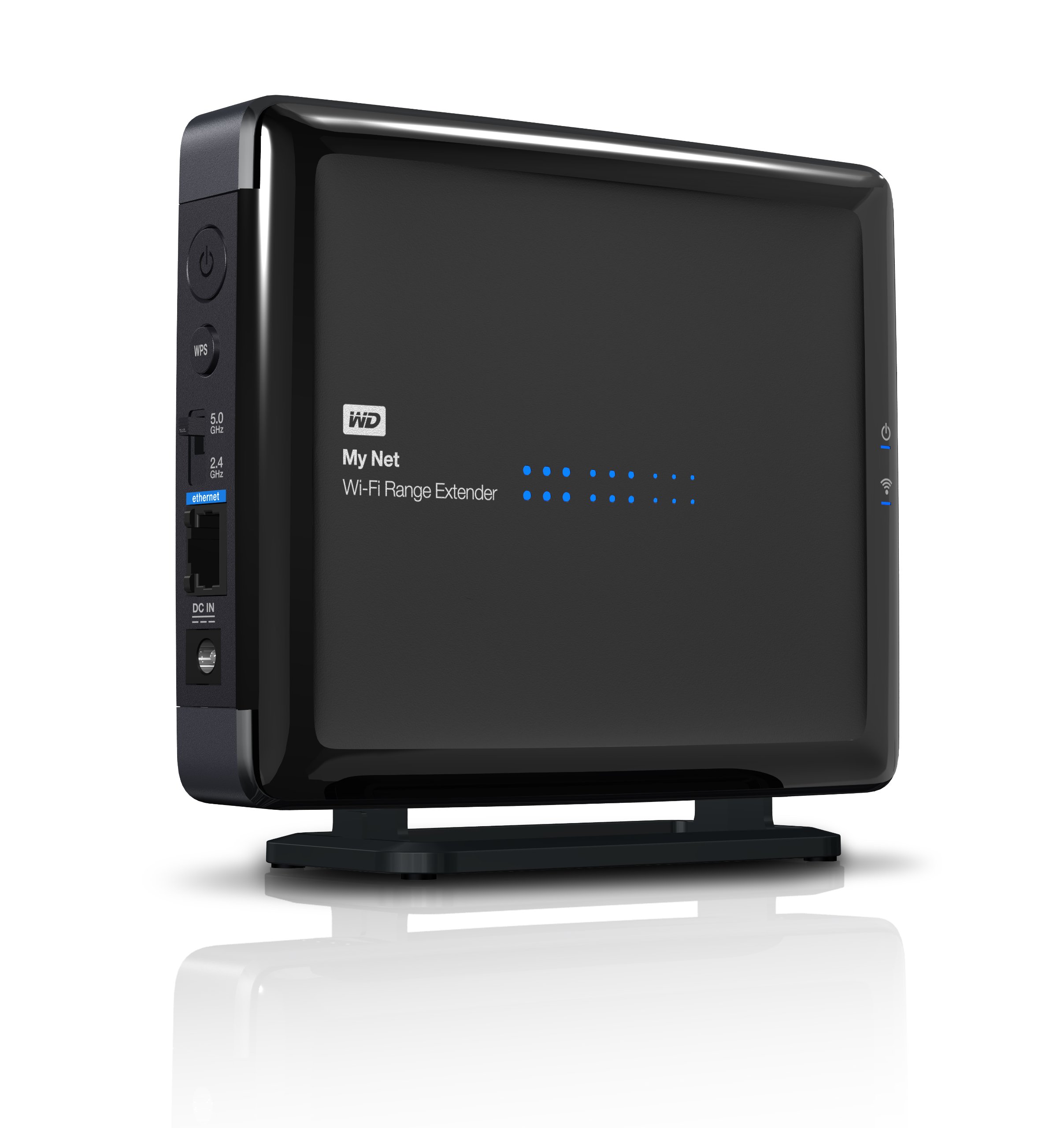
📡 Elevate Your Wi-Fi Game—No Dead Zones Allowed!
The WD My Net Wi-Fi Range Extender is a universal dual-band wireless network extender designed to enhance your existing Wi-Fi coverage. With fast HD speeds powered by a 3x3 antenna array on both 2.4 and 5 GHz bands, it ensures a reliable connection for all your devices. The stress-free WPS setup makes installation a breeze, allowing you to enjoy seamless internet access throughout your space.
| Wireless Type | 802.11n, 802.11b, 802.11g |
| Brand | Western Digital |
| Item model number | WDBAPK0000NCH-HESN |
| Item Weight | 1.24 pounds |
| Product Dimensions | 2.4 x 9.2 x 8.7 inches |
| Item Dimensions LxWxH | 2.4 x 9.2 x 8.7 inches |
| Color | Black |
| Manufacturer | Western Digital |
| Language | English |
| ASIN | B0090J652Y |
| Is Discontinued By Manufacturer | No |
| Date First Available | October 1, 2012 |
T**E
Works as Advertised (almost)
This Wi-Fi Range Extender has been working as advertised. I tried setting it up with the Push-button setup (WPS)but was unable to, the problem was most likely on the router/modem of my set up but I was not too worried about this feature as I was going to be setting the extender up as an Access Point. Setting up for an access point was simple, I simply connected to the extender through web set up and clicked on the option that toggles between extender and access point. After that I disconnected my laptop from the extender and connected the extender to the modem/router with an ethernet cable. 30 secs later I was surfing the web and more importantly, Gaming through my access point that allowed me to keep my bandwidth speeds the same as my modem/router. I am able to access my network throughout my household now at 30mbps download/5mbps upload with 85% signal strength thanks to the extender. The user interface for the extender software was simple and extremely simple to navigate through, making it easy even for beginners to set up. On a sidenote, the router and extender are connected through 50 ft of ethernet cable.System RequirementsWeb setup type in http://WDRangeExtender or 192.168.1.230Supported browsers: Internet Explorer 7, Safari 2, Firefox 2, Google Chrome 7 or higher
J**Y
Weak extender, but ok as Access Point if you can get it to work.
Pretty disappointing in range extender mode. From 30 feet away, and with only one wall between it and the source, this thing only received at 33% signal strength, which wasn't enough to stream video out in the garage. Decided to use it as a wired access point instead, which was kind of a nightmare. Instruction manual and Initial tech support was useless, but Level 2 support was great, if only available during normal weekday business hours. After about 45 minutes of manually resetting certain ports and IP address pools and other fairly complex solutions, finally able to get AP mode working. Wired, plenty of speed for streaming about 100 feet away, even in 2.4 ghz mode. This has a manual switch for 5 ghz, but haven't tried that yet.
V**D
Used as wired Access Point
You may need to be a little technically qualified to get this box working as the documentation is confusing at best. Do download the full manual from the WD website.A previous reviewer has given an excellent set of instructions for setup as a WiFi range extender. Initially I could not get the box to connect to my WiFi Router that is set up for WPA2-Personal security. It came with Firmware Rev 1.01. Firmware Rev 1.02 is available on the WD website. Upgrading is pretty straight forward using the Advanced section of the GUI after you have downloaded and unzipped the new firmware image. That solved my connection problem.I actually wanted to use the box as a wired access point (AP) since I already have a wired connection to my router in the area of the house needing a better WiFi signal. Set up as an AP sounds straightforward in the manual but there is a undocumented got-you. Initially you will probably be accessing the web interface through a direct connection from a PC to the box using its 192.168.1.240 address. At the "Mode" tag you select the AP mode. The box then saves the configuration and reboots. The manual implies that you are then taken to the set up screen for the AP mode. That does not happen. After the reboot you lose the connection to the box. This is because the box now expects the network connection to be to your router. You must transfer the Ethernet cable to connect to the router. Then you can reconnect your PC to the box web interface at whatever address has been assigned to it by the router and complete the AP setup. You can either hope the PC will connect to the wdrangeextender name or get the new IP address from the router control interface.When you have sorted through all that, the AP mode works beautifully. Lots of signal and a fast connection. I give the box only 4 stars because of the hassle to get it set up.(Added 1/7/14) I have had trouble subsequently with the AP failing periodically and requiring a power recycle to work again. I put the AP on a UPS. Although that is probably a good idea anyway, it did not cure this particular problem. What has seemed to cure it is to set the channel width at 2.4 GHz to be fixed at 20 MHz rather than the default Auto 20/40 MHz setting. The AP has not required a reset since making that change. I believe another reviewer had also recommended this change.
Trustpilot
Hace 2 meses
Hace 1 semana