We remain fully operational. Our teams are working around the clock to ensure your deliveries continue safely.

Descargar la aplicación


Servicios al cliente
Sobre nosotros
Copyright © 2025 Desertcart Holdings Limited
Descargar la aplicación
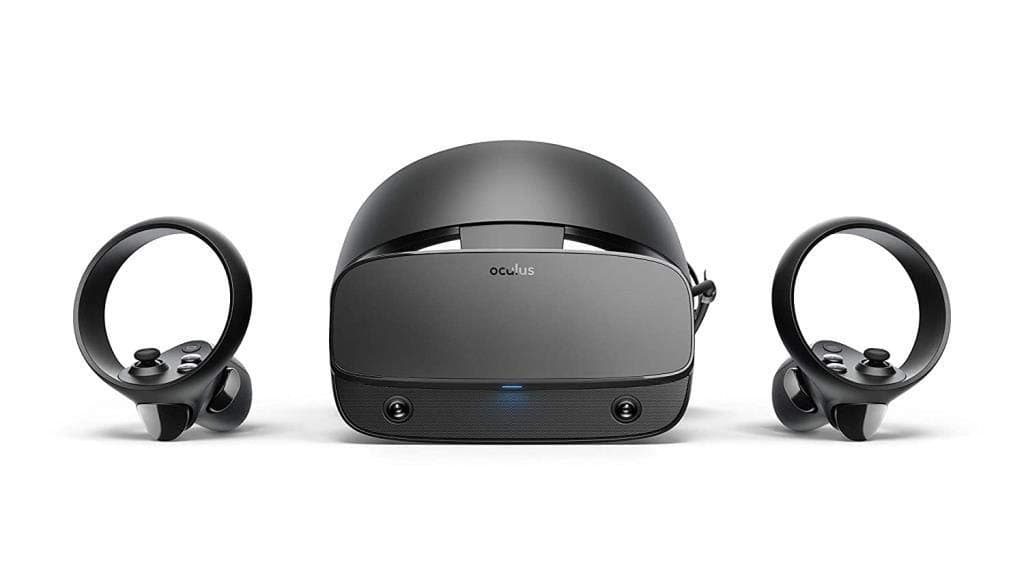

🎮 Step into the future of gaming — where your reality levels up!
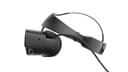
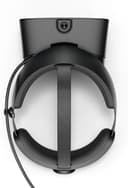
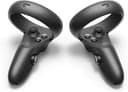
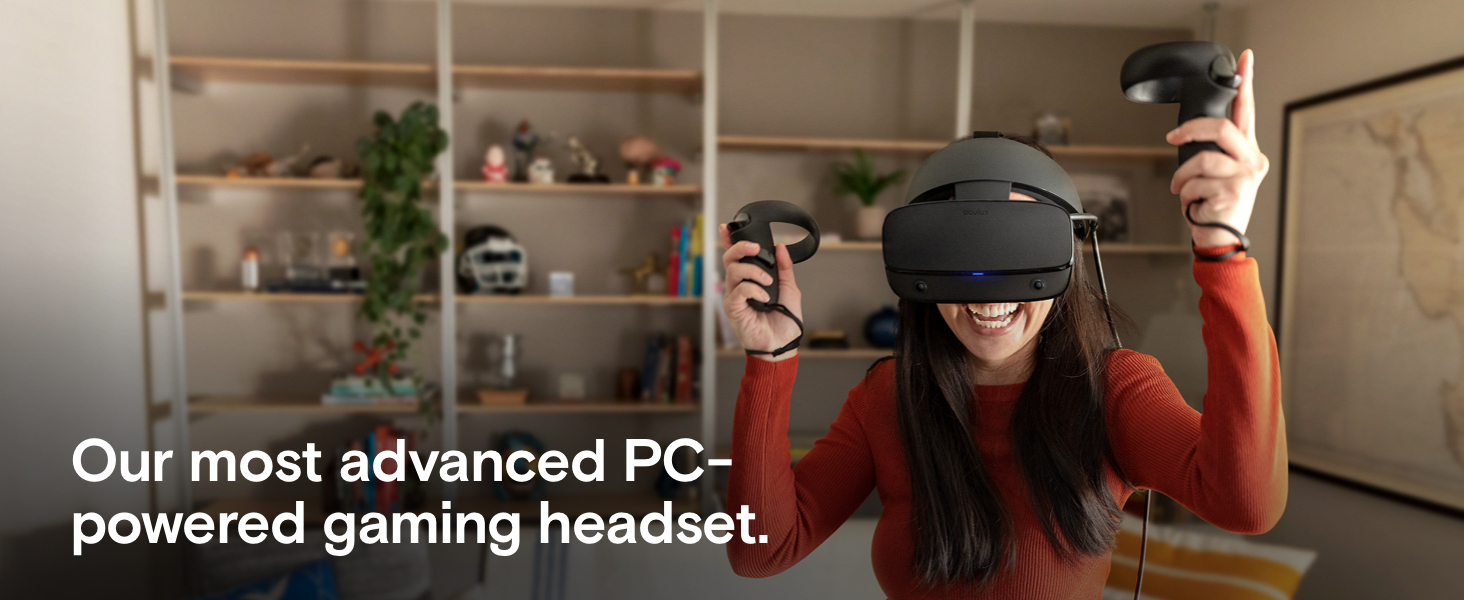
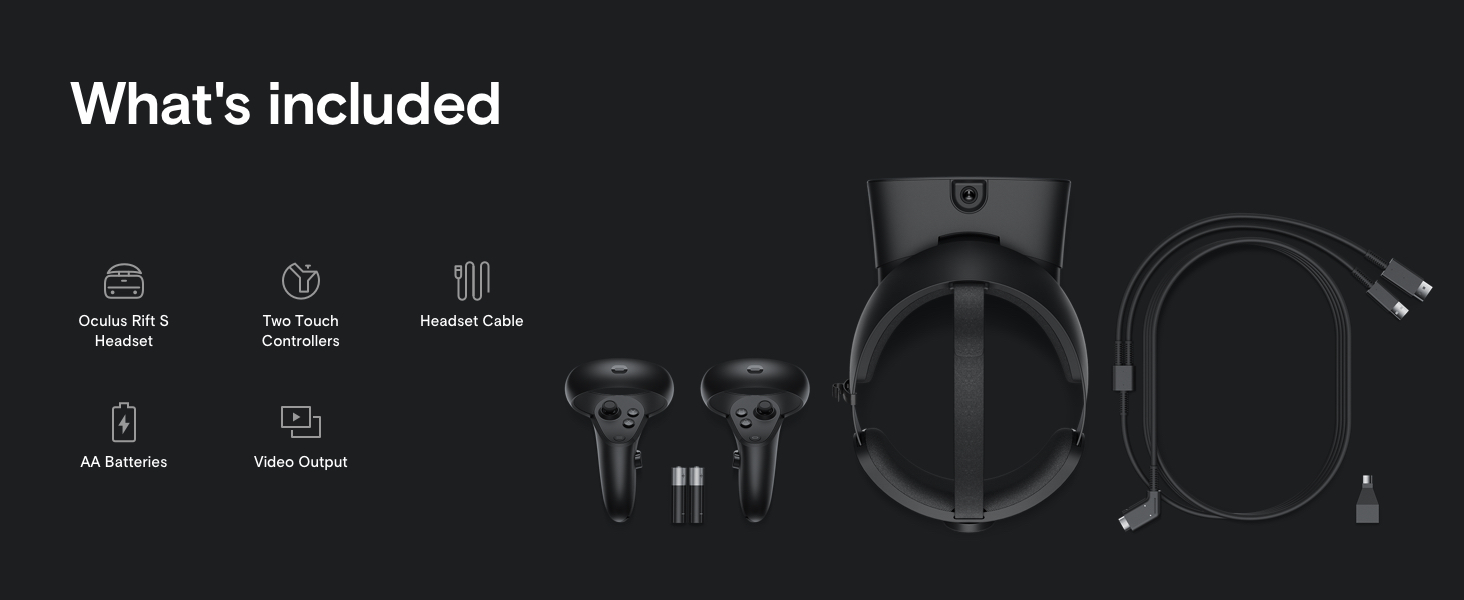
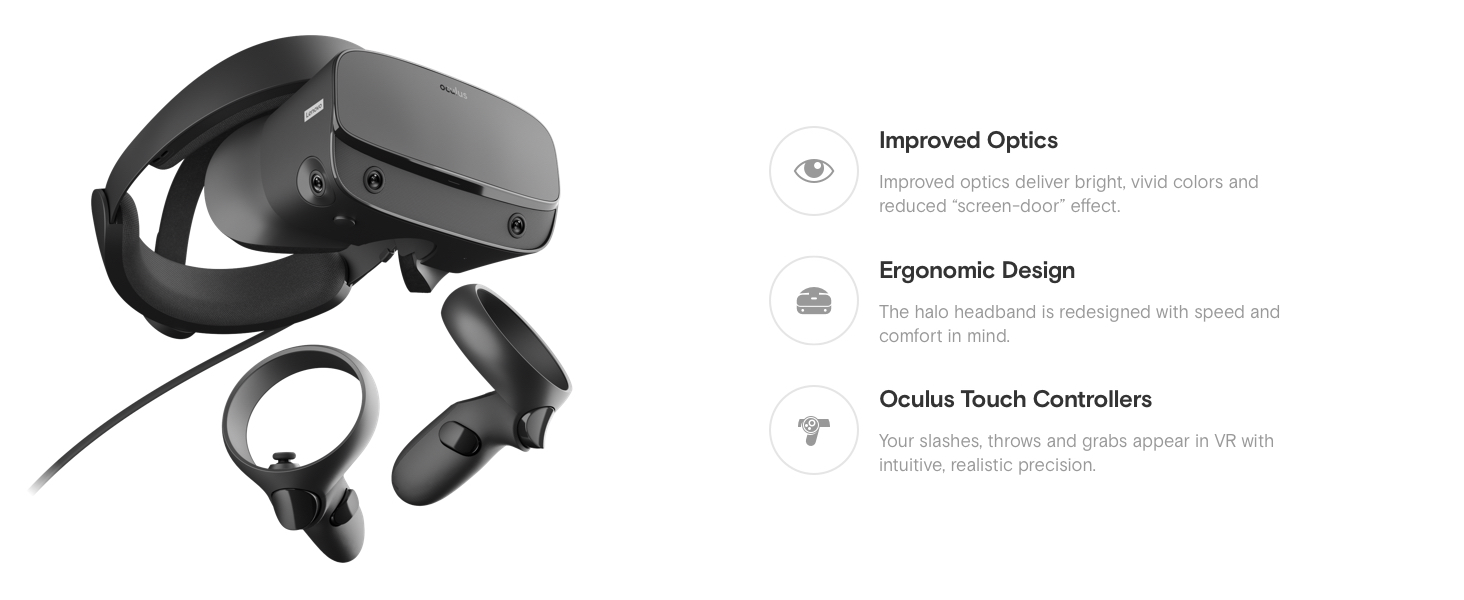
The Oculus Rift S is a PC-powered VR headset featuring a vast library of Oculus-exclusive games, next-gen optics for vivid visuals, ergonomic Halo headband design for comfort, intuitive Oculus Touch controllers, and Oculus Insight tracking technology that enables sensor-free, room-scale VR experiences.


| ASIN | B07PTMKYS7 |
| Batteries | 4 AA batteries required. (included) |
| Best Sellers Rank | #28,544 in Video Games ( See Top 100 in Video Games ) #306 in PC Virtual Reality Headsets |
| Customer Reviews | 4.3 4.3 out of 5 stars (18,756) |
| Date First Available | March 18, 2019 |
| Is Discontinued By Manufacturer | No |
| Item Weight | 4.9 ounces |
| Item model number | 301-00178-01 |
| Language | English |
| Manufacturer | Oculus |
| Product Dimensions | 10.94 x 6.3 x 8.27 inches; 4.94 ounces |
| Release date | May 21, 2019 |
| Type of item | Video Game |
Q**K
THE VR Headset to Buy
I have been completely blown away by the quality of the Rift S given it's $400 MSRP. The price and quality of this headset make it THE headset to buy in 2020. Any apprehensions I had about this device were completely smashed after my purchase and use. Inside-Out Tracking/Room Scale. Is the Rift S tracking as good as the Vive/Index that use multiple towers and outside-in tracking? No, BUT, during gameplay is there any noticeable or meaningful differences in the Rift S? Also no. I don't know how Oculus has done it, but the tracking in this headset is phenomenal given you need no towers or outside sensors to dive into a VR title. While it's not AS good as other methods if you really test it and look for flaws, you wont notice in normal gameplay and the Oculus' inside-out tracking makes it much more portable and easy to set up. A definite win for this headset. 80hz Displays. I game at 144hz on my desktop monitors and was expecting to find issue with the 80hz displays built into the Rift S. Surprisingly, I rarely ever notice and when I do, it's the fault of my aging GPU causing hitching and not the displays. Is it as good as the 120hz displays on the Index? No, but it's also less than half the price. Display Clarity/Quality. I expected to have visual compromises in a $400 VR headset. Imagine my surprise to find that the Rift S looks MILES better than the HTC Vive. The "screen door effect" of this headset is very, very minimal, and the picture is much clearer than expected. About the only time I've ever found myself squinting because it was hard to see was on the rare occasions that I'd be tinkering with settings in a browser or application while mirroring my desktop in VR. Halo Strap. I didn't think it would be comfortable, but it is hands down the best VR strap I've ever used. But, there is a learning curve to figuring out the proper way to put this headset on so that it's comfortable and fits well - be sure to do some reading online because Oculus does a poor job of explaining the best way to use this somewhat unintuitive headset strap. Once you find the proper fit, you'll be able to play for hours comfortably. Durability. As soon as I opened the Rift S I immediately became apprehensive of the durability of the Halo strap, mounting point of the display to the Halo strap, and thick kink-prone cables. The concerns I had with the Halo strap and mounting point for the headset are all but gone after many on/off repetitions and a few hard bumps. Inevitably, the cable will get kinks, but it's thick, sturdy, and has survived being yanked out of the top of the headset display a couple of times. At the end of the day, I'm satisfied that the Rift S will last years. Worst case, if it doesn't, the halo strap can be replaced for $60 and the cable for $80 (both are available to purchase from the Oculus website). Built-in Speakers. Me, before buying the Rift S: "How can tiny speakers built into the strap of a headset sound like anything but complete garbage? At least I can plug my good Shure earbuds into it." Me after buying the Rift S: "I'd rather use the built-in speakers than mess with headphones and cables." Are the built-in speakers bass-thumping mad-houses? Absolutely not. But the sound is very crisp and clear, has plenty of volume, and the positional audio is surprisingly great. Other Observations: Camera View - You can set a shortcut so that the double-tap of the menu button turns on the exterior camera view, this comes in handy. Controllers - I expected these to be better than the god-awful Vive wands, they are. These controllers are comfortable and intuitive. Battery-powered is a plus, they tend to last for a couple weeks with heavy use and only 1 AA battery is needed per controller. Storage - I recommend getting a small case to store this headset in, due to the long cable and multiple peripherals it'll quickly clutter up your computer desk/office. It's very easy to set up/teardown because there is only one cable to plug in and no towers. Steam Integration - This headset integrates with Steam VR pretty seamlessly, and built-in access to the Oculus store is a plus. Displayport REQUIRED: Read the fine print people. You MUST have Displayport in order to plug in and use this headset. This should not be an issue with most modern desktop GPUs. Overall: If you are thinking about getting a VR headset and don't want to blow the budget, get the Rift S.
J**M
First thoughs of VR
Would like to point I've never experienced VR before, but this VR set is AMAZING when it works. The IPD seems fine on default... Changed it via software and show no changes in vision soz. Gameplay so far is amazing. Only games i tried is beat saber and skyrim so far. Give this a 5 star for graphic, ease of use, setup. Rated 4 due do the issues i ran into so far, and absolutely hate that dumb advertisement window that pops up every time i put headset on for oculus software. Should be option to disable just that tbh unless there is and haven't found it. I've read all the issues and troubleshoot steps of head of time before purchase, and to say the least i was expecting issues. and yes this thing was a bit of a pain to setup. First of all its states my USB3.0 is not compatibility... yet it still plays and opens everything. Only real issue i had was it kept disconnecting, likely due to the USB 3.0. With all the troubleshooting i read online on reddit etc, i somehow got it to stop disconnecting for now. We'll see, even though it still states my USB3.0 not compatibility. Another issue i ran into on Day 3 of use is that the oculus software (Version 12.1) keeps telling to setup my guardian when it was already setup muliple times a day. I believe it still has something to due with the incompatibility of the 3.0 ports using "VIA USB 3.0 eXtensible Host Controller -1.0 (Microsoft)" Since my mobo (MSI GA-78LMT-USB3 6.0) is a small form factor, i have no more PCI-E slots or anything for a PCIE Expansion card, only slot i had was PCI, which heard PCI USB 3.0 doesnt work in most cases and some cases it does. So took my chances with "StarTech.com 4 Port PCI SuperSpeed USB 3.0 Adapter Card with SATA/SP4 Power - Quad Port PCI USB 3 Controller Card (PCIUSB3S4)" Read this PCI slot worked for some. My PC Specs; Win10 Version 1909 Pro edition GPU: GTX1060 OC CPU: FX8370 eight core clocked at 4.2 Mhz 24GB RAM clock at 1600 Will update once i get the card today to see if the incompatibility 3.0 ports can be resolved... UPDATE: "StarTech.com 4 Port PCI SuperSpeed USB 3.0 Adapter Card" Did not work saddly, spoke with start tech support and advised they have no PCI Cards that would support the amount of data that oculus occurs since only 1 channel card. Advised only the PCI-E would work. Saddly do not have a PCI-e slot available. So have to upgrade mobo or deal with the issue. (Personally can't upgrade as it requires upgrading to DDR4 Ram and AMD4 cpu slot as my mobo is older side with DDR3 and AMD3 slot., so will deal with the issue till upgrade in near future saddly) As for the issue, even those ports states incompatibility, it rarely disconnects, maby once a day if cables loose. As for the oculus software forcing to setup gaurdian all the time. This is still happening and apparently its oculus software that the issue and is known. So overall loving the experience except for the 2 main issues. UPDATE: 6/20/2020 Recently upgraded my PC motherboard to MSI MPG X570 Gaming Plus board with Ryan 7 3700x, DDR4 RAM and NVMe SSD. Ran for 2-3 months, and have not one single issue with it disconnecting. Everything seems to run smoothly and runs on max quality. (Still have my GTX 1060 Gaming X OC graphic card.)
K**Y
BoxVR and Pistol Whip are the 2 most played games for now. Tons of fun with it so it's worthwhile. Not worth it if you're gonna use this for entertainment though. Who wears a helmet to the cinema?
M**Y
The item arrived much faster than the estimated day which was a good surprise. I have only been using it for a few days and am in love with it. I'm new to VR so it can feel a bit scary and weird. And I'm still exploring and figuring out what it can do. I'm thrilled in beat saber right now. I suspect in time technology will advance so the wire won't be an issue. (For the most part it's not, but sometimes in the passion of a game you feel the long wire attachment getting in the way). I love this equipment.
D**B
Plus : Qualité d’affichage améliorée : L’Oculus Rift S offre une résolution de 2560 x 1440 (1280 x 1440 par œil) avec un écran LCD à 80 Hz, réduisant l’effet de grille par rapport à l’Oculus Rift original. Les visuels sont nets pour la plupart des jeux VR. Suivi sans capteurs externes : Le système de suivi Insight avec cinq capteurs intégrés permet un tracking précis à 6 degrés de liberté (6DoF) sans avoir à installer des capteurs externes, facilitant l’installation. Confort pour les longues sessions : Le design du bandeau en halo, conçu avec Lenovo, est ergonomique et répartit bien le poids, rendant le casque confortable pour des sessions prolongées. Bibliothèque de jeux solide : Compatible avec la vaste bibliothèque Oculus, incluant des titres phares comme Beat Saber, Half-Life: Alyx et Asgard’s Wrath, offrant une expérience VR riche. Facilité d’utilisation : Configuration simple via le logiciel Oculus, avec un seul câble (USB 3.0 et DisplayPort) pour se connecter au PC, idéal pour les débutants en VR. Moins : Écran LCD moins vibrant : Comparé aux écrans OLED du Rift original, l’écran LCD du Rift S offre des noirs moins profonds et des couleurs moins éclatantes, ce qui peut décevoir dans les jeux sombres. Taux de rafraîchissement limité : À 80 Hz, le Rift S est en deçà des 90 Hz ou plus offerts par des concurrents comme le Valve Index, ce qui peut causer une légère sensation d’inconfort pour certains utilisateurs sensibles. Suivi des contrôleurs perfectible : Bien que le suivi Insight soit pratique, il peut perdre la trace des contrôleurs dans des angles morts (près du visage ou derrière la tête), ce qui peut gêner dans des jeux rapides. Confort variable selon les morphologies : Certains utilisateurs trouvent le bandeau en halo moins adapté à certaines formes de tête, et le rembourrage facial peut être inconfortable sans accessoires tiers. Dépendance à un PC puissant : Nécessite un PC avec une carte graphique performante (minimum GTX 1060), ce qui peut être un frein pour les utilisateurs sans configuration adaptée. Support discontinué : Depuis l’arrêt de la production en 2021, le support officiel d’Oculus est limité, et les pièces de rechange (comme le câble) sont difficiles à trouver. Verdict : L’Oculus Rift S est un excellent casque VR pour les débutants ou les joueurs PC souhaitant une expérience immersive sans complications d’installation, avec un bon rapport qualité-prix à son époque. Cependant, son écran LCD, son taux de rafraîchissement et son suivi imparfait le rendent moins compétitif face à des casques plus récents comme le Meta Quest 2 ou 3. Idéal pour ceux déjà investis dans l’écosystème Oculus, mais les nouveaux utilisateurs pourraient préférer des alternatives autonomes ou plus modernes.
O**R
Line Summary: If you know what you are buying buy it definitely, if you are new to VR then Oculus Quest 2 is a more friendly Option given you buy an ergonomic headstrap for it. Point Summary: - Excellent device for Laptop user who like to control everything while sitting. - Not compatible with Most regular Laptop/Non-gaming laptops and need a special Display port to USC-C adapter for it (a specific one). - Oculus Quest 2 is more general user friendly. - Oculus Rift 2 have now less support or market due to fact that Oculus have discontinued it. Advantages: > The Display port compared to USB means that no extra processing or video/image encoding done by your laptop gpu/cpu. So better performance also the camera detect controller movement field better than quest 2. > No need to buy any ergonomic headstrap or battery etc.. like the Oculus Quest 2... > To me the experiance of motion and games (not quality of image) is better than the Oculus Quest 2 and more fluid dynamic (but again that depends on your PC/Laptop). > You can literally have like 360 monitors around you and a mouse and keyboard and multi-task at it best opening multiple windows and seeing them all as each windows is like a large Cinema moniter. > No battery or charging hassle, as in the oculus quest 2 you can't use it 24 hour straight even when plugged to power source evenly battery drain out on heavy use while charging... But on Rift S no such issue as no battery to charge and can be kept connected to laptop 24/7 with no to little resets (device setup from time to time on windows updates). Disadvantages: > You become hooked to a cable all the time (compared to Oculus Quest 2) [not a big deal as if on Laptop you will also be hooked in the Oculus Quest 2 for high end graphic games that can't be rendered from Quest 2 built in Hardware). > You do need a powerful gaming laptop ideally a Lenovo Legion one (as it is designed for the LEGION Specially since LENOVO was partner with Oculus and it have a Mini-Display Port compared to other laptops)
M**D
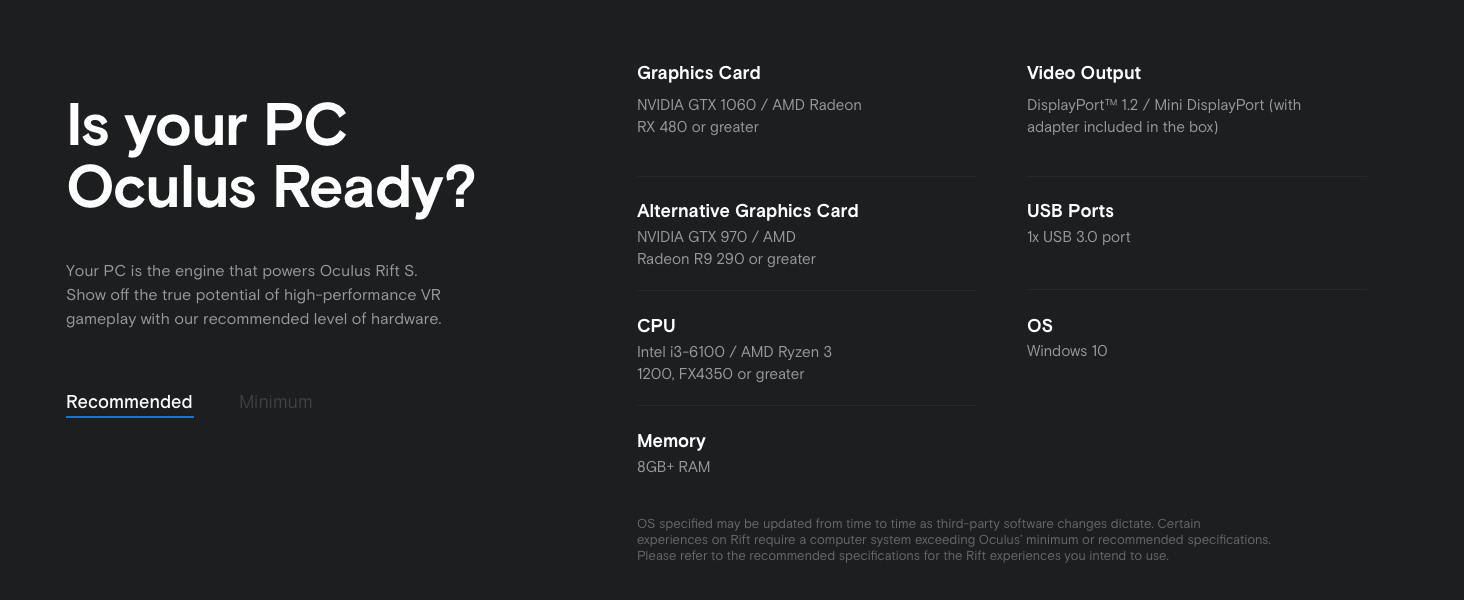
Must get don't think too much be sure you have display port in your GPU and 3.1 usb port and you run VR test application before you buy it ... Sadly no Oculus Rift S Optical Cable replacement in market
Trustpilot
Hace 2 semanas
Hace 1 mes