We remain fully operational. Our teams are working around the clock to ensure your deliveries continue safely.

Descargar la aplicación


Servicios al cliente
Sobre nosotros
Copyright © 2025 Desertcart Holdings Limited
Descargar la aplicación
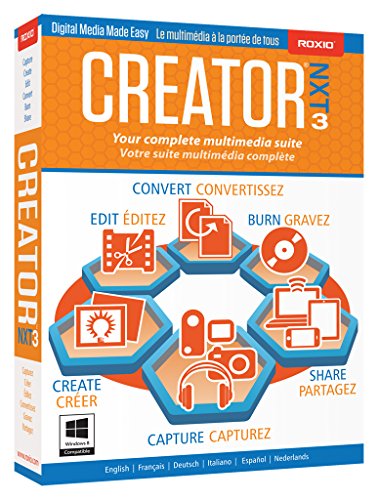

🎬 Elevate your digital storytelling—create, capture, and share like a pro!
Roxio Creator NXT 3 is a comprehensive digital media suite designed for professionals and creatives who want to record, edit, burn, and share multimedia content effortlessly. Featuring Live Screen Capture for direct recording, FastFlick for quick movie creation, and robust disc burning capabilities, it supports a wide range of formats and social platforms. While praised for its versatility and ease of use, some users report stability issues with audio editing. Overall, it remains a powerful all-in-one solution for multimedia management and creative expression.
| ASIN | B00OMQLT6C |
| Best Sellers Rank | #2,053 in Software ( See Top 100 in Software ) #97 in Photography (Software) |
| Customer Reviews | 3.5 3.5 out of 5 stars (140) |
| Date First Available | November 3, 2014 |
| Is Discontinued By Manufacturer | No |
| Item model number | RCRNXT3MLMBAM |
| Manufacturer | Roxio |
| Product Dimensions | 5.25 x 1.25 x 7.5 inches; 3.68 ounces |
D**R
GREAT FOR ALL OF THE FUN THINGS ON YOUR COMPUTER!
THIS PROGRAM IS AWESOME!!!!!!!!!! This does everything that you need it to do to have FUN on your computer! You can do recording, you can do editing, you can use it for photos. It is so much fun. Personally, I use this mostly for editing my pictures and downloading music cd's. The possibilities with this are endless and I cannot wait to learn how to do more!
C**V
Useless for basic audio editing and crashes a lot
As others have pointed out, Roxio crashes -- a lot. I tend to save my work a lot, but it's still annoying. The two previous versions had this same problem... The larger problem has to do with the "Audio Editor" (aka "Sound Editor") function. The interface is very nicely designed and quite intuitive. But the program is intended to let you edit, merge and blend various audio files to create a single music track or customized compilation of tracks, and yet every single transition between audio files, whether blended, spaced apart or pushed together for a "hard edit," is marred by a loud, split-second burst of static. This is true even on files in which you've manually faded down the volume to zero on the first track, and manually faded up the volume on the second track! Previous versions of Roxio were plagued by this same defect, but I could work around it with the manual fades and other editing tricks. Not so with this latest version. This defect basically renders the entire audio editing function useless as it's impossible to make seamless transitions from one file (song) to the next. It's maddening that after several years and several updates Roxio still can't produce a useful version of what is arguably the basic, often-used element of the Creator package. I'll never buy a Roxio product again. I've stuck with the company for years because they do some things quite well, in terms of the interface and packaging of the various tools. But no more. I'm done.
P**T
Great product
Roxie Creator 9 is not compatible with my new PC so I was forced to upgrade to Creator NXT 3. I only give it 4 stars because I have not used all of it yet. The music section (burning CDs, creating labels) works just fine. If you have used Roxie Creator 9 in the past it is basically the same thing only better. No problem with the install at all. The labels I made with Creator 9 (old PC) was saved on thumb drive and they opened right up with Creator NXT 3. I read some bad reviews but I have not experienced those problems. Ordered it from Amazon and received it in two days. I hope this is helpful.
E**N
works great
I was pleased when I used the photo processing program, somewhat similar to photoshop which I have been using since version 4. I have only used the disk copy feature one time, but it works quite well. the program loaded quite easily and fast into my computer. I don't think the registration worked, I did not get the email to verify. I found nothing else about registering it. I have also used the cd creator versions since 2. I am using windows 8.1.
B**T
Not compatible with files created in older versions.
1) - Roxio's Tech Support says that 98% of projects created in earlier versions are not compatible with the new. I found this out when I tried to open a DVD insert file created in Creator 10, and received an error message. 2) when ripping a CD, NXT3 found a match in Grace Notes, but failed to retain the CD title or track titles. The track titles ended up as Track1, Track2, etc I had to go back to an old version which worked perfectly. What they have done is add a neat graphical front-end to each of their older routines (i.e., CD Ripper, Label Creator, etc.) but retained the old underlying code, but with some obvious bugs. They have added a neat circular status display in bright colors, instead of a status bar at the bottom of the program, Wow! One of their new features, recording a video from your screen seems to work fine. What I've had to do is retain my old version to run some options, and keep the new version for the new features. Not a good value, both programs now occupy disc space.
W**.
Would Not Install - UPDATE Customer Service FIXED!
SEE BELOW 2/25/15 for "Happy Fix"....WAS=DO NOT BUY THIS SOFTWARE! IT WILL NOT INSTALL! Don't waste your time or money! I have a 'straight up' WIN 7 Pro, 64 bit, I5 Asus machine and totally unable to install. I read the feedback and tried every possible combination (No check for updates, check for, complete install, custom install, etc, etc). I even tried it with virus protection off. End result = no install with "ROXIO CREATOR NXT 3 Wizard was interupted" error EVERY time....It will be going back to amazon NOW = 2/25/15 FOLLOW UP: I put a query into Corel just on a lark, not expecting any resolution (OR even an answer back!)...Not only did I get an answer back, but a very polite apology and offer to remote log onto my PC and see if Roxio (corel) could install. The tech was absolutely superb and in very short order was able to install and get Roxio up and running! It does not appear that I was doing anything wrong (how hard can an install be, right?), but by watching my screen, there were definite install tricks in work...All in all though, I am way impressed with Roxio support and will for sure give the NXT3 a try rather than returning it to Amazon.
K**E
The Swiss Army Knife of multimedia processing.
The Swiss Army Knife of multimedia processing. Good solid basic tools. Fairly intuitive to use and setup. I've used Roxio Creator products for years.The newer screen capture utility produces a better video quality. Than other programs I've tried in the past. For the price it's a hard program to beat.
L**.
Works great.
I use it primarily to do audio capture from my LP vinyl records. Works great.
M**Y
I looked, in vain, for some 'on paper' guidance I could understand and follow, apart from the info. that appears on-screen. I found too much of the screen info. difficult to follow. I suppose the program is OK if you're 'into' computers but I found easier (and cheaper) alternatives to this.
J**F
an excellent program
Trustpilot
Hace 2 semanas
Hace 1 mes